

Question

Pattern fill doesn't respect mode

  • October 6, 2025
  • 3 replies
  • 57 views

Sofie

I have a repeatable pattern, where the source use a variable that has two modes; light and dark. The mode is set to auto (default: light) on the pattern frame itself.


When the pattern is applied and I swap the mode in a frame from light to dark; everything changes, except from the pattern. In my case the pattern should have turned to a dark color.


Is this a bug? A feature? And is there a workaround?
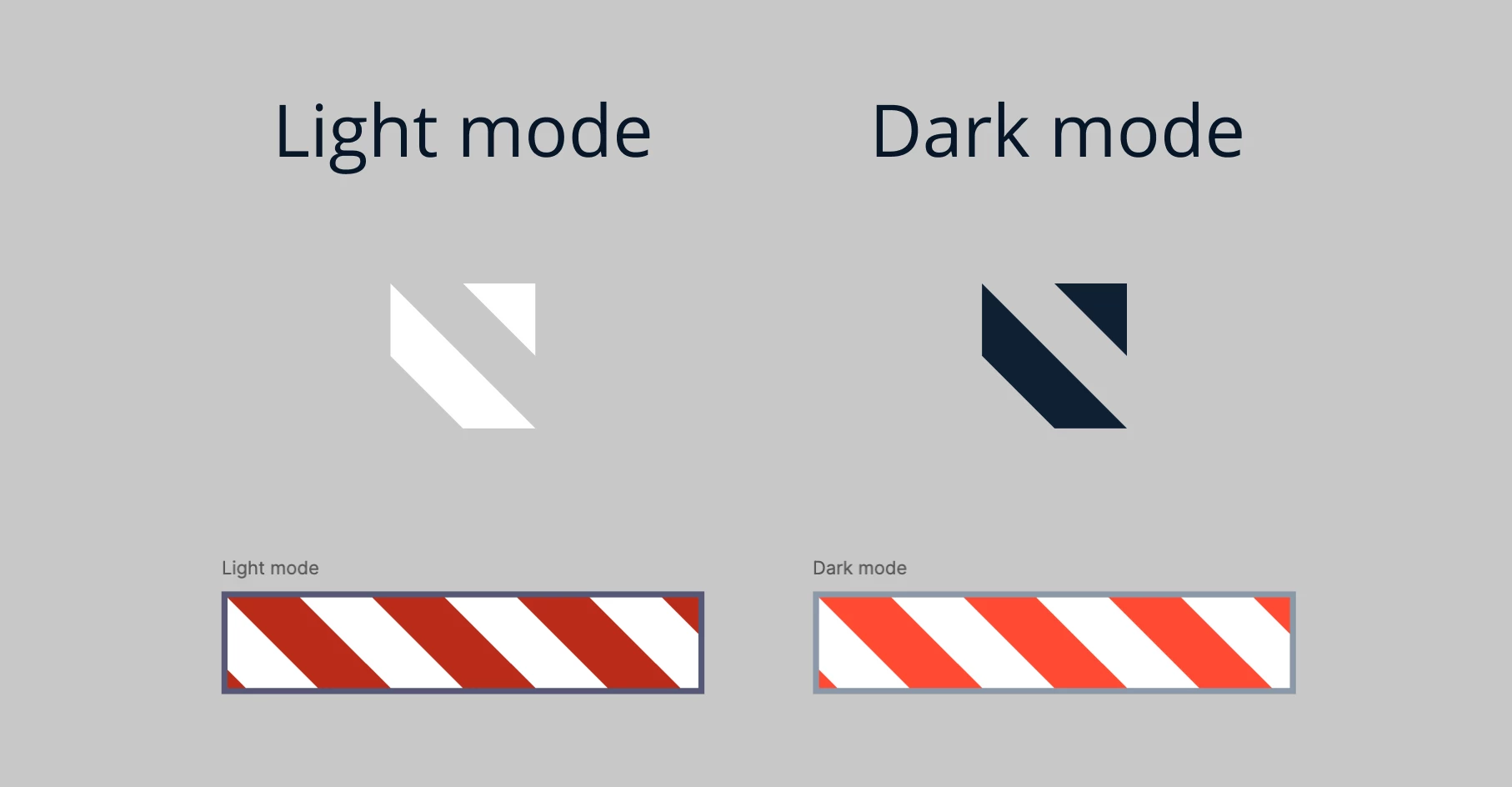
 

Repeatable diagonal line pattern


3 replies

Apolline
  • Active Member
  • October 6, 2025

What’s the selected blend mode for the pattern in appearance and fill ? 


Sofie
  • Author
  • New Participant
  • October 6, 2025

What’s the selected blend mode for the pattern in appearance and fill ? 


It is pass through :)


Lazar_Jovanovic

I assume it’s not a bug but rather the way it’s build: Figma at this point treats a pattern as a “visual snapshot” and not as a live, component-based entity (although I think it should be the second). It basically picks up the “visible state” of the source.
I was having the same situation, wanted to write about it and came across your question. 
The only “workaround” I found to be working, is to place both the screen frame and the pattern source within a parent frame, and then change the mode on that parent frame. Not the best, but does the job for presentation or smth.