

Question

Pasting Figma file link into FigJam board - No longer working?

  • May 14, 2026
  • 4 replies
  • 16 views

Daniele_Q

Hi Everyone

I’ve been experiencing this issue for the last 3 days… 

I have a figjam board where I gather all relevant links to Figma files for a project I’m working on.. 

It was going fine, until it stopped pasting Figma link and create the Figma file widget.
It loads for a few seconds, then nothing happens. 
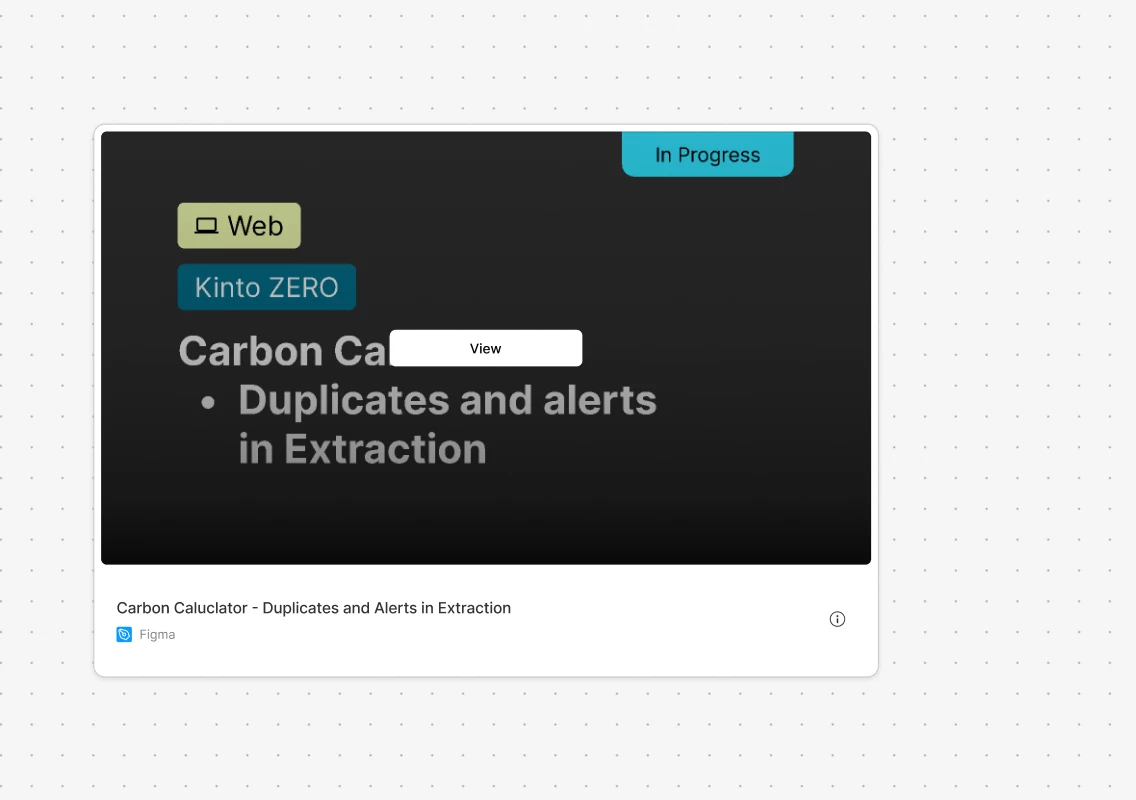
 

Link to Figma File widget example


I though it was an issue due to the large size of my FigJam board, or the size of the Figma file I was linking. 
But no, it doesent work even with brand new boards and empty Figma files. 

Also refreshed the cache…. No luck at all


4 replies

djv
Figmate
  • Community Support
  • May 14, 2026

Hi ​@Daniele_Q, thanks for flagging this! 

This is definitely not expected behavior, so I completely understand how it must be slowing down your workflow. I just tested this in a FigJam file of my own, and I’m experiencing the same bug. I’ve passed this onto our FigJam team who is now investigating and working towards a fix. 

I’ll follow up with any updates from the team as soon as I can. 


djv
Figmate
  • Community Support
  • May 14, 2026

Hey ​@Daniele_Q, thanks for your patience! 

Good news - the team has started rolling out a fix for this issue! If you don’t see it yet, be sure to try refreshing your tabs.

You should see the fix by the end of the day, but please let me know if you continue to run into the issue tomorrow. 


Daniele_Q
  • Author
  • New Participant
  • May 15, 2026

Hey ​@djv 

Yep, looks like it is fixed! Thanx a lot for the quick fix!!


Daniele_Q
  • Author
  • New Participant
  • May 15, 2026

@djv 

Now it seems that contextual menu on Figma files is not working.. 

Right click or ctrl-click ( on Mac ) does not call contextual menu

Can’t perform actions on a selected element ( for example, detacth instance or go to main component )

Should I open a different topic about this?
