

Question

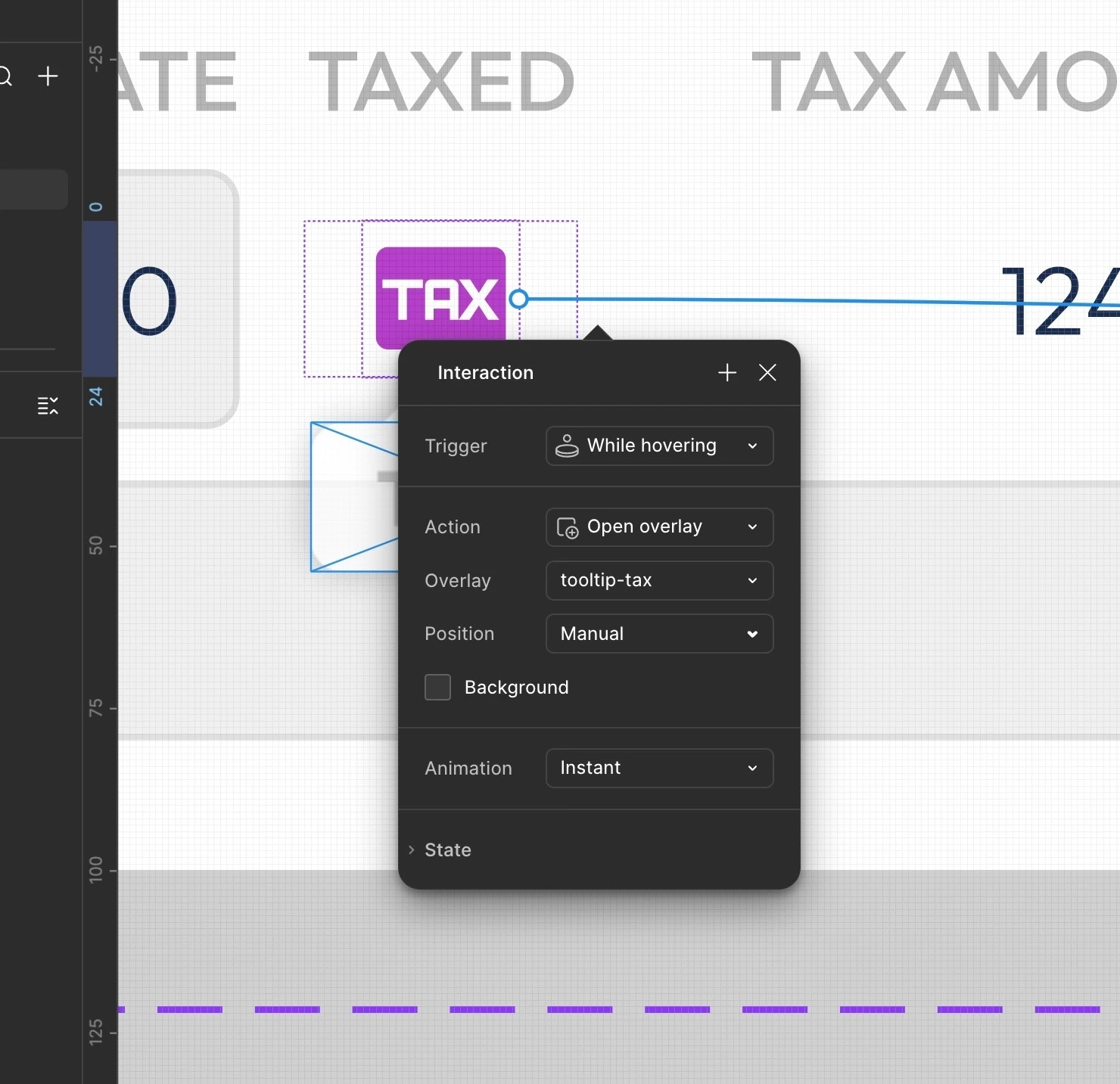
Overlays - Exactly how do I edit this Manual Position behind the info pop-up?

  • June 22, 2026
  • 1 reply
  • 4 views

john-mainboard

So, when you add a pop-up, you now can’t see the manual position, because the settings prototype UI popup is right on top of the manual positioning area, so you can’t se what you are doing?


Why Figma, why?
 

1 reply

djv
Figmate
  • Community Support
  • June 22, 2026

Hi ​@john-mainboard, thanks for reaching out! 

I understand the frustration here, but your should be able to simply click to grab the Interaction pop-up window and drag while clicking to move it anywhere you want on your canvas so that it is out of the way so you can continue to see what you’re working on. If that’s not the case, please let us know.