Solved
No prototype tab/panel
Hello,
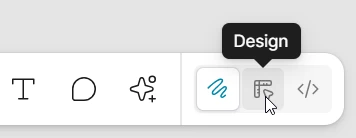
I am new to Figma and have encountered a problem: one of my devices does not have a Prototype panel.
I have two devices: a home device with a Prototype tab near the Design tab and a work device without it. Even when I go to Figma > View > Panels, I don't see the «Open prototype panel» button, which is available on my home device.
I tried reinstalling Figma, but that didn't help.
This button was there previously, before the last update