

Sasch
January 5, 2024
Question

Nested instances reset to default when applying parent modifications like booleans

  • January 5, 2024
  • 14 replies
  • 1652 views

Hi, I’m facing a strange behaviour right now and I did not find a way to make it work yet…Maybe you folks can help me find a solution or point me in the right direction.

My plan is to create a sidebar navigation pattern where designers can modify the menu structure easily.

The structure of the example includes a “Single Item” component set where all the different navigation link type are collected (e.g. Headline, Link, Subline, Divider, etc.) and a “Section” component set that is used to allow the designers to choose how many navigation items they want to have in a section.

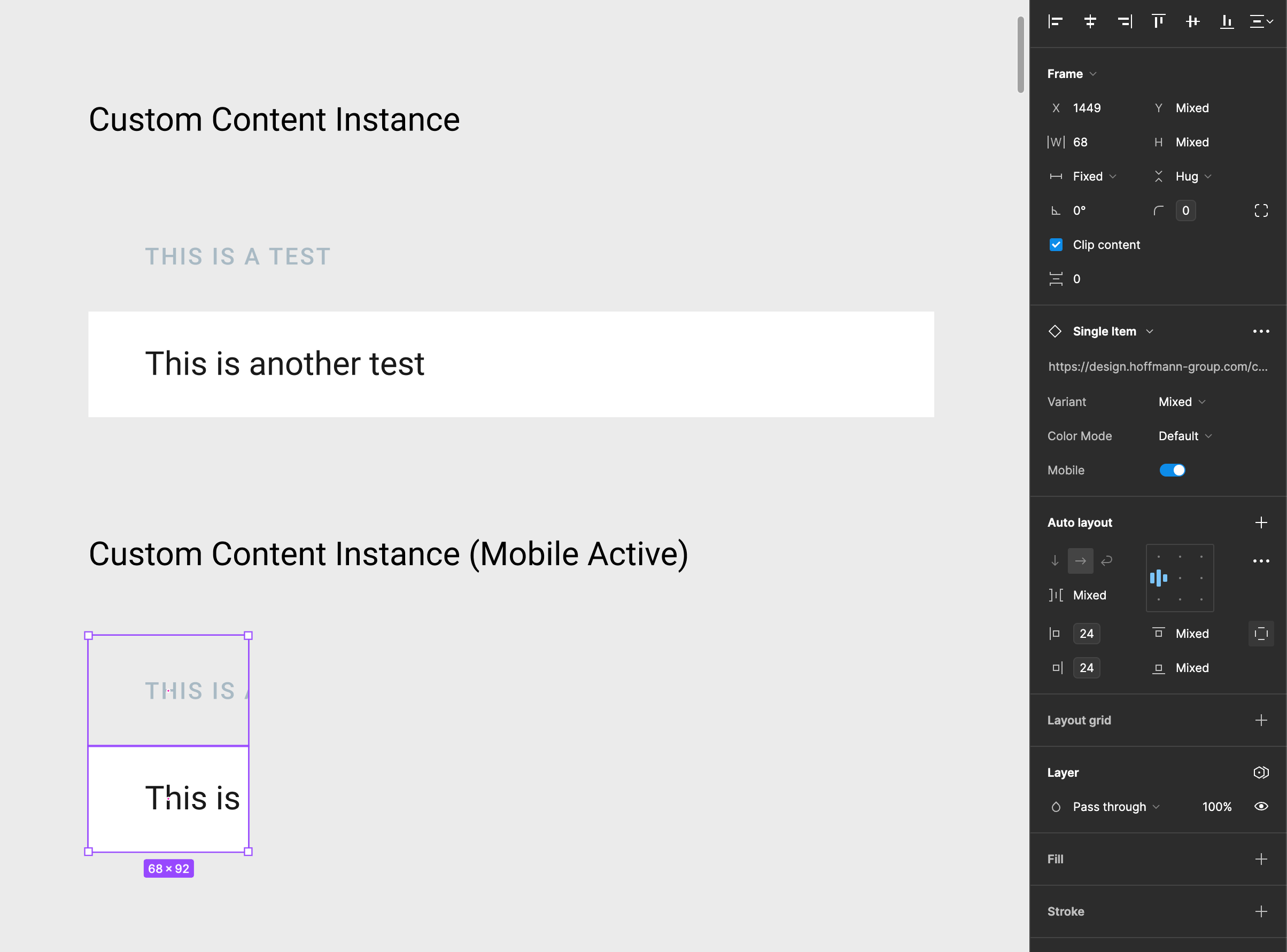
Now to the strange behaviour. When I use the “Mobile” boolean on the “Single Item” component all works as expected. Inactive “Mobile” is full width and active “Mobile” is max-width of 68px. See an example below:
Now when I apply the same settings to a “Section” component only the unchanged link types have the custom text I applied earlier. All link items that have been modified are overwritten by their default state. What I would expect is the “Headline” and “Subline” to have the modified text like in version where mobile is not active. See an example below:
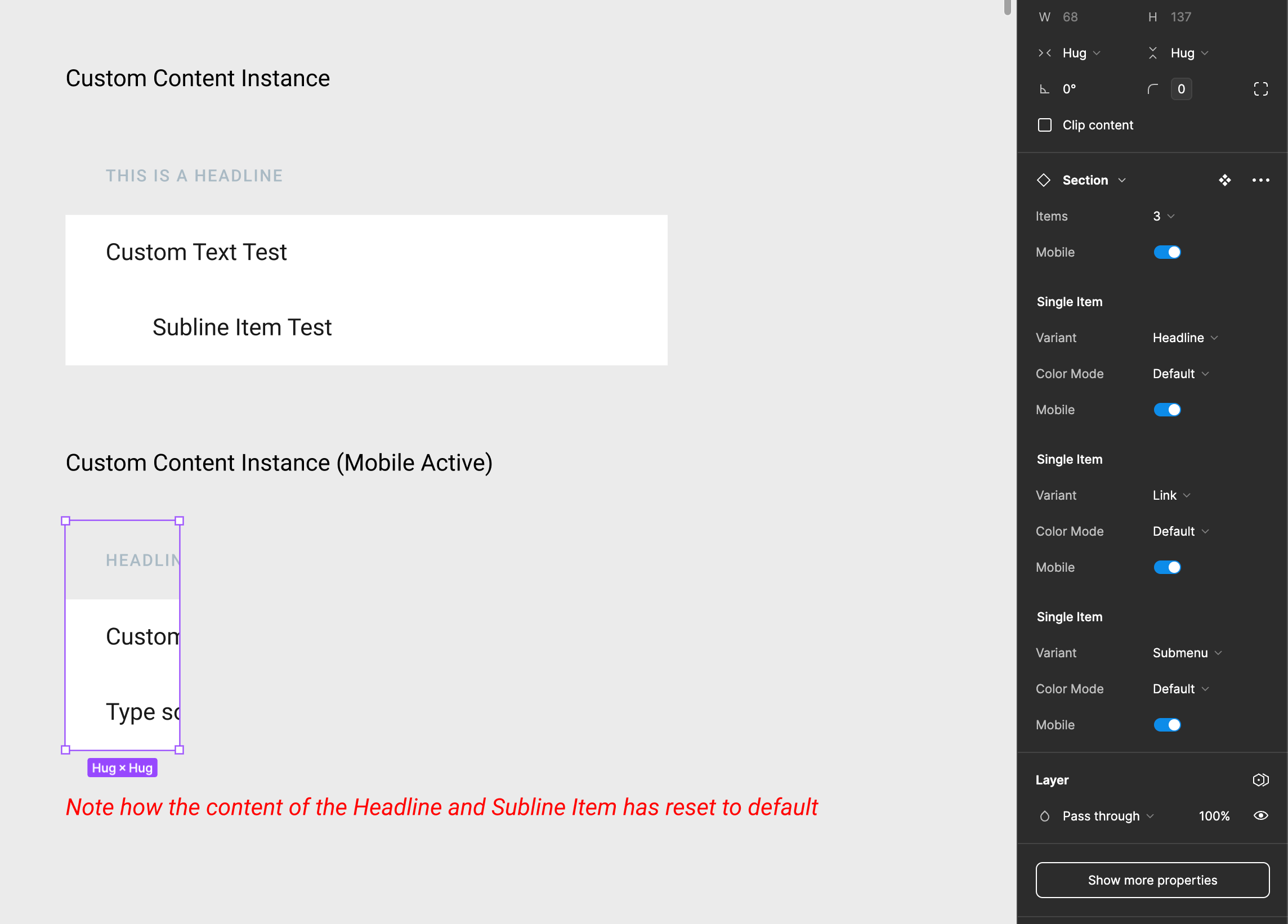
It’s strange to me that, for example, the nested instance is still remembering that I changed it to a “Headline” type but not remembering the text I entered. This way its impossible to allow the designers to easily change the sidebar to collapsed without changing the content for the mobile version manually. What am I missing here?

Here is a sample file to see the behaviour in action:
custom_override_bug.fig (84.6 KB)

This topic has been closed for replies.

14 replies

Francisco_Caballero
September 23, 2024

To prevent issues with the Prototype and Components with different variants (states like collaped=true/false for instance), each layer must have its name since it will be used as class names during the transitions.

Keep a clean naming convention, and be sure that nesting is properly defined.

Cisil Calipinar
New Member
October 28, 2025

Hi everyone, I’m running into a serious issue with modals in my Figma file and I’m hoping for some guidance.

I worked on several modals in a branch. Everything was correct there, but after merging the branch back into the main file, many of the modals lost their text content and seemed to reset to a default state.

What’s confusing is that some modals in the same flow that I did not modify also reset themselves, while others remained unchanged. So the situation is inconsistent:

  • Some modals I edited lost their text and reverted.

  • Some modals I never touched also reverted.

  • Some modals stayed completely fine.

This happened right after merging, so I’m unsure if this is related to components, variants, or something with branching behavior. I’ve checked for overrides, but the resets seem unexpected and inconsistent.

Has anyone experienced something similar or knows what may cause this? Any suggestions or troubleshooting steps would be greatly appreciated.

Thanks in advance!

PS: this kind of behaviour happened with some CTA components too. But in that case, all the text variables of the CTA was detached and i needed to fix them manually


josh.paris
New Member
November 5, 2025

Hi Cisil, our team also just recently had this issue. We ended up having to double click into the component and it fixed itself. We tried multiple times and it kept resetting our merged components. Very weird behavior that I think is a bug.

Novia_LINDSAY
New Member
November 6, 2025

Hi Cisil, our team also just recently had this issue. We ended up having to double click into the component and it fixed itself. We tried multiple times and it kept resetting our merged components. Very weird behavior that I think is a bug.

I experienced this issue today. Following a merge, all of the labels, values, and icons in my components reset to their defaults.