Solved

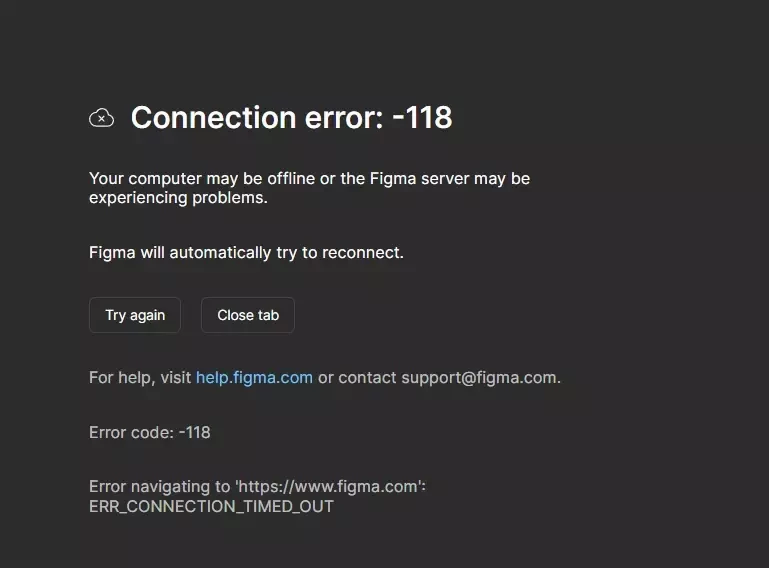
Не получается войти в аккаунт error 118

  • August 28, 2026
  • 1 reply
  • 40 views

Анна Привалова

в чем причина? и как войти???

Best answer by Gayani_S

Hey ​@Анна Привалова, thanks for reaching out! I'm replying in English but please let me know if something is unclear! 

That "-118" error means your browser wasn't able to complete a connection to figma.com in time. It's a network-level issue rather than something wrong with your account. A few things to try, in order:

  1. Refresh and retry, close any other Figma tabs, then open figma.com in a fresh tab (or force-quit and reopen the desktop app, if that's what you're using).
  2. Test a different network. If you can, try a different Wi-Fi connection or a mobile hotspot for a minute. If Figma loads there, the issue is specific to your original network. If other websites also struggle to load on that same network, that points to something broader than just Figma.
  3. Check for a VPN or proxy. Figma isn't officially compatible with VPNs or proxy services, and they're a common cause of timeouts like this one. If you need to keep one running, try adding figma.com to its safe list or split-tunnel exceptions; otherwise, disable it temporarily to test.
  4. Check browser extensions and security software. Ad blockers, antivirus tools, or a company firewall can also interrupt the connection.
  5. Confirm there's no broader outage. Take a quick look at Figma's status page.

Our Troubleshooting checklist and Adjust your network settings Help Center articles walk through all of this in more detail.

If you've gone through all of that and it's still happening, let me know: browser or desktop app, whether a VPN's involved, and whether other sites load fine on the same connection. That'll help me figure out the right next step! 

1 reply

Gayani_S
Figmate
  • Community Support
  • Answer
  • August 28, 2026

Hey ​@Анна Привалова, thanks for reaching out! I'm replying in English but please let me know if something is unclear! 

That "-118" error means your browser wasn't able to complete a connection to figma.com in time. It's a network-level issue rather than something wrong with your account. A few things to try, in order:

  1. Refresh and retry, close any other Figma tabs, then open figma.com in a fresh tab (or force-quit and reopen the desktop app, if that's what you're using).
  2. Test a different network. If you can, try a different Wi-Fi connection or a mobile hotspot for a minute. If Figma loads there, the issue is specific to your original network. If other websites also struggle to load on that same network, that points to something broader than just Figma.
  3. Check for a VPN or proxy. Figma isn't officially compatible with VPNs or proxy services, and they're a common cause of timeouts like this one. If you need to keep one running, try adding figma.com to its safe list or split-tunnel exceptions; otherwise, disable it temporarily to test.
  4. Check browser extensions and security software. Ad blockers, antivirus tools, or a company firewall can also interrupt the connection.
  5. Confirm there's no broader outage. Take a quick look at Figma's status page.

Our Troubleshooting checklist and Adjust your network settings Help Center articles walk through all of this in more detail.

If you've gone through all of that and it's still happening, let me know: browser or desktop app, whether a VPN's involved, and whether other sites load fine on the same connection. That'll help me figure out the right next step!