Hi Muhammed, thanks for reaching out to the Figma Forum!
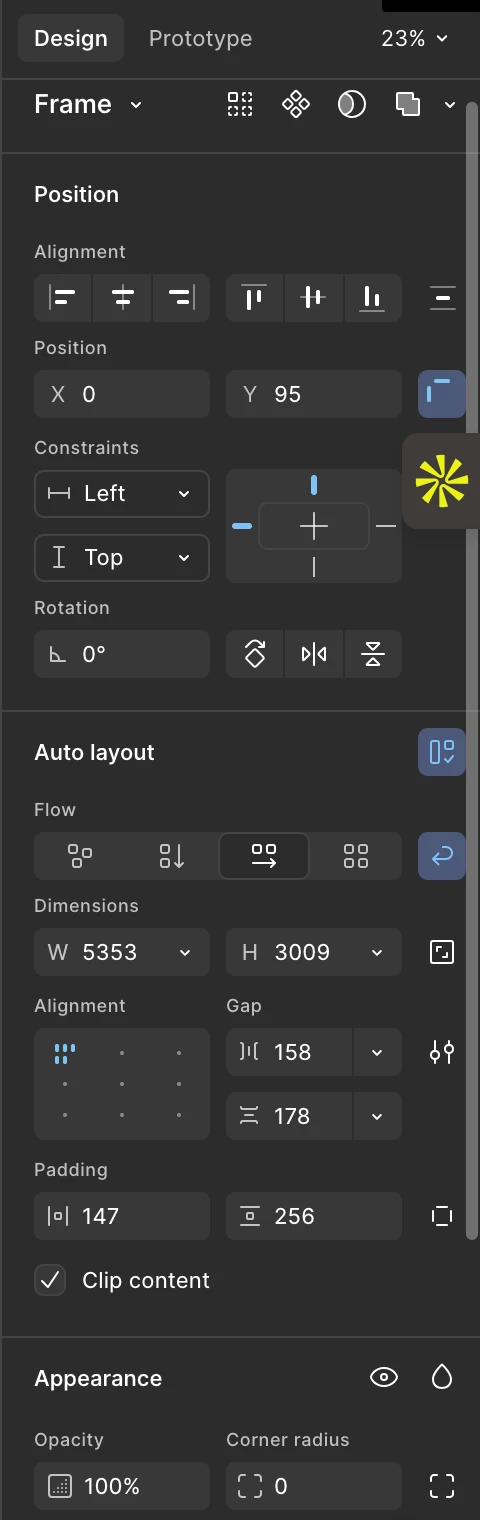
Just to clarify, “Ignore auto layout” was previously called absolute position. The name has changed, but the behavior remains the same.
You’ll see the Ignore auto layout (absolute position) option when you’ve selected a child layer inside an auto layout frame. Please make sure the frame you've selected is nested within an auto layout frame, so you can see that option.
If you’re still running into issues, I’d recommend reaching out to our Support team with a copy of your file so they can investigate more closely. To do that: Go to the Support Hub / Click Start a chat / Type “Report a bug” / Include a direct URL to the file
Please also share edit access to the affected file with support-share@figma.com (our official Support account) so the team can take a closer look. You won’t be billed for this access.