

Question

Missing "Go to Source" button

  • August 8, 2026
  • 1 reply
  • 22 views

Nenad Bosnić

Hey, guys.

I’ve designed a prototype using Figma Make. Now I need to make a lot of small edits and tweaks without burning all of my credits in a blink.
However, when I click on “Edit” button and select a component, I get no toolbar or any other route for accessing the source of that component and making changes through code.
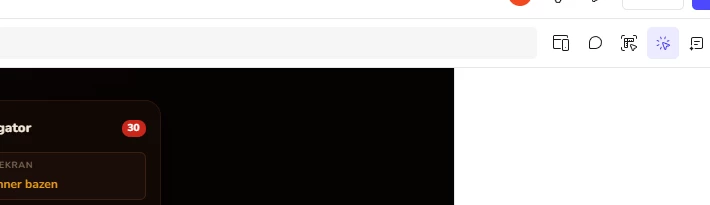
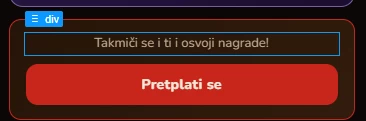
Even though Figma itself recommends Go to Source edits for saving credits, it seems that this option is missing. Why and how can I fix it?

I am and admin of the project, I have a full seat, so permissions should not be the issue.

Thanks to anyone willing to help out.

1 reply

djv
Figmate
  • Community Support
  • August 11, 2026

Hi ​@Nenad Bosnić, thanks for reaching out! 

I understand the confusion here. "Go to source" hasn't gone away, but we recently updated the Make interface. Point and Edit now lives in the top-right corner with "Go to source" moved into the properties panel on the right side once you select an element. Try looking for it there before anything else.


If you do see it but it's greyed out, that usually means we couldn't resolve a code snippet for that particular element; most often when its styles are dynamic (set by expressions or generated in a loop) rather than static. Selecting a parent or a simpler child element often gets you there. A couple of questions so we can investigate, if neither of those are it:

  • When you select the component, do you see anything in the right-hand panel, or is it empty?
  • Is this happening on every element, or just certain ones (e.g. buttons or repeated list items)?
  • Are you on the web app or desktop, and does a hard refresh change anything?

And on credits, Point and Edit style tweaks and "Go to source" edits don't consume credits. Only prompt-based edits draw down your balance. Let us know what you find, and we'll continue to troubleshoot this together.