

"Missing Font" warning on Figma Make, but those fonts aren't being used at all
When I Click “Publish” on my Make project, I see a “Missing Fonts” warning:
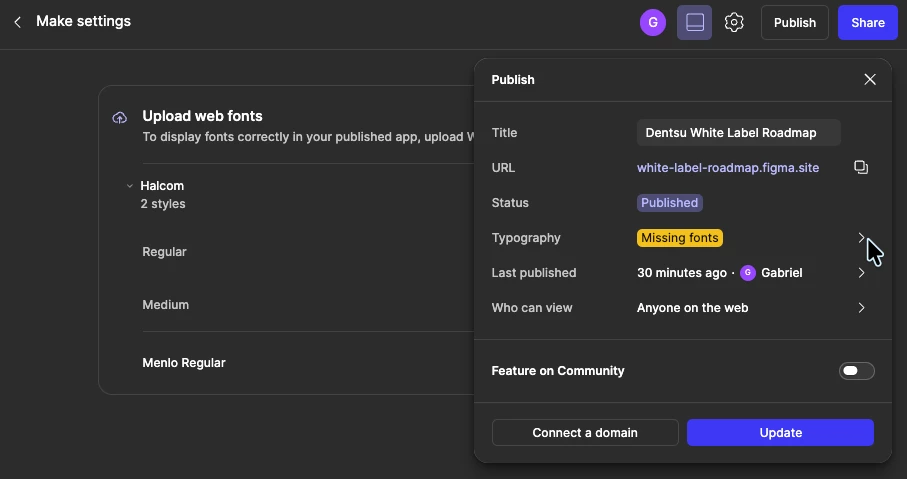
Clicking the warning shows the missing fonts are Menlo and Halcom:
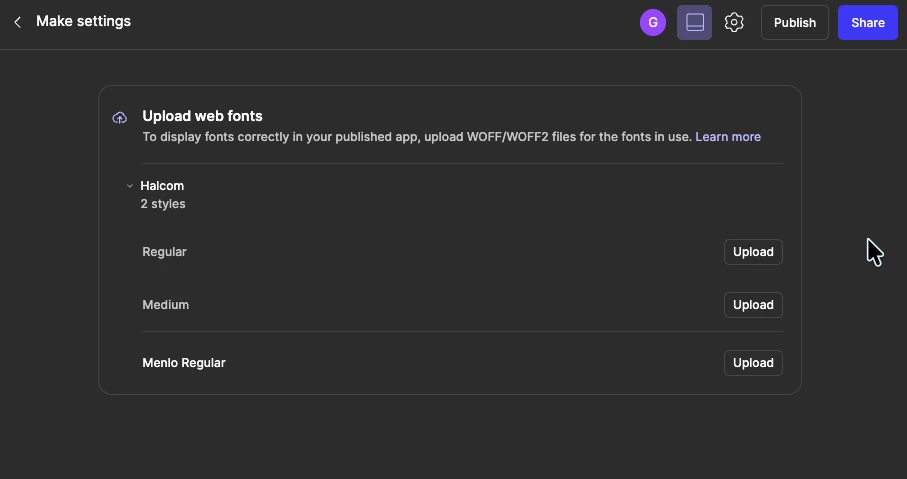
However, these 2 fonts are not being used at all in the project. I can confirm this after having downloaded the codebase to Sublime Text and perfoming a project-wide search for “menlo” and “halcom” and not having found any occurrences. Make itself confirms this via prompt:
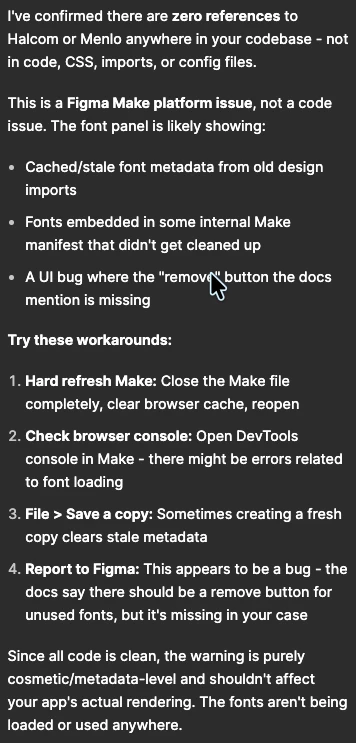
I have done all these steps and can’t find a solution.
The official documentation page for this subject (https://help.figma.com/hc/en-us/articles/38694569552151-Upload-a-web-font-to-Figma-Make) which is reached by clicking “Learn More” on that very screen, says there should be a Delete button on the fonts:
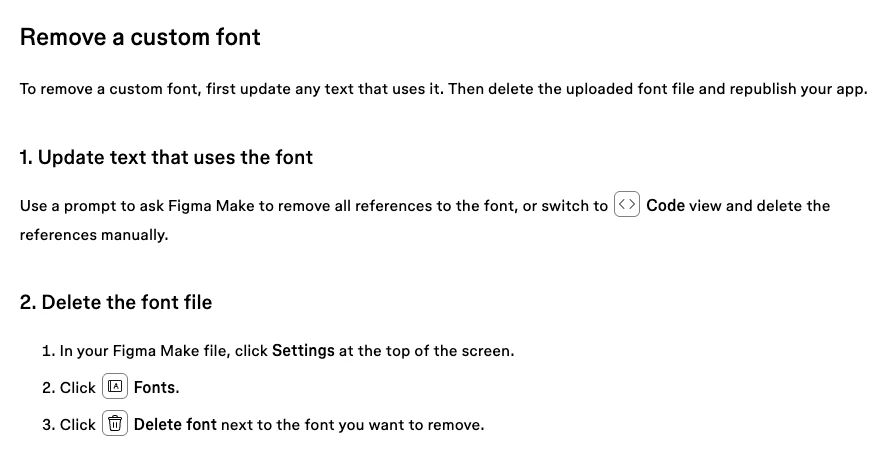
However , as can be seen from the second screenshot in this post, there isn’t such a thing.
I’ll follow Make’s own advice and ignore that warning, but it is an odd and annoying thing that it happens.
I know I could try downloading the fonts, uploading them and seeing if either the warning goes away or if a delete button finally appears, but these fonts are commercial, and I can’t pay for something just to delete it. Plus I might be introducing bloat into my software by doing that, so I don’t want to do it.
Anyone knows how to make that warning go away, or make the broken fonts stopped appearing in that panel?
Thanks!