

Missing elements from prototype
Hello Figma community, I'm running into a very strange issue and I wonder if anyone know how to fix it. I have the feeling it is some king of bug or error because this prorotype was working perfectly before and apparently this problem started occuring two days ago.
I made an “Accordion” component, made out of “Accordion Header” and “Accordion Content” — the latter can be changed to variants with different number of itens. Also, each item of the “Accordion Content” can be replaced with another component, i'll be using a “List” component to exemplify here.
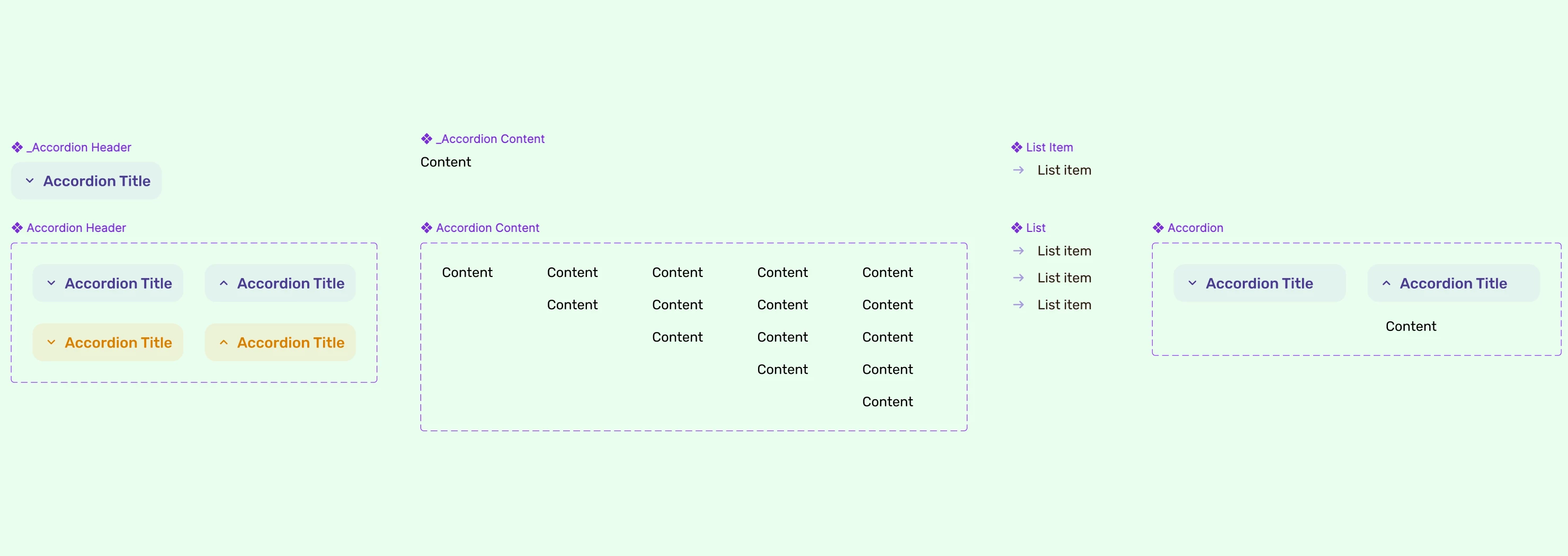
With this setup, I was able to make an accordin component that can be opened and closed by clicking on its header. This worked fine for about three weeks.
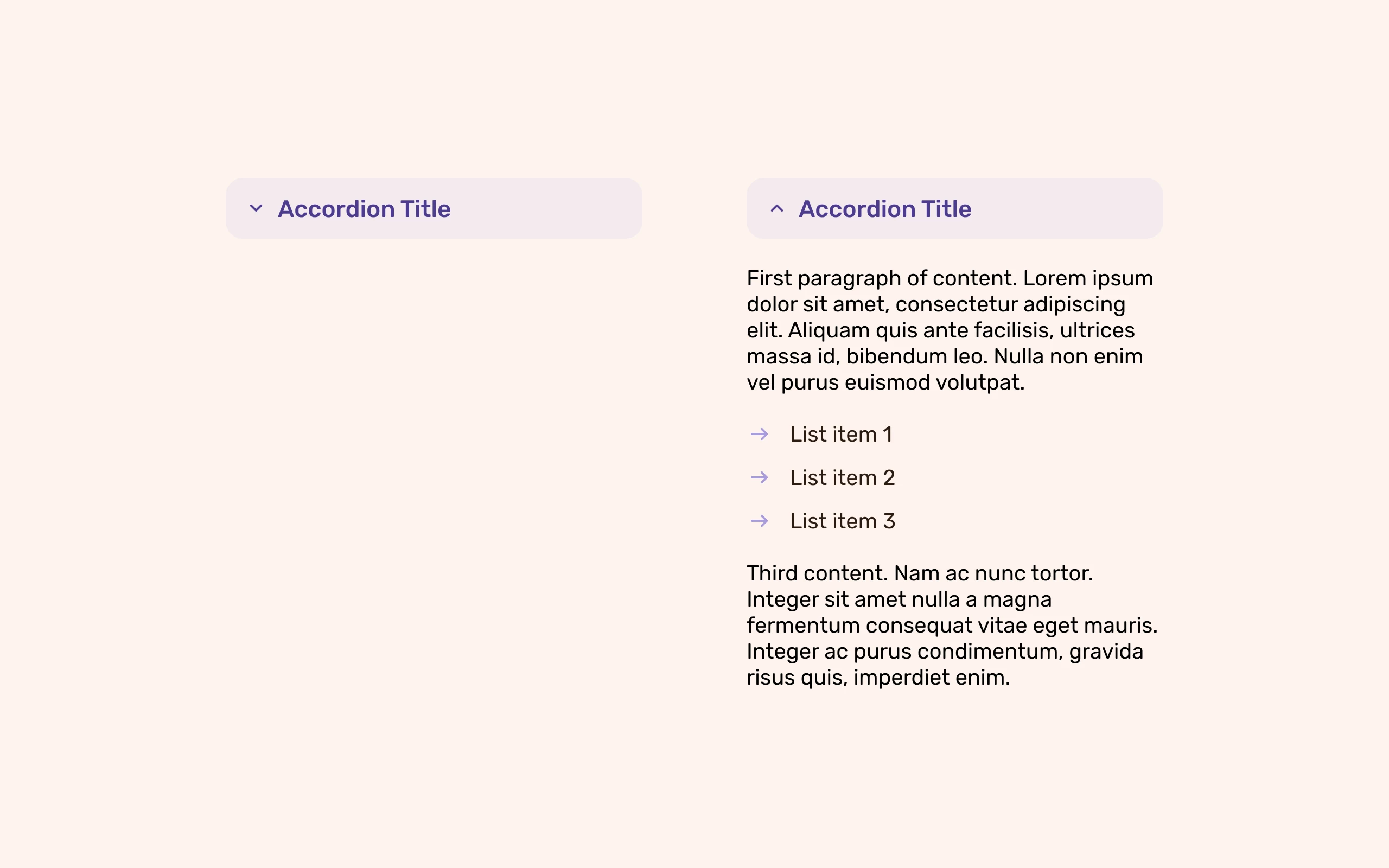
However, in the past couple of days, the accordion is not working as it was. When it starts the prototype opened it works as intended, but when it starts closed, some of its contents won't show up.
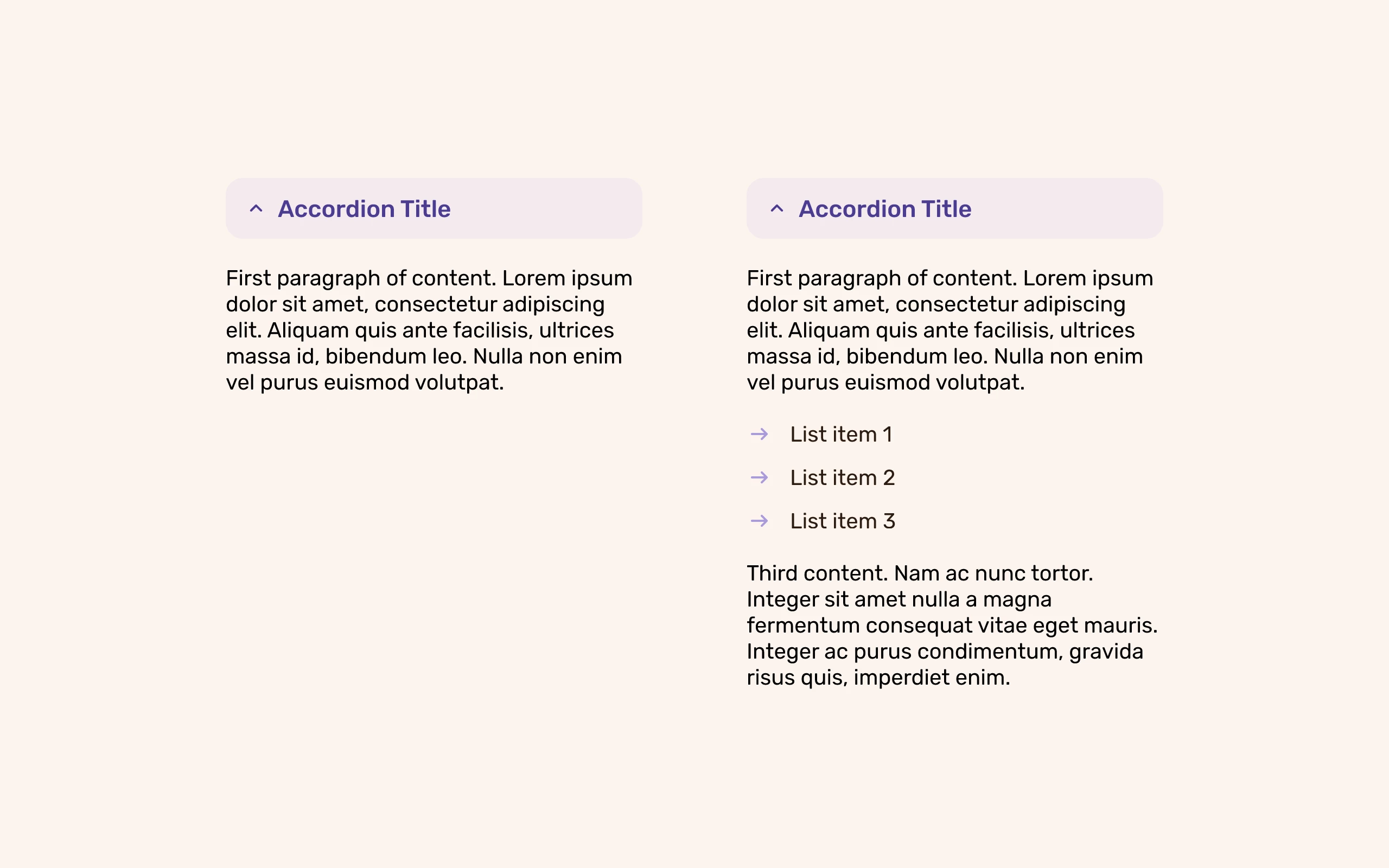
To be clear: when working on figma all the elements are there and show up when changign states; however when opening the prototype, the elements won't show up when changing states from closed to open. When the same component starts opened it shows all of its content and works perfectly.
Does anyone has any idea what this bug is about? I just wat to start my prototype with the accordinos clsoed and make it work.
Link for a prototype test with the same element side by side (one starting closed the other opened):