Hey @Shapebubble, thanks for reaching out!
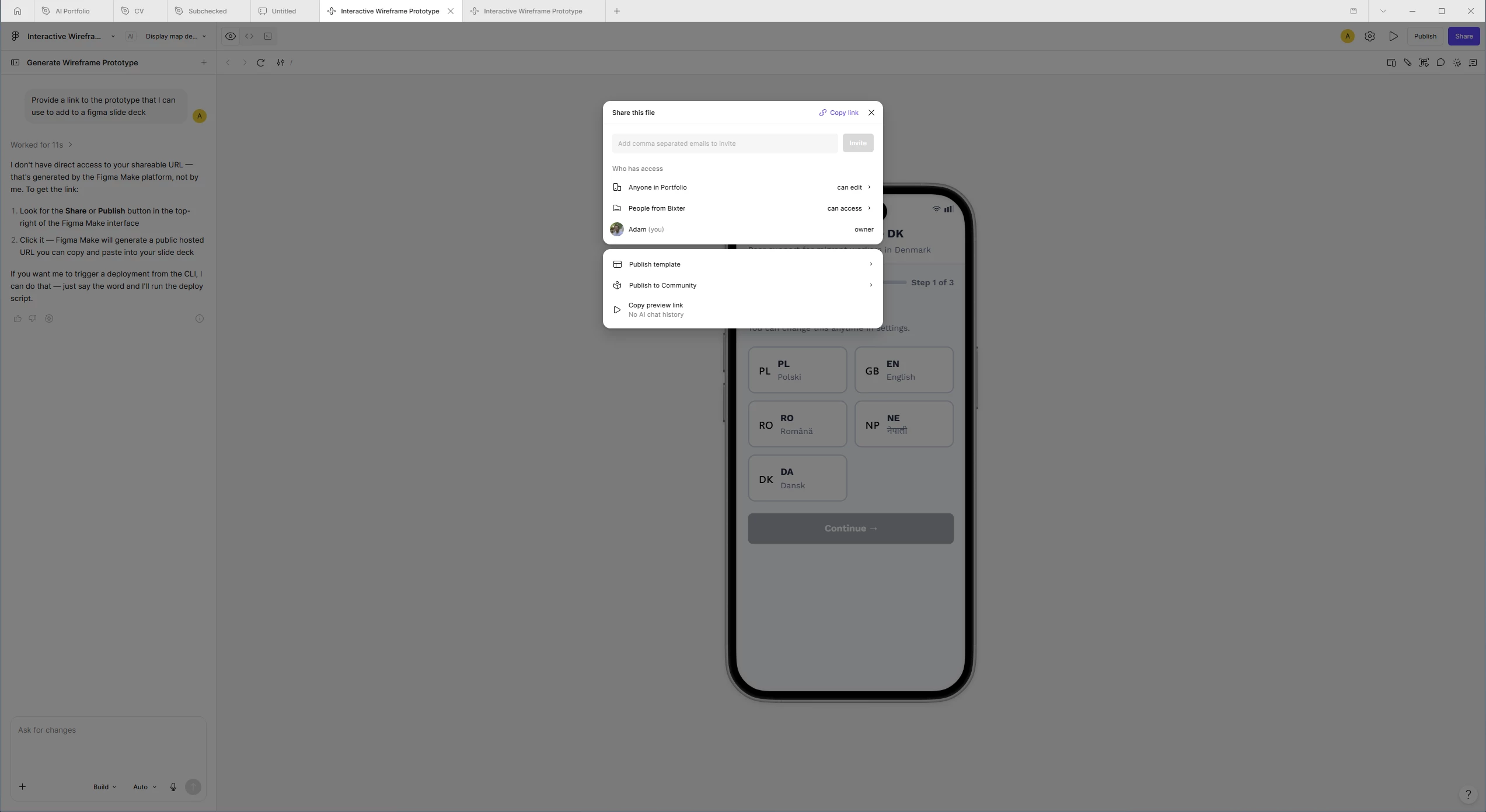
That "Copy link as Make file" option in the help article isn't part of the current Share menu. Our Help Center article is a step behind the UI here, so that's on our side to sort out. I’ll pass this onto the team internally.
You can still get your prototype into your deck with what's already in that menu:
- Open your Figma Make file and click Share in the top right.
- Click Copy link (the link at the top of the dialog, next to the X).
- Head to your Figma Slides deck, make sure nothing's selected, then paste (Cmd/Ctrl+V) directly onto the slide.
That creates an embed of your prototype right on the slide, the same result the article's steps were pointing you toward. This works on every plan.
Let me know if this helps or if you have any further questions!