Question

Mirror Issues, Weird Pixel Blob

  • June 18, 2026
  • 3 replies
  • 27 views

danielle.sequifi

Hey Figma peeps,

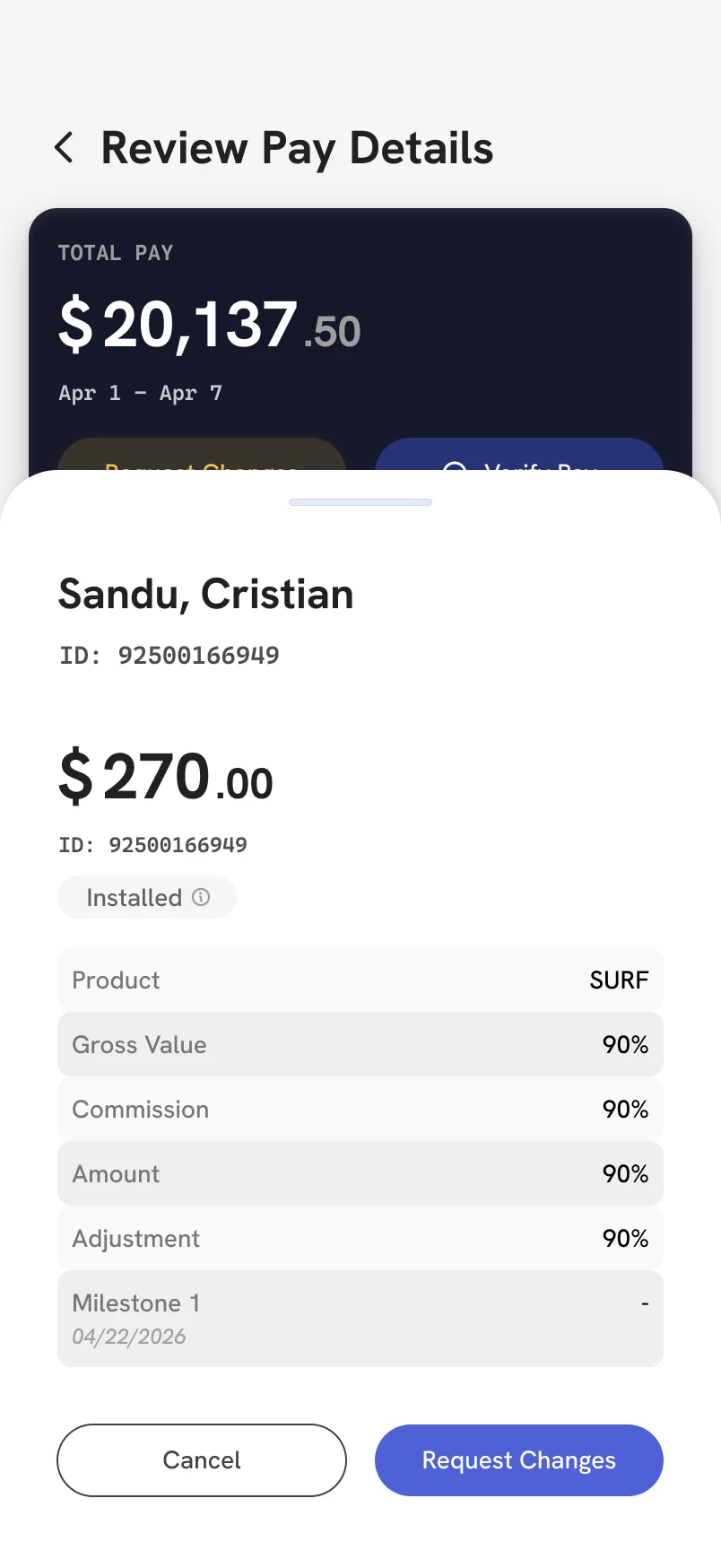
I am trying to mirror my screen on to my mobile phone. I’ve reset, restarted, all that jazz and it still gives me this. Just wanted to bring it up and see if others also run into the big pixel blob. <3

P.S. this is supposed to look like the non pixel blob >_<



3 replies

Gayani_S
Figmate
  • Community Support
  • June 19, 2026

Hey ​@danielle.sequifi, thanks for reaching out! 

That pixel blob is definitely not what Mirror is supposed to look like, the screenshot makes it clear something's going wrong with how the frame is being rendered on your device, and I'd love to get to the bottom of it with you.

You mentioned you've already reset and restarted, which rules out a few of the obvious culprits. To help me dig deeper, could you share a bit more detail?

  • What device and OS version are you using to mirror? 
  • What version of the Figma mobile app are you on? You can find this in the app's settings.
  • What are you mirroring? Is it a specific frame type, for example, does it happen with all frames, or just certain ones? And is the frame using any blend modes, effects, or image fills?
  • Desktop setup: Are you running the Figma desktop app or browser, and on which OS?
     

These details will help us figure out whether this is specific to your setup or something we need to escalate further. In the meantime, it's worth making sure both your Figma mobile app and desktop are fully up to date. You can find steps for that in our Guide to the Figma mobile app.


danielle.sequifi

Hi thanks for reaching out!

I was using my iPhone 17 Pro Max with iOS 26.5.1
Figma mobile app version: 26.22.1
Mirroring a mobile sized frame. This only happened as soon as I put the frame with the drawer into my main frame to show the overlay.
Figma desktop version Figma Desktop App version 126.6.9


adamsmasher
Figmate

Hi, ​@danielle.sequifi! Stepping in for ​@Gayani_S.


Thank you for providing that info; I did a quick test to see what would happen, with the only difference being I have an iPhone 15 Pro Max (same iOS version, though). Here is what I saw in the desktop app and mirrored in the iOS app:

A screenshot of the canvas and layers panel in the desktop app.
A screenshot of the mirrored frame.

You mentioned that it only happened when you put the frame with the drawer into my main frame to show the overlay. Hmm... If you make any edits in the desktop app, does it update what you see mirrored?