

Benjamin_Tran_Dinh
April 22, 2021
Solved

Mac keyboard accents are not supported

  • April 22, 2021
  • 32 replies
  • 7823 views

1. Describe the bug/issue you’re running into?
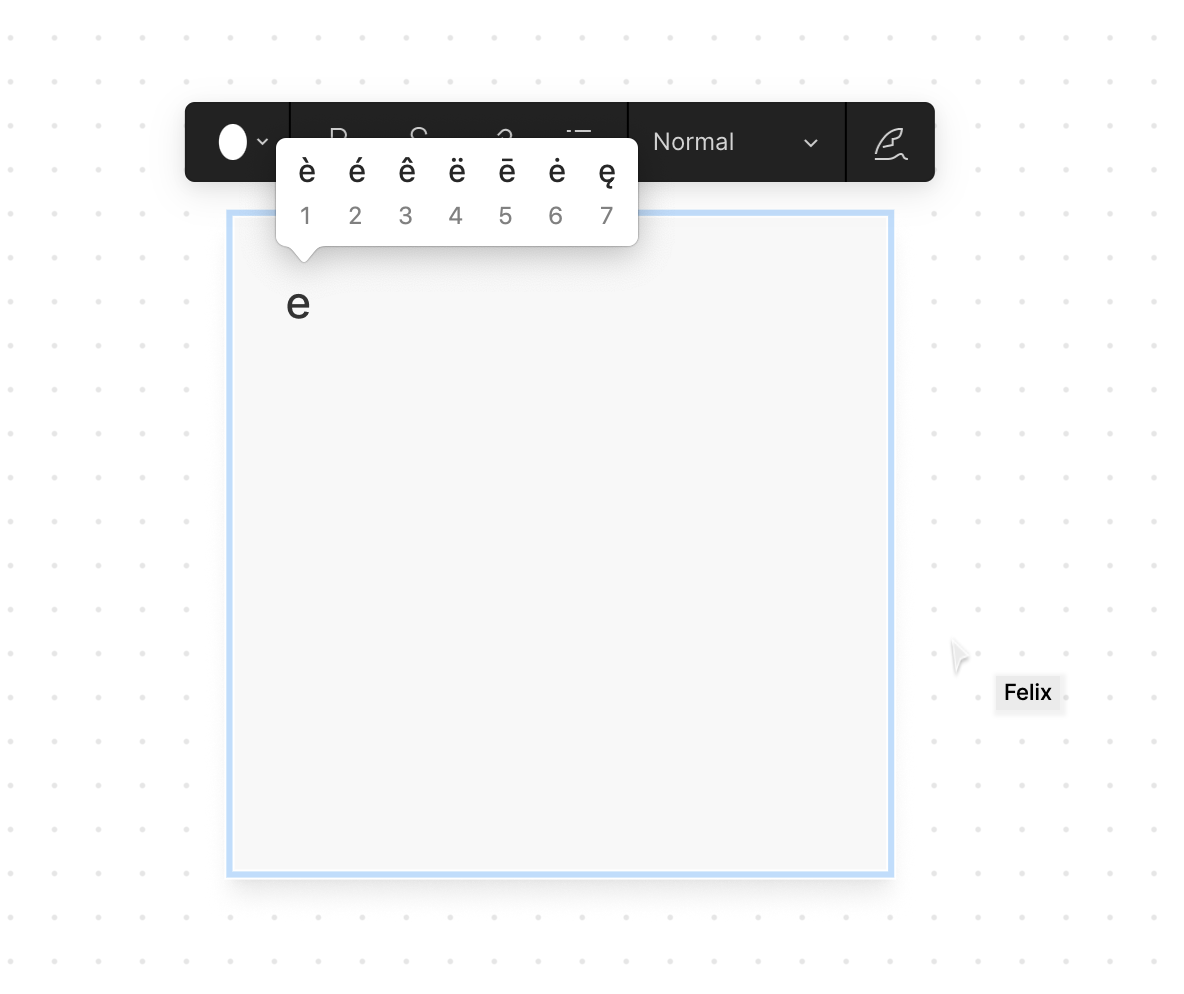
Typing an accented letter in Mac OS can be done by keeping a keyboard letter pressed which reveals a range of accents.

2. Are you able to consistently reproduce it? If so what are the steps?
Open Figjam on a mac, type into a note, long press E, and try to insert an accented letter (e.g. é).

3. Share a screenshot, recording, console log, link to the file, etc.
4. Is the issue only happening in desktop app or a specific browser , or both?
Tested in the browser

5. What OS/version and/or browser/version are you using?
Desktop Chrome Version 89.0.4389.128 (Official Build) (x86_64)

This topic has been closed for replies.
Best answer by Josh

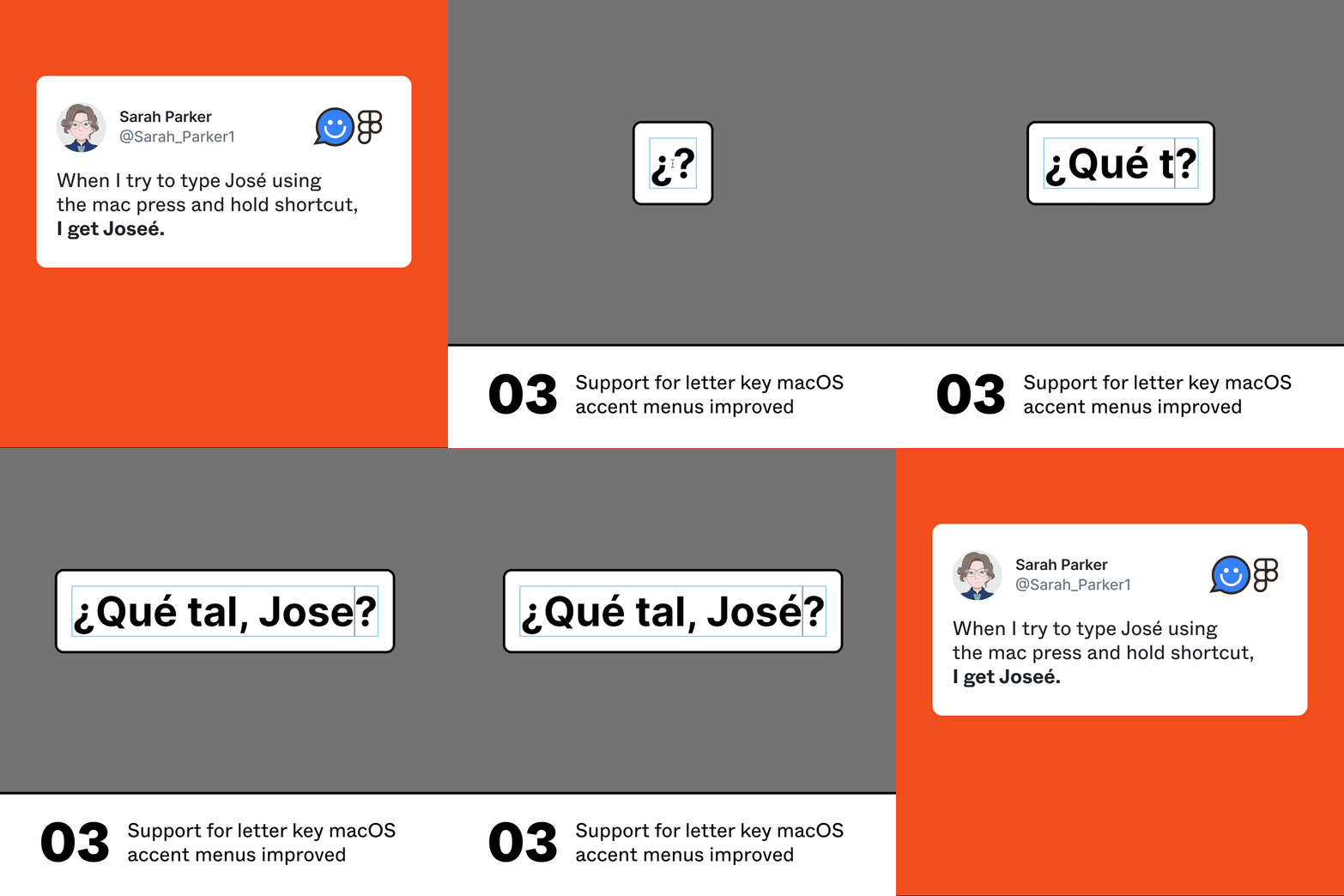
Hey everyone, thanks for all of your feedback here. This now exists and should work as expected.

003

32 replies

samtcg
Figmate
Figmate
April 22, 2021

@Benjamin_Tran_Dinh thanks for reporting this bug, we were able to replicate it in the web browser. This feature is working in the desktop app, so we recommend using the desktop app for now as a workaround. Let us know if this helps!

Sarah_Parker1
May 6, 2021

I have this issue with the Figma application on a Mac.
When I try to type José using the mac press and hold shortcut, I get Joseé.

Figma Desktop App version 97.7
Catalina version 10.15.7

Nataly_Romero
May 25, 2021

For me, it does not work in browser or desktop app. I am using Big Sur version and Figma app 98.10

Luis_Hidalgo
June 9, 2021

Im, Having the same issue i cant put accent in words , desktop and web isnt work.
help

Luis_Hidalgo
June 9, 2021

Hello, im having the same issue Big Sur 14.4 desktop and web are with the same issue

Alexis_Wollseifen
June 10, 2021

Hello !

Same issue here. Mac Accents are not working anymore.
They weren’t “properly supported” before but now, they are just not working at all.

Long press display the accent system options, as it should, but choosing one does not “print” it.

It could be a problem when delivering product in French and can be understood as a misspelling from a client perspective.

Yva
June 12, 2021

Hi, I also have the same problem. It used to work but not anymore (around one month ago).

I’m also using figma on my mac.

Makhtar_MBAYE
June 17, 2021

Hello !
I am having the same issue on Mac since the latest version. It works in the comments on the other hand.

PABLO_PETZEN
New Member
June 17, 2021

Same here, I have tested on a M1 Mac and a Intel based, in the desktop app.
Both have the same problem.

Eduardo1
June 24, 2021

Hello, Im using the desktop version on a macOS Big Sur 11.4 and its not working at all. please fix as soon as possible. Thanks!