
Question

Lost component

  • August 6, 2026
  • 1 reply
  • 14 views

Minu Sitorus

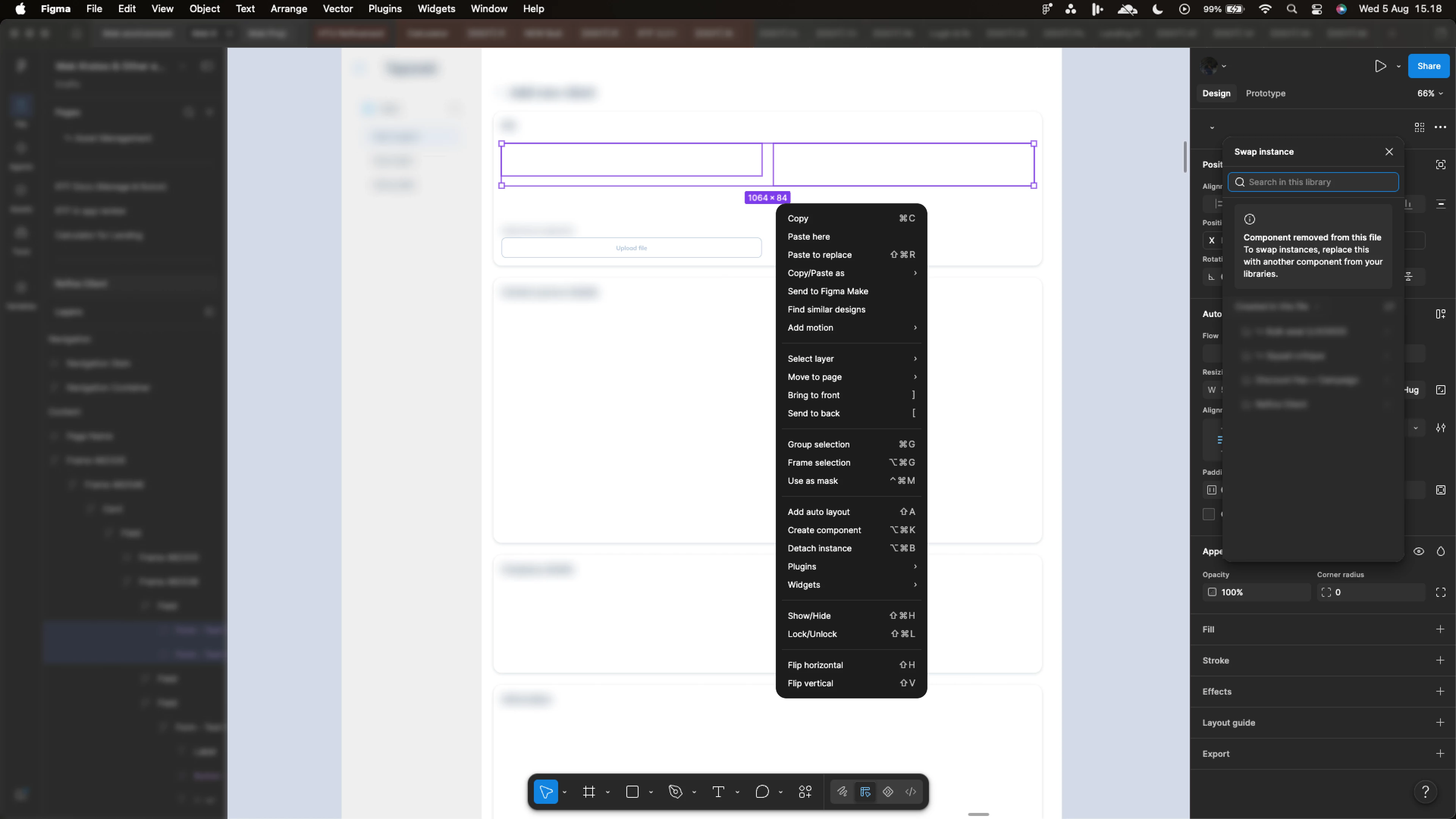
Does anyone know how to fix this?

There haven't been any changes to the library (DS), and this issue has just appeared yesterdey 5 August. Everything was running smoothly before.



1 reply

Celine_
Figmate
  • Community Support
  • August 6, 2026

Hi Minu, thanks for sharing the screenshot!

The message shown indicates that Figma can no longer locate the original component this instance was linked to and is prompting you to swap it with another component from your libraries.

A few things worth checking first:

  • Run Repair component connections via Quick Actions (Cmd/Ctrl + /). This can help resolve component connection issues between the file and the library.
  • Confirm the component still exists in the source library and is still published.
  • Check that the affected library is enabled and up to date in your file.

If none of that resolves it, and this started suddenly without any library changes on your end, it doesn't sound like expected behavior.

Please submit a bug report via the Support Hub  / Type “Report a bug” / Click Start a chat / Select Enter and follow the prompts. In the form, please include:

  • A link to both the affected file and the source library (shared with support-share@figma.com with Can View access)
  • A screen recording or screenshots of the issue
  • Confirmation that no changes were made to the library before this started occurring.

That will help our team investigate further, thank you!