

Question

Local Variables tab is missing from Properties Panel

  • January 22, 2026
  • 2 replies
  • 43 views

Tim S

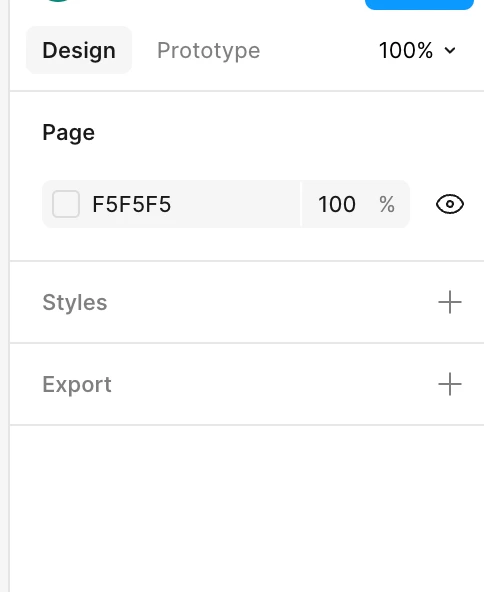
I am trying to access the Local Variables tab in the Properties Panel, but it is missing (all objects deselected, I am in the Design mode, and on the Move Tool). I have force quit and restarted , I have run the latest update, but only Styles and Export tabs are visible. I am using the Desktop App on a Mac. See screenshot below:


2 replies

Tom Reem
Figmate
  • Figmate
  • January 28, 2026

Hey ​@Tim S — welcome to Figma Forum! Thanks for taking the time to troubleshoot and for providing the screenshot of what you’re seeing.

I looked into this and what you’re running into is likely related to the updated navigation bar, which is currently rolling out across Figma Design files. With this change, the entry point to the variables modal has moved to the navigation bar on the left side of your screen, so you can access your variable collections at any time from there.

I’ve included a screenshot below to show where to find it, and this article provides a bit more context as well: Modes for variables.

Previous vs. new Variables entry point comparison.

Hope this helps you move forward. If things still don’t look right, could you reply back and let us know whether this is happening in the browser instance as well, and which version of the Figma Desktop App you’re on? (The latest version is currently: 126.0.4.)


Tim S
  • Author
  • New Member
  • January 29, 2026

Hey thanks Tom, I wasn’t sure if that was an update to the interface or if it was a work-around. Good to know that it’s simply the former and that the tutorial that I was working from was slightly out of date. I appreciate your time!

Tim