

Hugo_Pardal_Figueira
New Participant
May 29, 2026
Solved

Local Variables missing

  • May 29, 2026
  • 18 replies
  • 269 views

Please, Figma, help! I feel that I’ve been opening issues about Figma more and more; please fix this!

This morning when I opened Figma, most of my Local Variables were gone—and no, they were not deleted.

I’m working on a full Tokens migration, and the branch I was working on had all collections gone. I went to check another file, and the variables were also gone. Some others still have it, and I can still roll back in the versioning to recover them, but this is a nightmare.

This can break most of our files, as we use variables for many things in different files (modes, tokens, localization, etc).

Can you please check if there’s any issue in the most recent update, as this is A BIG DEAL!
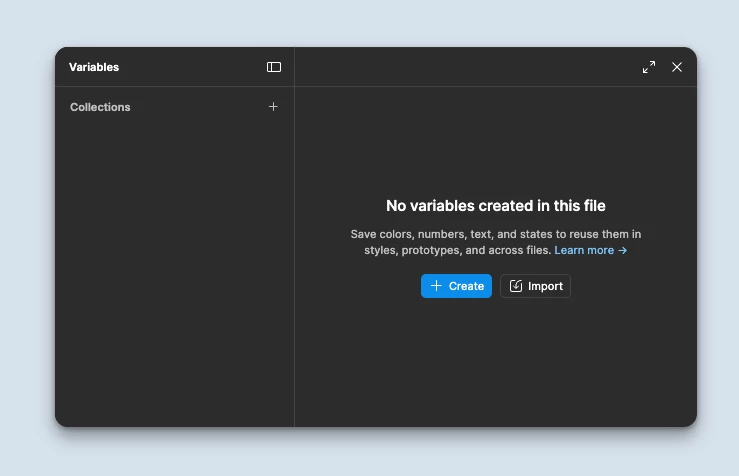
 

Best answer by Celine_

Hey everyone! If refreshing doesn't fully resolve the issue, here are a few additional steps that have helped other users in the same situation:

Thank you! 🙏🏼

18 replies

Hugo_Pardal_Figueira
New Participant
May 29, 2026

@laaksop can confirm, just lost local variables to a second file (branch) I’m working on—after closing and reopening the app.

@Celyn_L just invited support-share@figma.com to that file so they can have a look

So frustrating 😭


Celine_
Figmate
Community Support
May 29, 2026

Hey everyone, Celine from Figma, stepping in for ​@Celyn_L ! Thanks so much for flagging this.

@Hugo_Pardal_Figueira thank you for the additional details. Your support ticket has been assigned to a Technical Quality specialist who is actively investigating it, thanks for your patience in the meantime!

For everyone else experiencing the same issue, as ​@Celyn_L mentioned, please also submit a bug report through the Support Hub, so the team can look into your specific case as it seems to be resolved for some users. To do this: Go to the Support Hub > Click Start a chat > Type “Report a bug” and follow the prompts. Thank you!

Stephane_Griffon
New Member
May 29, 2026

i have the same problem
i use Figma Desktop App version 126.4.11

all my variables are go away ...😣 


Jaycee Lewis
Figmate
Figmate
May 29, 2026

Hi, ​@Hugo_Pardal_Figueira and everyone who reached out here. We’ve addressed the issue. Please give Figma a quick refresh and let us know if everything is working smoothly on your end. Thanks so much — Jaycee 

Hugo_Pardal_Figueira
New Participant
June 1, 2026

Thank you ​@Jaycee Lewis , will let you know if I find any issues. 

Stephane_Griffon
New Member
June 1, 2026
Thank you ​@Jaycee Lewis ,I still have the same problem.

Figma Desktop App version 126.4.11


Celine_
Figmate
Community Support
June 1, 2026

Hey ​@Stephane_Griffon , sorry to hear you are still having issues with the variables! I was able to see your support case in the backend and I’ve added a follow-up note for further investigation. (For reference, your case number is #1936901). Our Technical Quality specialist will take a look at it, thanks for your patience in the meantime! 

Update: Glad to see in the backend that the issue has been resolved on your end

Celine_
Figmate
Celine_Answer
Community Support
June 1, 2026

Hey everyone! If refreshing doesn't fully resolve the issue, here are a few additional steps that have helped other users in the same situation:

Thank you! 🙏🏼
