

Question

Libraries not updating after last update

  • August 3, 2026
  • 3 replies
  • 19 views

hvw83

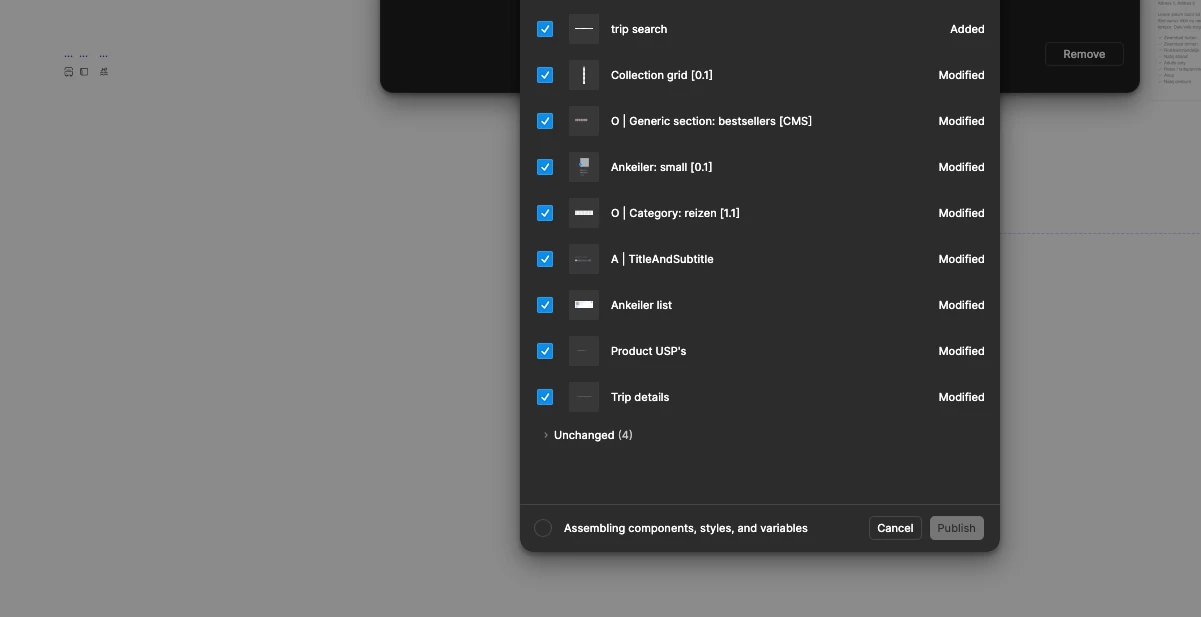
Since August 3 my Libraries won’t update any more. Even creating a new one with just one component refuses to publish. I restarted Figma, reset the cache, tried publishing via the browser, nothing works. When clicking the publish button it says, “assembling components, styles and variables”, the modal closes, but nothing happens after that (normally I would see a progress bar and things get published).


3 replies

Celine_
Figmate
  • Community Support
  • August 3, 2026

Hey there, Celine from the Community Support team at Figma here.Thanks for sharing the details and the screenshot!
The troubleshooting you've already done—restarting Figma, resetting the cache, trying in the browser, and testing with a brand-new library—are all great steps and help narrow down the issue.

Based on what you've described, the publish flow starts ("Assembling components, styles and variables") but doesn't proceed to the publishing step. Since the same behavior occurs with a brand-new library containing a single component, it doesn't appear to be related to a specific component in your library.

Before submitting a bug report, could you also try the following:

  • Make a small change to the library (for example, update a variable description) and try publishing again.
  • Check whether the file is using any missing local fonts.
  • If you haven't already, try publishing from the desktop app.

If the issue persists after these steps, please submit a bug report. Go to the Support Hub / Type “Report a bug, Contact agent” / Click Start a chat / Select Enter and follow the prompts. Our support team can take a closer look at it.

When you submit your report, it would be helpful to include:

  • A link to the library file and grant "Can View" access with support-share@figma.com. This allows us to reproduce the issue and investigate.
  • The affected team/workspace.
  • A screen recording of the full publish flow (if possible).
  • Your Figma desktop app version and browser version.
  • The steps you have already tried

Thank you!


hvw83
  • Author
  • New Member
  • August 5, 2026

It started working again shortly after posting my first message, but later I experienced the same issue once more, except this time I got a popover telling me something about having multiple sessions. Through the popover, I was able to see all sessions, of which there were four, all with the same IP address and location. I closed the sessions and created a passkey (all through the popover), after which I haven't experienced any of the problems mentioned. Just sharing this here for anyone who might stumble upon the same issue. I am not sure if the sessions thing is a new feature, but it would be great if the session model would be triggered every time an action is blocked. Now there is no feedback on what is happening and why things don’t come through. Anyway, thanks for the quick and detailed answer.


Celine_
Figmate
  • Community Support
  • August 5, 2026

Hey again, thanks for coming back to share this, it's really helpful for anyone else who might run into something similar!

This does seem unexpected, and I can't confirm whether the sessions prompt was related to the publishing issue. I appreciate you sharing your feedback about the lack of indication when an action is blocked.

If it happens again, please reach out to our Support team and, if possible, include a screenshot of the sessions prompt to help with the investigation. Thanks again for following up!