Question
Keyboard shortcut created for File → “Save Local Copy...” no longer works
Title:
- Keyboard shortcut created for File → “Save Local Copy...” no longer works
Describe in detail the bug/issue you are running into
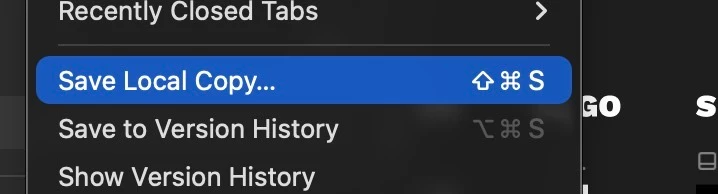
- I created a keyboard shortcut for File → “Save Local Copy...” as I constantly have to make backup local files on sharepoint of some of the client work files (locked down local versions)
- Since a recent update, you press the keyboard shortcut key and the dialog simply doesn’t work and the Local Save doesn’t start. Now I still have to trigger it manually from the menu, even though the keyboard shortcut is created and assigned to the menu item
Where/How:
- MacOS 26.0.1 (25A362)
- Figma Desktop App version 125.9.10
Screenshot of the Menu item, showing the hotkey assigned correctly. SHIFT+CMD+S