Issue with the ai agent in figma design
I appreciate the added AI feature in Figma Design — it’s very helpful.
Recently, however, I encountered the following issue:
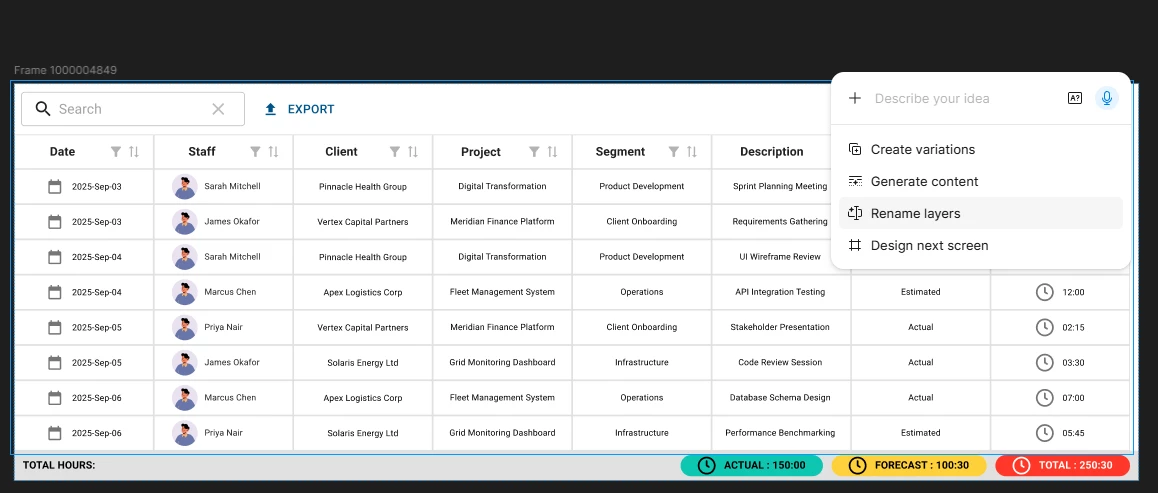
The AI agent seems to take too long for simple data filling. In the example of a table with 8 columns and 8 rows, I selected only the options to change the text and the images using the available checkbox options. Despite that, it took around 4 minutes to complete.
Additionally, I noticed that it performed two layers of changes without being instructed to do so. First, it applied the visible changes correctly, but then it replaced the image placeholders with colored circles.
Since I did not want to change the placeholders, and I also forgot to add restrictions for some columns that needed to remain static, I tried to undo the changes. However, because the AI agent seems to run in two iterations, it only stored the last change. As a result, the rollback only restored the state before the image changes, not before the initial data changes.
Since it appears to run multiple iterations under a single instruction, I believe there should be an option to roll back all changes made by the AI agent, not only the latest one. If the agent receives a single instruction, the rollback should undo all changes related to that instruction.