

[ISSUE] Helvetica Neue rendering issue: Text switches to wrong style or weight rather than intended one(s)
I was working on my own iOS 7 UI kit but the problem came since yesterday, when I was editing a mockup file named “iMessage”, when I switched the weight of my Helvetica Neue text to Bold, the outlined version appears instead (but it got fixed when I reinstalled the Helvetica fonts)
I then deleted then reinstalled the Helvetica Neue fonts due to these issues, which later made up a mess in my files.
Then when I came to my iOS 7 mockup file, to my surprise, this happened:
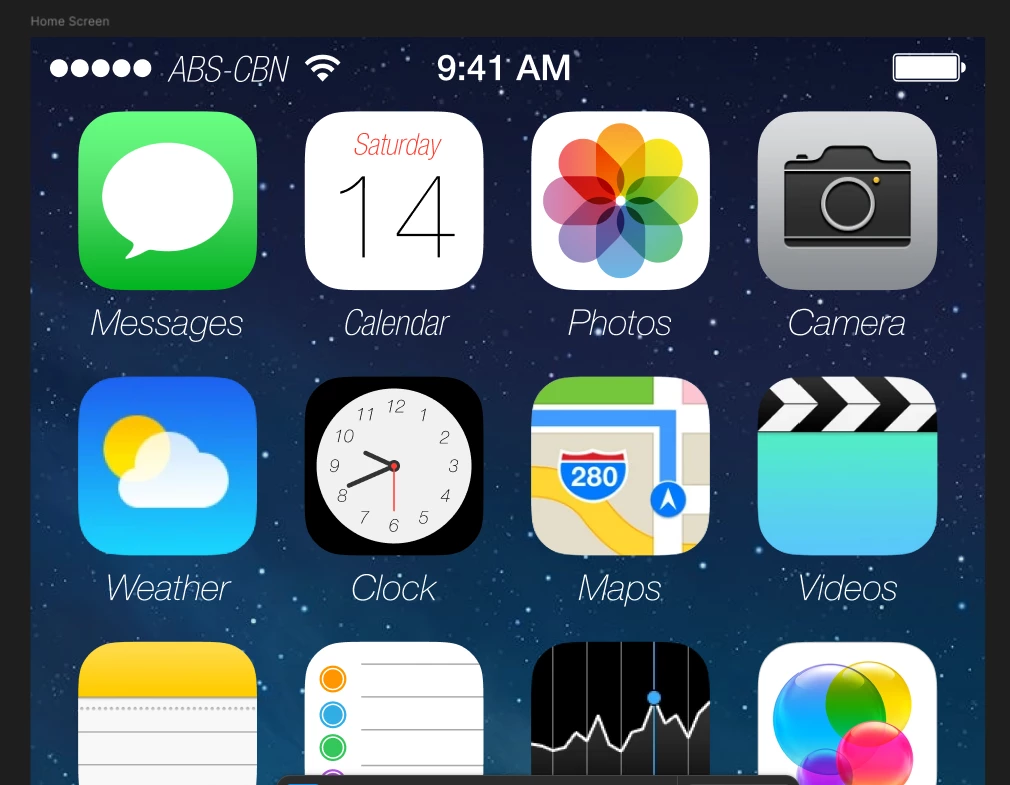
Everything supposed to be in the regular weight are rendered in Light Italic or Light Condensed Italic.Although the bold and light (or thin) weights seem to look fine as usual.
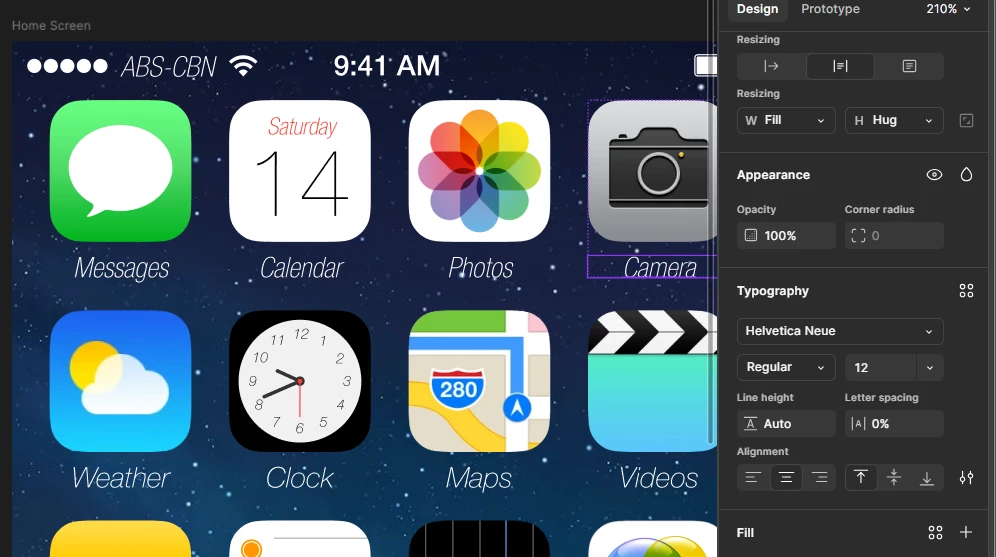
Clicking any of these text objects changes their font weight into Light Condensed (instead of the intended Regular weight):
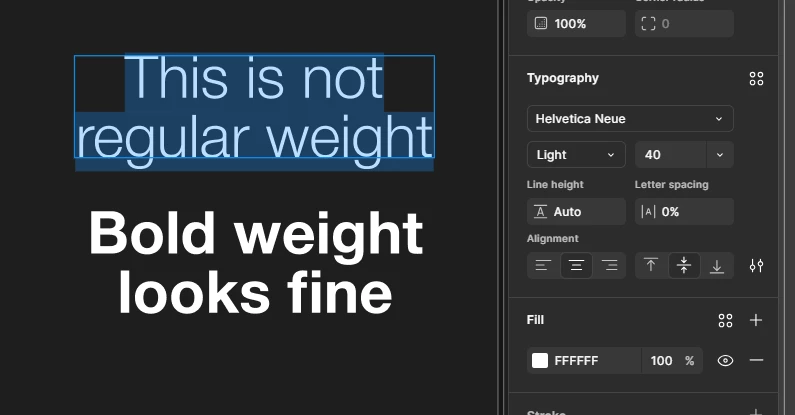
Then I made some text using the affected font, when I switch back to regular weight (Ctrl + B), it switches to Light weight instead. (the text was supposed to be in regular weight, image(s) for clarification)
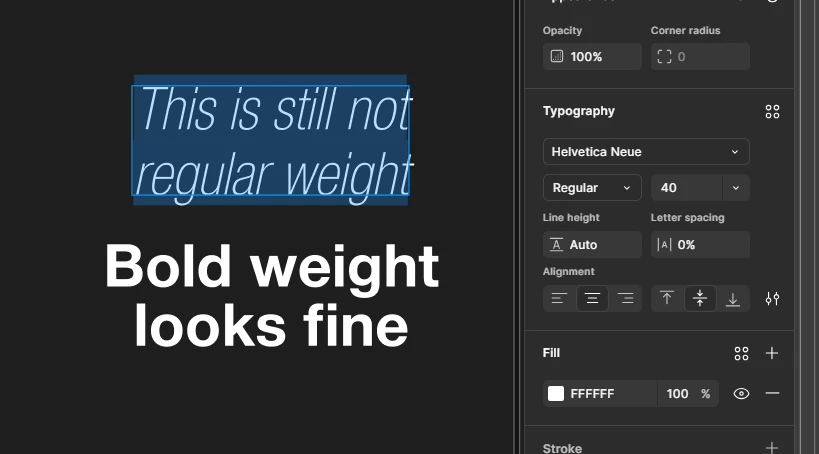
Then when I chose the regular (non-italic) one from the dropdown menu it chooses Condensed Regular instead.
This could be a problem on my end because I accidentally replaced and installed multiple Helvetica Neue fonts recently on my Windows system, leading to rendering issues.
I admitted that I downloaded the Helvetica Neue fonts from Cufon Fonts, and so I chose to install the wrong versions then, leading to the same mess like what I’ve said earlier.
How do I solve this problem without having to delete or replace all Helvetica Neue fonts over and over again?
Any help would be appreciated.
Thanks.
ZE’s Remakes