
Elin
New Member
October 1, 2026
Question

import SVG from Adobe Illustrator 2026

  • October 1, 2026
  • 3 replies
  • 43 views

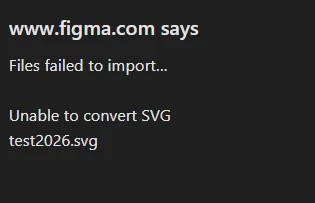
Importing SVG created in Adobe Illustrator 2026 to Figma doesn’t work. SVG created in Illustrator 2025, with same settings works just fine.

 

    3 replies

    Jaycee Lewis
    Figmate
    Figmate
    October 2, 2026

    Hey ​@Elin 👋 Thanks for flagging. Are you able to attach your test Illustrator SVG here? I’d like to run a quick test and having the original is always best. Thank you! — Jaycee 

    Elin
    ElinAuthor
    New Member
    October 5, 2026

    Here you go!

    Jaycee Lewis
    Figmate
    Figmate
    October 5, 2026

    Hey ​@Elin 👋 You rock! I ran into the same issue with your test. But it displays as expected in other locations (Desktop preview for example). I would like to get this on to the team for a deeper look. Could you share the 2025 version of the same image and the Illustrator version numbers for both exports, please? 

    My quick test of removing the <metadata> block at the top resulted in Figma accepting the file as expected.

    <metadata><?xpacket begin="" id="W5M0MpCehiHzreSzNTczkc9d"?><x:xmpmeta xmlns:x="adobe:ns:meta/" x:xmptk="XMP Core 6.0.0"><rdf:RDF xmlns:rdf="http://www.w3.org/1999/02/22-rdf-syntax-ns#"><rdf:Description rdf:about="" xmlns:xmp="http://ns.adobe.com/xap/1.0/" xmlns:xmpMM="http://ns.adobe.com/xap/1.0/mm/" xmlns:dc="http://purl.org/dc/elements/1.1/" xmlns:dcterms="http://purl.org/dc/terms/" xmpMM:DocumentID="xmp.did:cb9f5498-bb58-4572-8043-8c369e6bfb9b" xmpMM:InstanceID="xmp.iid:cb9f5498-bb58-4572-8043-8c369e6bfb9b" dcterms:provenance="https://cai-manifests.adobe.com/manifests/urn-c2pa-fd15e4c7-6a3c-43bb-84c6-bc82b9291fbb-adobe"> </rdf:Description></rdf:RDF></x:xmpmeta>

    <?xpacket end="w"?></metadata>

    An interesting clue for sure. I’ll add my test here as attachment.

    Talk soon! — Jaycee