

Question

Images in design files are missing
  • June 6, 2026
  • 3 replies
  • 46 views

qyu000studio

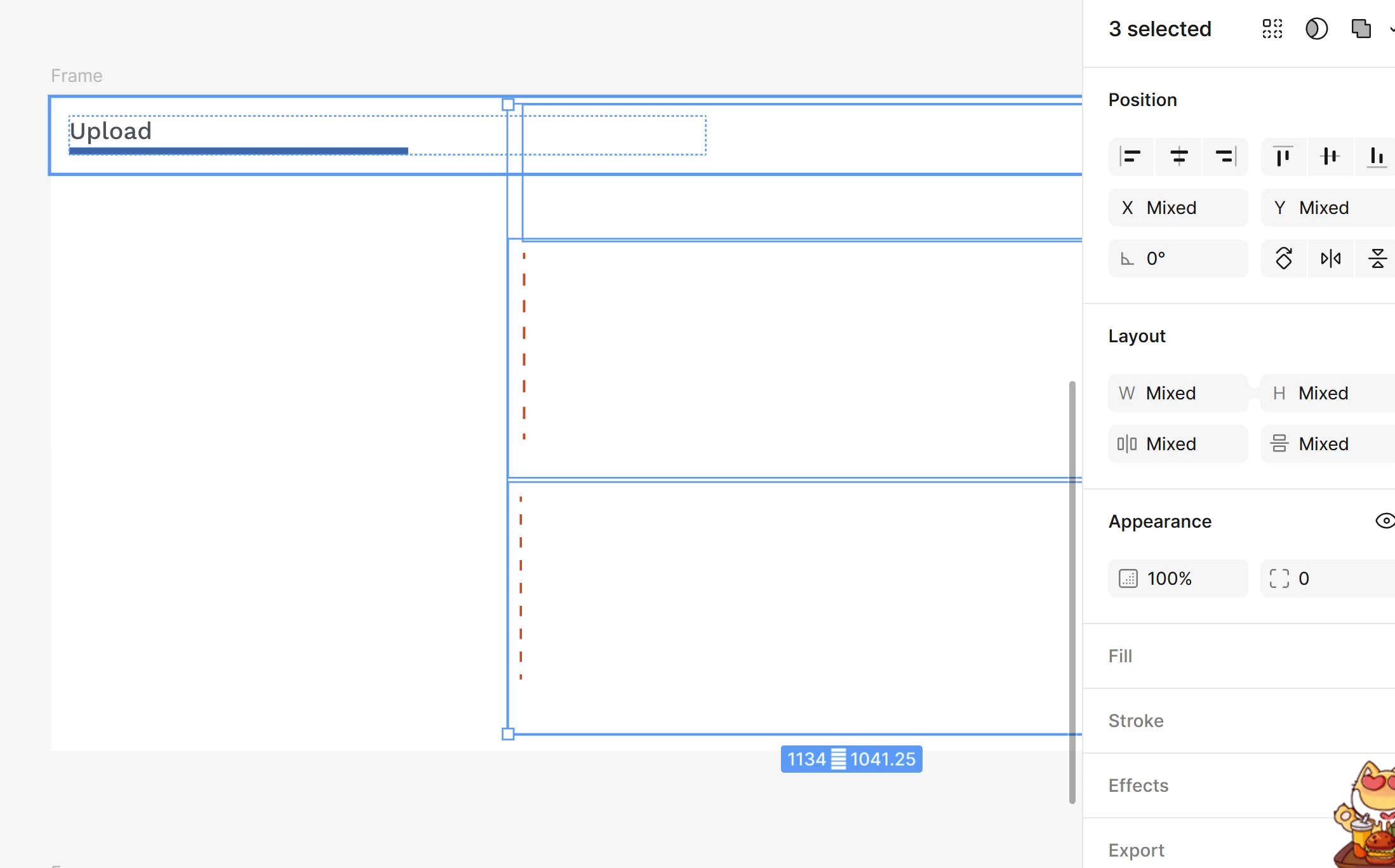
Issue: Image fills have completely disappeared from vector containers, and version history is not restoring them.

Details: The layers still exist in the layers panel (e.g., "image 242"), and their bounding boxes are visible on the canvas. However, the Fill section in the design panel is completely empty as if the data was stripped. Local troubleshooting (reloading, clearing cache) and checking older version history states did not resolve the issue.
This file is the only thing I had, I didn’t have the original image file bc I trust Figma!

Please help!!!!!!!

3 replies

adamsmasher
Figmate
  • Figmate
  • June 7, 2026

Thanks for posting, ​@qyu000studio - I can definitely understand why this is upsetting for you!


Does your file have a large number of image fills? I’m wondering if the images fills are there but it’s taking a long time to load or failing to load for that reason. Also, are you using a web browser? If so, can you try using the desktop app to open the file (or vice versa if you’re currently using the desktop app)?


One other thing to try is making a copy of the file and seeing if that loads the fills correctly. Let me know what happens when you try these out, and we’ll go from there, ​@qyu000studio!


qyu000studio
  • Author
  • New Member
  • June 8, 2026

Thanks for posting, ​@qyu000studio - I can definitely understand why this is upsetting for you!


Does your file have a large number of image fills? I’m wondering if the images fills are there but it’s taking a long time to load or failing to load for that reason. Also, are you using a web browser? If so, can you try using the desktop app to open the file (or vice versa if you’re currently using the desktop app)?


One other thing to try is making a copy of the file and seeing if that loads the fills correctly. Let me know what happens when you try these out, and we’ll go from there, ​@qyu000studio!

Hi , as I mentioned, I’ve been try everything(Desktop and web), nothing works out! I did copying a file, waiting the images to load, etc… everything..….. 

This page includes a lot of images fill in a file, but other pages in the same file didn’t have the same issue.

I need solution ASAP.


Celyn_L
Figmate
  • Figmate
  • June 8, 2026

Hi ​@qyu000studio, Celyn stepping in for Adam here. Thanks for providing those additional details.

I can see that you've already tried a number of troubleshooting steps across both the desktop app and browser, including duplicating the file and waiting for the images to load, and that the issue appears to be isolated to a specific page with many image fills while other pages in the same file are working as expected.

I was able to locate your support ticket (#1947751) and have gone ahead and escalated it with the team to highlight the urgency of the issue.

Please keep an eye on your inbox, as someone from the team will follow up with you directly as soon as they have an update.

Thank you for your patience in the meantime 🙏