Echo Wen
New Member
Oct 13, 2026 6:49 PM UTC
Solved

I couldnt log in in a new brownser


    Donkt
    DonktSolution
    Figmate
    Oct 14, 2026 11:10 AM UTC

    Hi ​@Echo Wen, thanks for reaching out, and sorry you’re having trouble logging in!

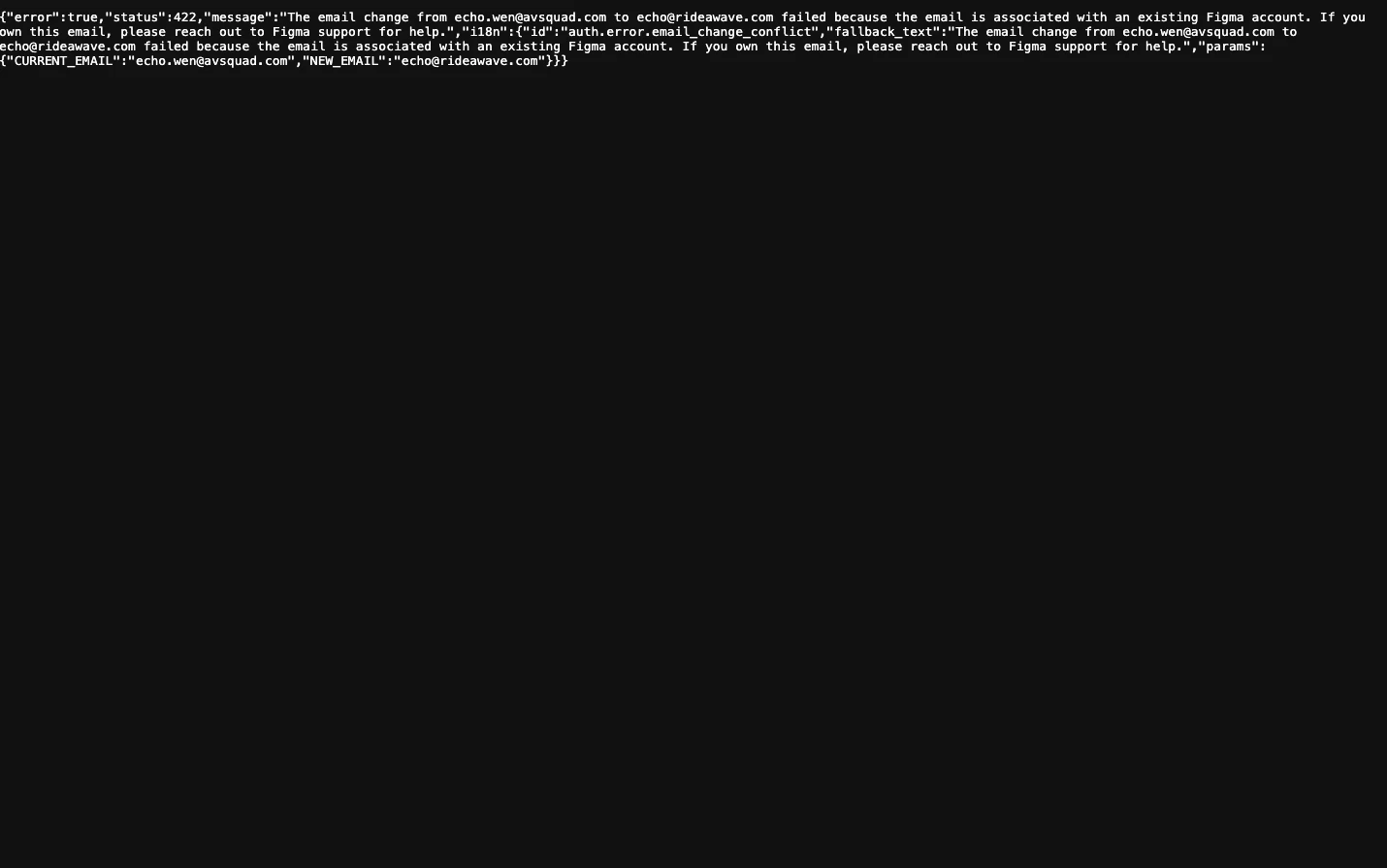
    Thank you for sharing the screenshot. It looks like the error message is expecting you to change your email address, but this shouldn’t be the case if you’re trying to log in. Could you share a few details to help us look into this?

    1. Which browser and version are you using, and on what OS (e.g., Windows 11, macOS 15)?
    2. Are you logging in with email and password, Google, or SSO?
    3. Are you able to log in on your usual browser or device?


    In the meantime, a few things to try:

    • Check that your browser is supported and up to date. 
    • Try a private/incognito window, or a different supported browser, to rule out extensions or blocked cookies.
    • Clear your browser cache and cookies, then try logging in again.
    • Double-check the email address you’re using is the one tied to your Figma account.


    If none of that helps, please reach out to our support team here. Use the email associated with your Figma account, and include the details above so they can look into it.

    Let us know how it goes!

    1 reply

    Donkt
    Figmate
    DonktSolution
    Figmate
    Oct 14, 2026 11:10 AM UTC

    Hi ​@Echo Wen, thanks for reaching out, and sorry you’re having trouble logging in!

    Thank you for sharing the screenshot. It looks like the error message is expecting you to change your email address, but this shouldn’t be the case if you’re trying to log in. Could you share a few details to help us look into this?

    1. Which browser and version are you using, and on what OS (e.g., Windows 11, macOS 15)?
    2. Are you logging in with email and password, Google, or SSO?
    3. Are you able to log in on your usual browser or device?


    In the meantime, a few things to try:

    • Check that your browser is supported and up to date. 
    • Try a private/incognito window, or a different supported browser, to rule out extensions or blocked cookies.
    • Clear your browser cache and cookies, then try logging in again.
    • Double-check the email address you’re using is the one tied to your Figma account.


    If none of that helps, please reach out to our support team here. Use the email associated with your Figma account, and include the details above so they can look into it.

    Let us know how it goes!