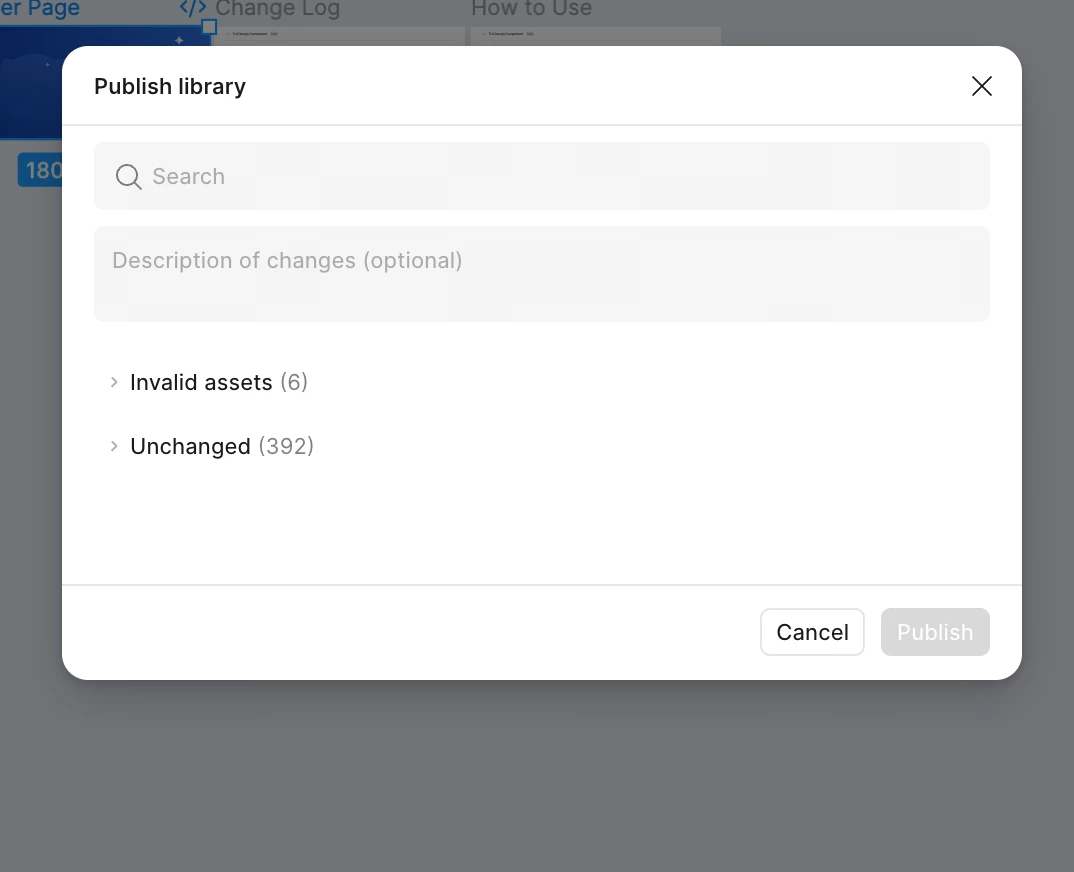
I understand that you’re having trouble finding the “Export to Make” button in the publish library modal for your published library.
This feature is available for files within Education teams. It looks like you have access to both Education teams and Starter teams. Could you please double-check that the file is located in your Education team and not in a Starter team?
Also, just to cover the basics, please try the following quick fixes to see if anything changes:
Close any Figma tabs you’re not using.
If using the browser: Force-quit your browser and reopen Figma in a new window.
If using the desktop app: Force-quit and restart the Figma desktop app.
If the issue continues, the tool may not be functioning as expected. Could you please share the following details so we can investigate further?
The URL of the file where you’re seeing this issue > Please grant edit access to support-share@figma.com(Granting access will not affect your billing.)
Once I receive that information, I’ll escalate the issue to our team if needed.
I understand that you’re having trouble finding the “Export to Make” button in the publish library modal for your published library.
This feature is available for files within Education teams. It looks like you have access to both Education teams and Starter teams. Could you please double-check that the file is located in your Education team and not in a Starter team?
Also, just to cover the basics, please try the following quick fixes to see if anything changes:
Close any Figma tabs you’re not using.
If using the browser: Force-quit your browser and reopen Figma in a new window.
If using the desktop app: Force-quit and restart the Figma desktop app.
If the issue continues, the tool may not be functioning as expected. Could you please share the following details so we can investigate further?
The URL of the file where you’re seeing this issue > Please grant edit access to support-share@figma.com(Granting access will not affect your billing.)
Once I receive that information, I’ll escalate the issue to our team if needed.
The file is in the edu team as I saw. and I restart the web and desktop many times and it wouldn’t fix the problems. I have granted the access to support-share email address. please take a look, thanks!
Thanks for sharing your file URL! I’ll go ahead and create a support ticket on your behalf, including the information you provided, so you can continue the conversation directly with our support specialist via that ticket email.
Thanks for sharing your file URL! I’ll go ahead and create a support ticket on your behalf, including the information you provided, so you can continue the conversation directly with our support specialist via that ticket email.