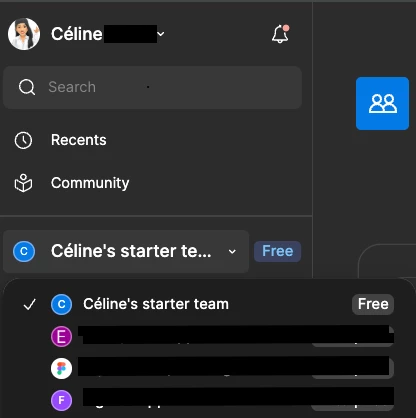
I have a professional plan in my team but Figma just shows me my personal free plan. This has happened today when I opened Figma, but I am still an admin, according to my colleague on the same plan.
Hey @Stephen Owoko , thanks for flagging this! Celine from Figma here, happy to clarify.
If your colleague still sees you listed as an admin on the Professional team, but Figma is only showing your personal Starter (free) plan, this is usually related to how the account is being accessed rather than the team itself.
A few things to check first:
Make sure you’re logged in with the same email address that’s associated with the Professional team (especially if you have multiple Figma accounts).
Try switching teams from the team switcher in the top-left to confirm you’re viewing the correct team.
If everything looks correct and the issue still persists, I’d recommend reaching out to our Support team so they can check your account state on the backend. You can do that via theSupport Hub> Click ‘Start a chat’ > type “Report a bug”
Once you’ve submitted the request, feel free to let me know. Happy to help escalate internally if needed!
Hey @Stephen Owoko , thanks for flagging this! Celine from Figma here, happy to clarify.
If your colleague still sees you listed as an admin on the Professional team, but Figma is only showing your personal Starter (free) plan, this is usually related to how the account is being accessed rather than the team itself.
A few things to check first:
Make sure you’re logged in with the same email address that’s associated with the Professional team (especially if you have multiple Figma accounts).
Try switching teams from the team switcher in the top-left to confirm you’re viewing the correct team.
If everything looks correct and the issue still persists, I’d recommend reaching out to our Support team so they can check your account state on the backend. You can do that via theSupport Hub> Click ‘Start a chat’ > type “Report a bug”
Once you’ve submitted the request, feel free to let me know. Happy to help escalate internally if needed!