

Solved

How to Fix the 'Please fill out required fields and correct any errors' Issue when Publishing a Plugin?

  • March 30, 2026
  • 1 reply
  • 16 views

Light_years

I'm facing an issue when trying to publish my plugin to the Figma Community. After filling in all required fields and clicking 'Publish', I keep getting the error: "Please fill out required fields and correct any errors." I have checked the fields multiple times, but the error persists.

Here is a screenshot of the error I am encountering:
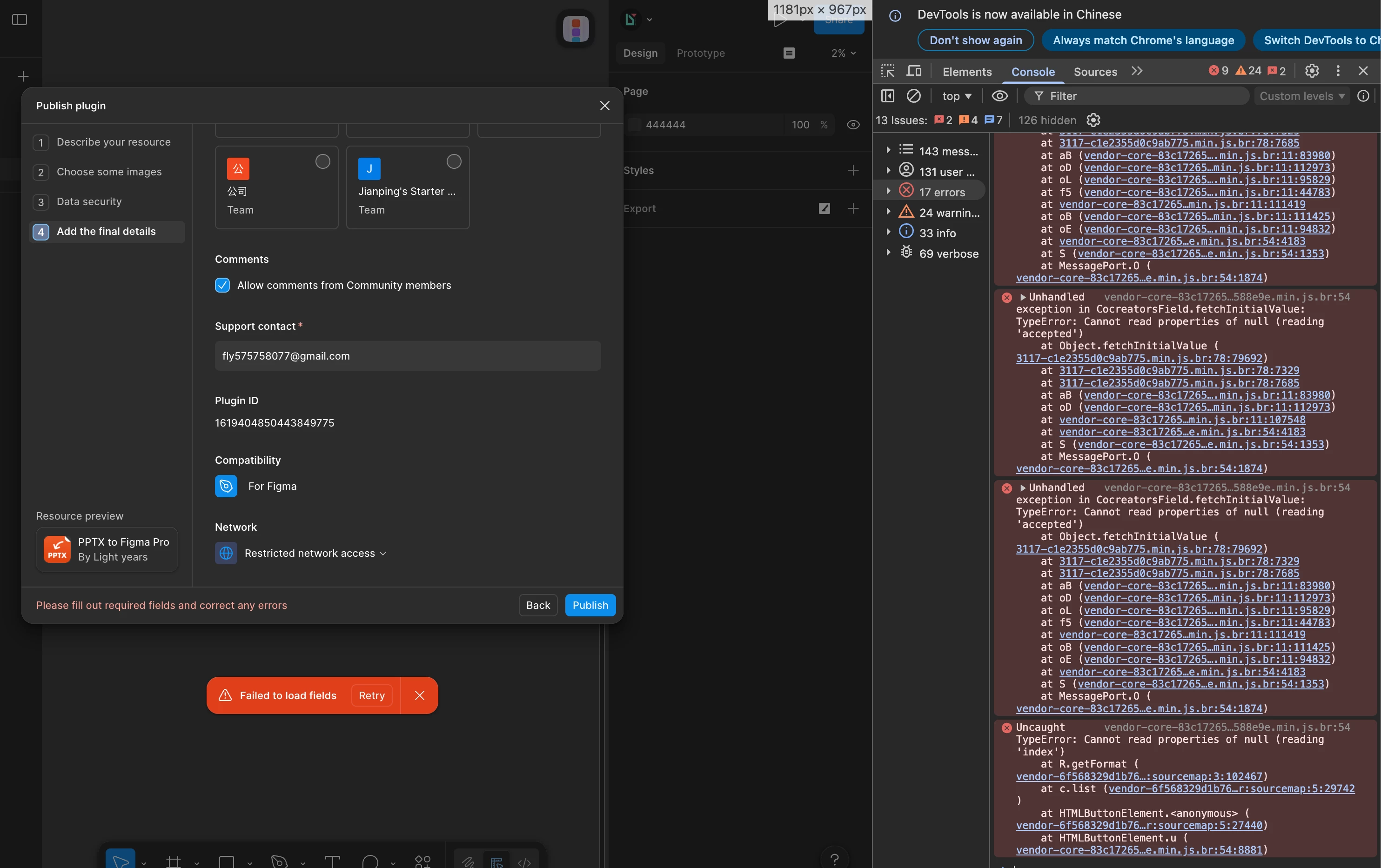
Can anyone help me figure out what's causing this issue or suggest a solution? It would be great if there’s a known fix or a workaround to proceed with publishing the plugin.

 

Best answer by djv

Hi ​@Light_years, thanks for reaching out! 

I completely understand how frustrating it must be trying to publish your plugin and continuing to run into this error. I saw that you’ve also reached out to support directly, and they were able to help on ticket #1818552.

To reiterate, the team pushed a fix that should have resolved this issue. Were you able to successfully publish your plugin? 

If you have any further questions or concerns, feel free to let us know here or reply directly to support via email. 

1 reply

djv
Figmate
  • Community Support
  • Answer
  • March 31, 2026

Hi ​@Light_years, thanks for reaching out! 

I completely understand how frustrating it must be trying to publish your plugin and continuing to run into this error. I saw that you’ve also reached out to support directly, and they were able to help on ticket #1818552.

To reiterate, the team pushed a fix that should have resolved this issue. Were you able to successfully publish your plugin? 

If you have any further questions or concerns, feel free to let us know here or reply directly to support via email.