
sdcaz
New Member
Apr 3, 2025 12:58 PM UTC
Question

How can I get rid of this gray bar?
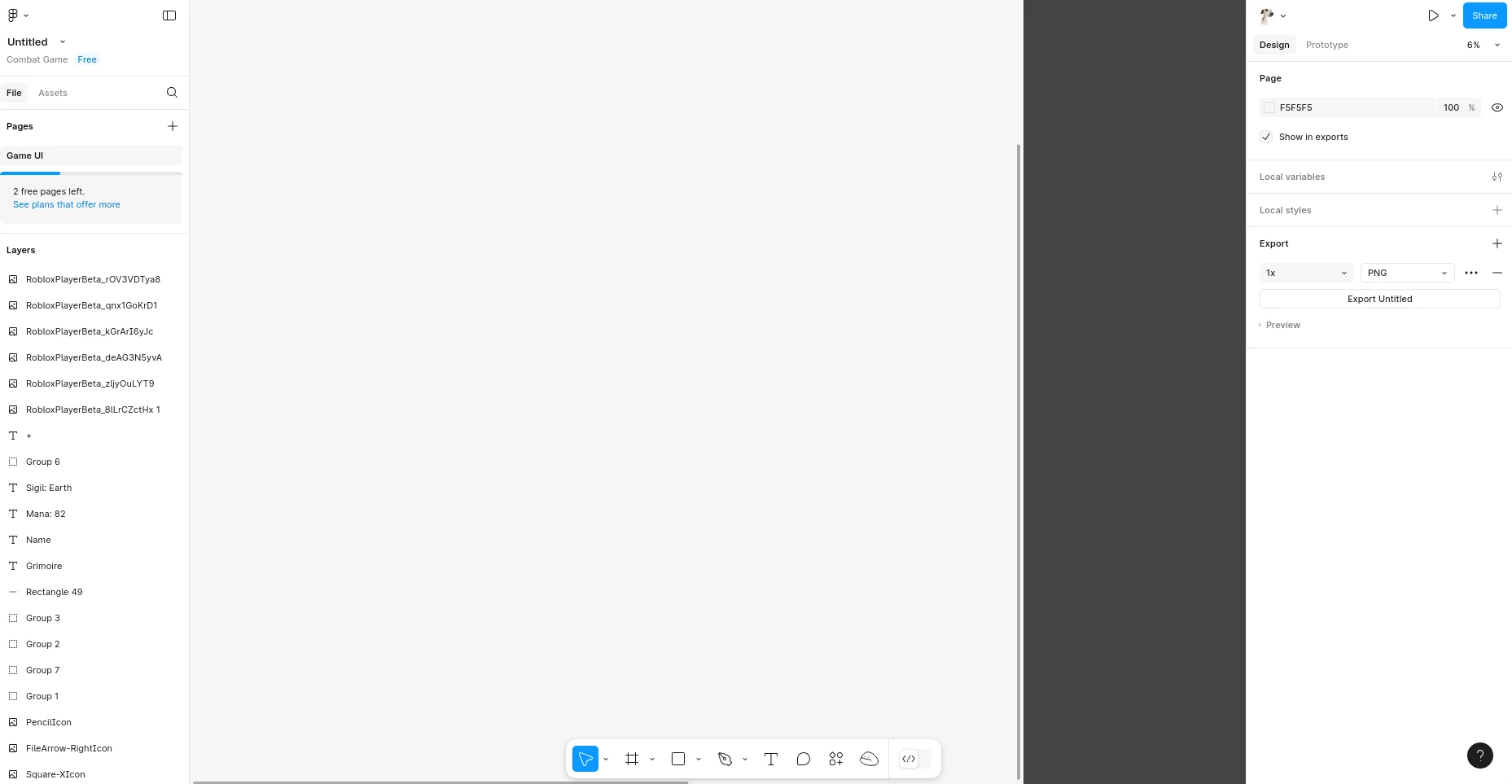
I am using the web version of Figma and suddenly this gray bar started showing up on the right i can click on elements it is covering how do I fix this issue?

    This topic has been closed for replies.

    2 replies

    Gayani_S
    Figmate
    Community Support
    Apr 3, 2025 4:26 PM UTC

    Hey ​@sdcaz, that sounds really frustrating! Let’s figure this out together.

    A few quick questions to help narrow it down:

    • Are you seeing this in the browser, the desktop app, or both?

    • Did this just start happening recently, or has it been an issue for a while?

    • Does it only happen in one specific file, or is it affecting all your files?

    Can you try resetting Figma and restarting to see if that helps?

     Let me know how it goes! 

    sdcaz
    sdcazAuthor
    New Member
    Apr 3, 2025 7:24 PM UTC

    Hi ​@Gayani_S,

    Thanks for getting back to me!

    This issue is happening in the browser version. It started recently and is affecting all my files. I also tried accessing Figma on another device, but the problem persists.