
Hover transition in Dev Mode always resolves to Mode 1's color, ignoring the active variable mode
Hi everyone,
I'm running into an issue with the Transitions/Animation code panel in Dev Mode when using variable modes for accent colors.
Setup:
- One color variable (e.g. "Accent/Background") with multiple modes — each mode represents a different accent color (Mode 1 = Mint, Mode 2 = Violet, Mode 3 = Amber, etc.).
- The mode is set at the frame/instance level (not via component variants).
- A "While hovering → Change to [hover value]" interaction is set up, using the same variable's hover-state color.
Issue 1 – Hardcoded hex instead of variable reference
The generated animation code in the Transitions panel shows the colors as hardcoded hex values instead of referencing the variable, e.g.:
@keyframes kf_..._background-color_0 {
  0%   { background-color: #7D1FB8; }
  100% { background-color: #0F8279; }
}
Issue 2 – Hover always resolves to Mode 1, regardless of active mode
More importantly: no matter which mode the frame is set to, the hover ("100%") keyframe always ends up at the Mode 1 value (#0F8279, mint) instead of the hover color that belongs to the currently active mode.
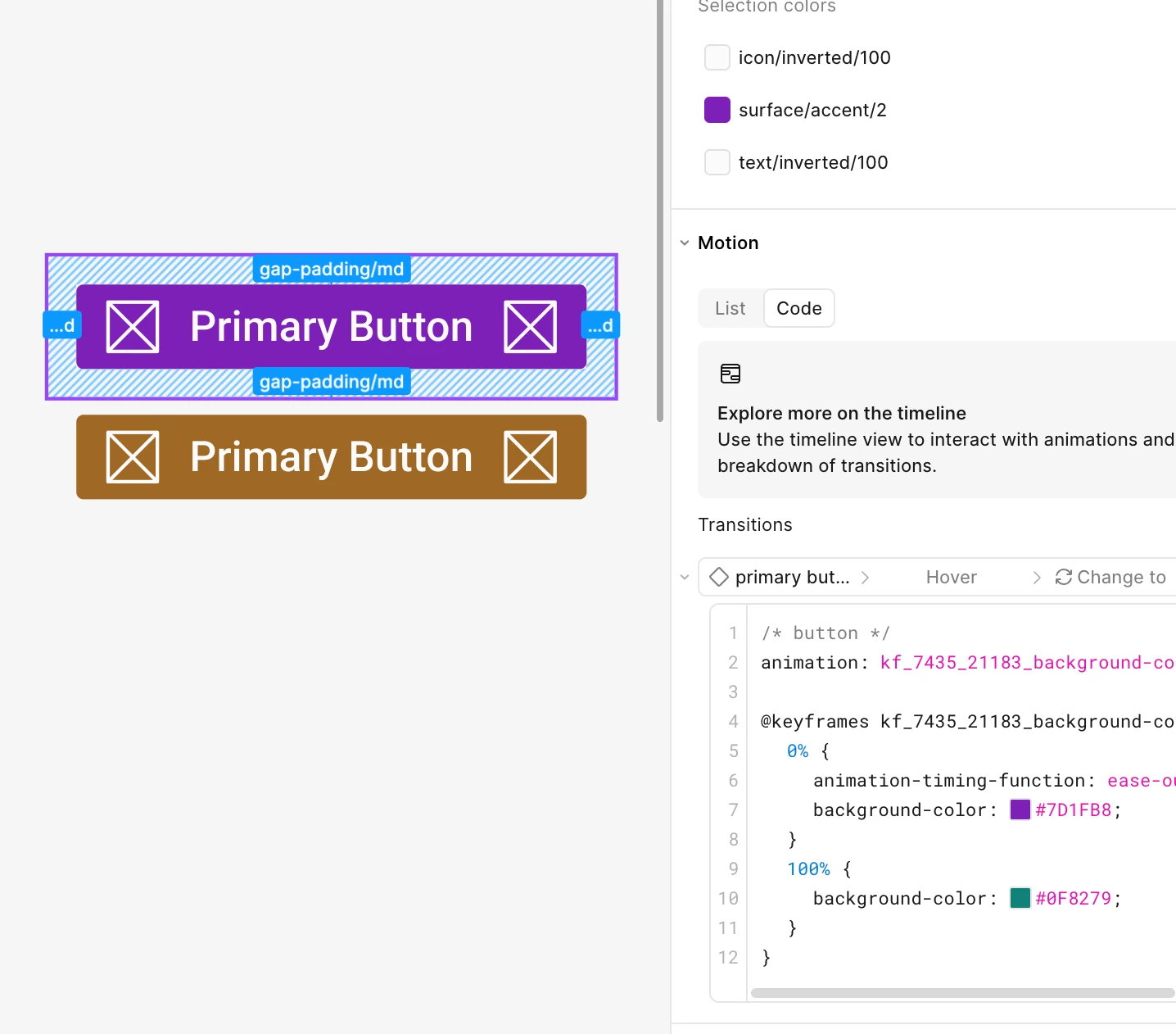
- Frame set to Violet mode:
0%#7D1FB8(correct, Violet) →100%#0F8279(wrong — should be Violet's hover value, shows Mint/Mode 1 instead)
- Frame set to Amber mode:
0%#9F6823(correct, Amber) →100%#0F8279(wrong — should be Amber's hover value, shows Mint/Mode 1 instead)
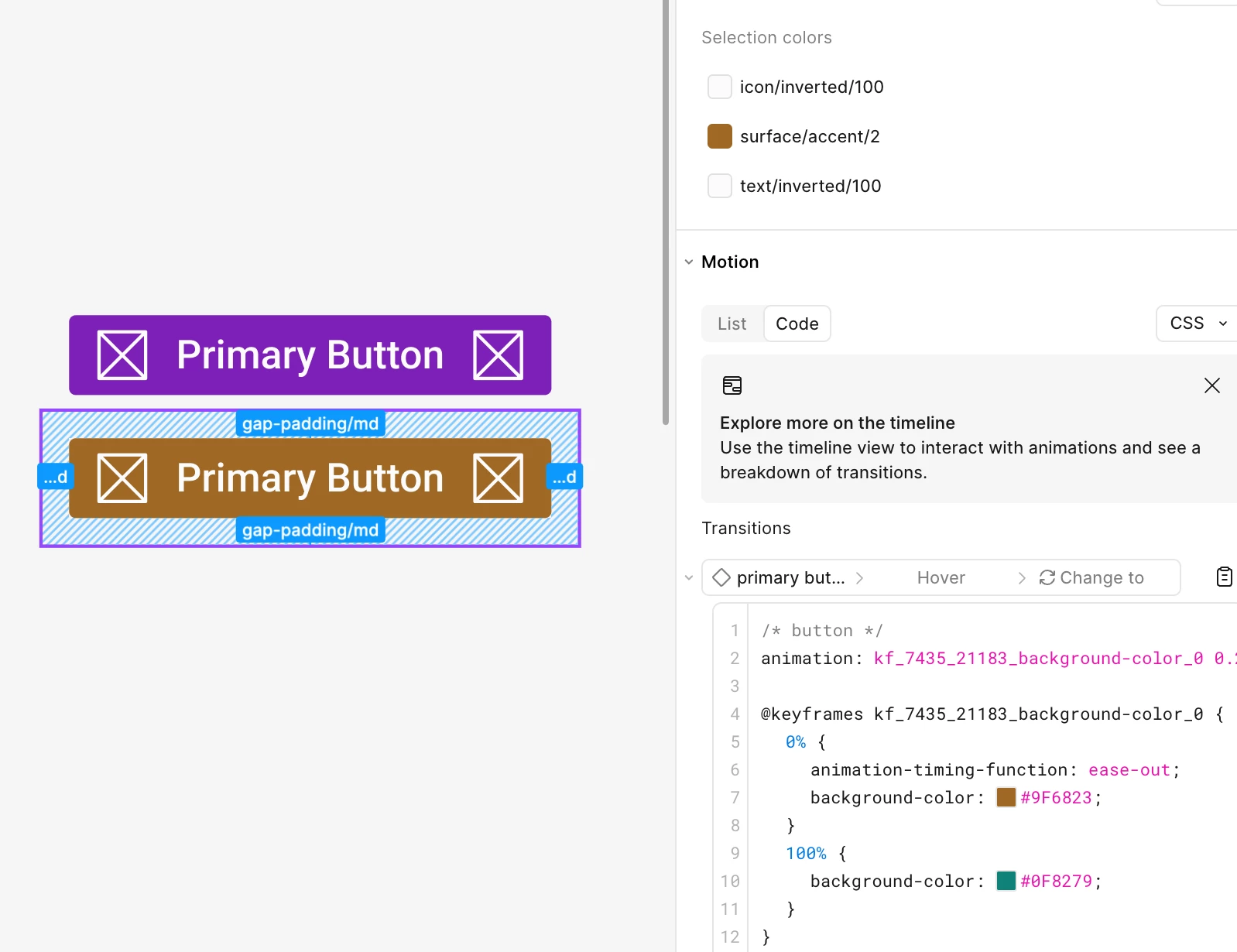
So the starting value correctly reflects the active mode, but the transition's destination color always falls back to Mode 1 — as if the hover interaction is resolving against the default mode instead of the mode currently applied to the frame.
Is this a known limitation of how Dev Mode resolves variable modes for animations, or a bug?
Figma version: 126.7.10
Browser/OS: Desktop for macOS
Thanks!
