

Question

Hover interactions on prototypes resetting overrides

  • January 12, 2026
  • 4 replies
  • 136 views

Todd_Coleman

Starting last week some (but not all) of my interactive components have been displaying unusual activities:


I have a button component with a hover variant. On hover the button changes to the hover variant, on mouse out it resets the text override and even surfaces hidden component elements (like an icon instance). All layers are named the same. I have been using this same component set and interactions for 2 years, this bug only started last week.

Here is a screen recording. Keep an eye on the “Save Changes” and “Delete” buttons.
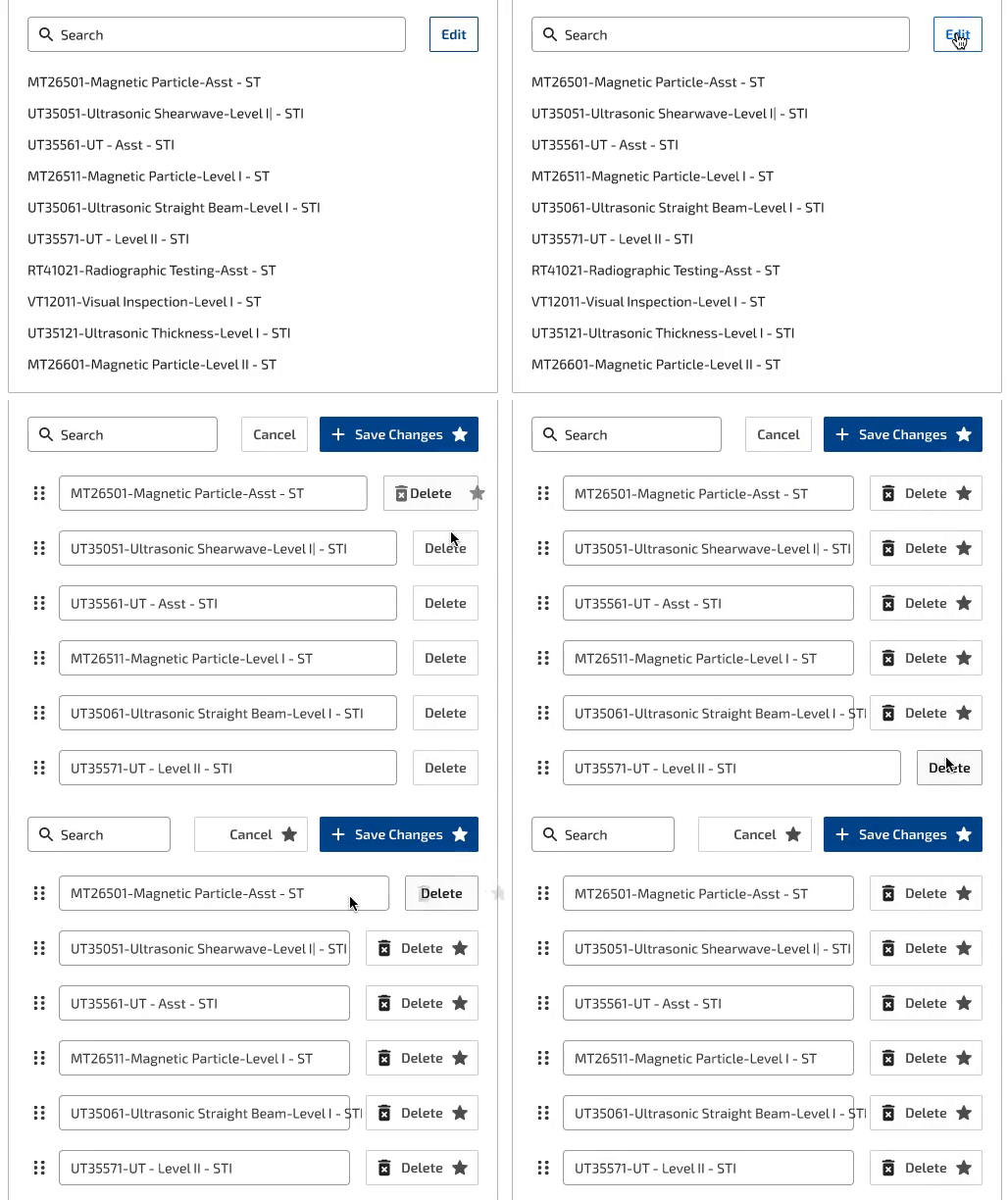


This bug is random. It only affects some buttons on some screens and I am unable to reproduce it consistently. This bug is appearing on in the desktop app and the web app.


Another similar but is affecting a dropdown prototype (again, have been using the same one for 2 years):
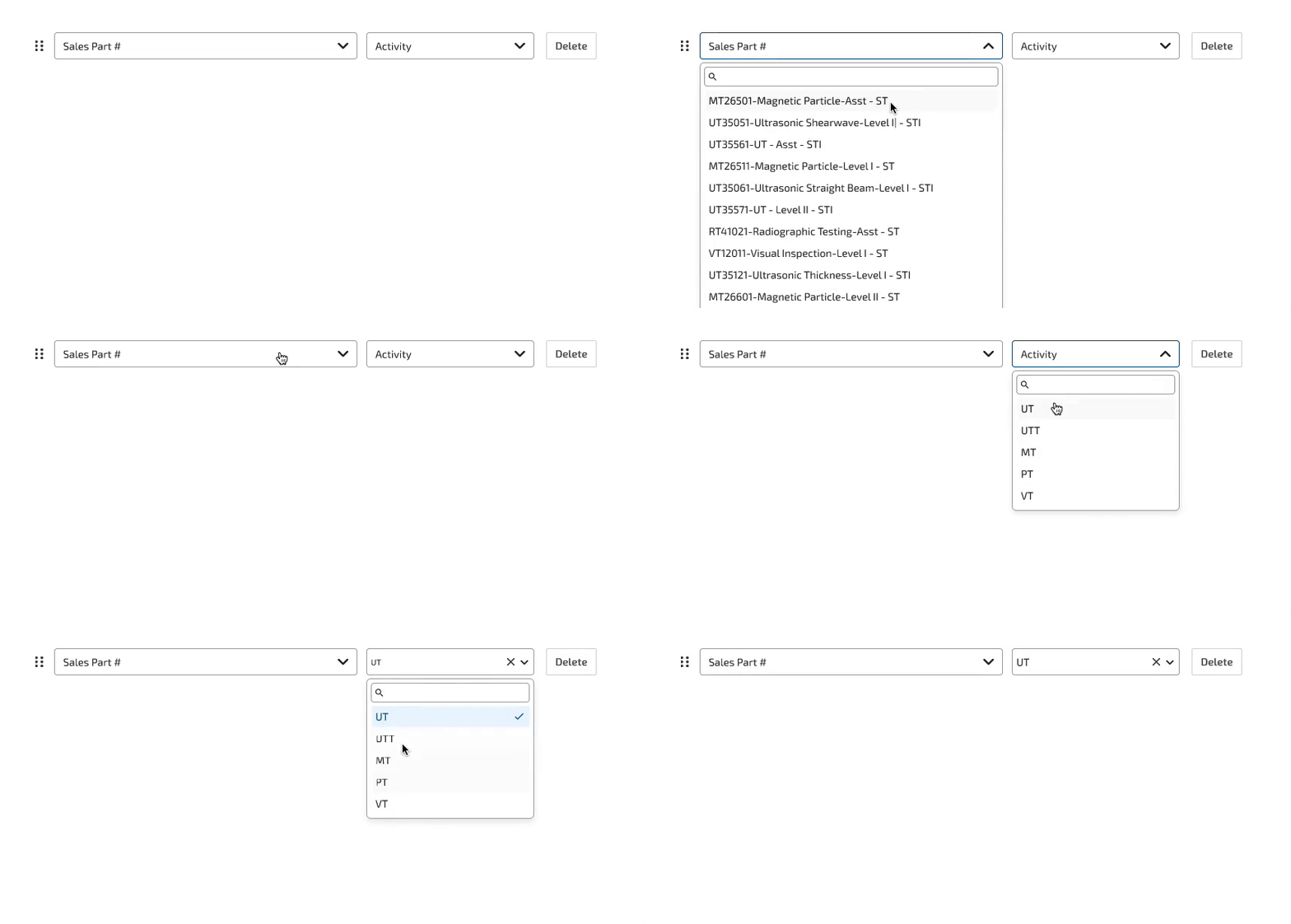
 

All of these bugs appear to only be happening in the native app prototype view and on Chrome on Mac. These do not appear in Firefox.


I have double checked that all layers are named the same. I have reset the interactions and redone them and the bug persists but only very randomly. Again, this just started last week.

4 replies

Alexandra Vega
  • New Participant
  • January 13, 2026

Hello, I have been experiencing the exact same problem today, I built the components about 3 weeks ago and they were working perfectly, it started this morning and I am also unable to reproduce the errror consistently, I tried building everything again and it keeps happening randomly. 

This happens when playing the prototype on the Figma desktop app and the Chrome navegator, it doesn’t show when playing it on the Chrome Incognito window.

Please let me know if you find a solution to this issue, it seems like genuine bug from the Figma System, perhaps a new update starting the year it’s causing it. 


Todd_Coleman
  • Author
  • New Participant
  • January 13, 2026

Hello, I have been experiencing the exact same problem today, I built the components about 3 weeks ago and they were working perfectly, it started this morning and I am also unable to reproduce the errror consistently, I tried building everything again and it keeps happening randomly.

Please let me know if you find a solution to this issue, it seems like genuine bug from the Figma System, perhaps a new update starting the year it’s causing it. 
 

Sure, I am hoping that someone from the Figma team sees this. This bug did come from out of nowhere and I am really having a hard time recreating it with consistency.


Enwono
  • New Member
  • January 19, 2026

Starting last week some (but not all) of my interactive components have been displaying unusual activities:


I have a button component with a hover variant. On hover the button changes to the hover variant, on mouse out it resets the text override and even surfaces hidden component elements (like an icon instance). All layers are named the same. I have been using this same component set and interactions for 2 years, this bug only started last week.

Here is a screen recording. Keep an eye on the “Save Changes” and “Delete” buttons.


This bug is random. It only affects some buttons on some screens and I am unable to reproduce it consistently. This bug is appearing on in the desktop app and the web app.


Another similar but is affecting a dropdown prototype (again, have been using the same one for 2 years):


All of these bugs appear to only be happening in the native app prototype view and on Chrome on Mac. These do not appear in Firefox.


I have double checked that all layers are named the same. I have reset the interactions and redone them and the bug persists but only very randomly. Again, this just started last week.

I’m experiencing the same issue here too on my Mac native app 


Alexandra Vega
  • New Participant
  • January 19, 2026

Hi ​@Enwono 
There’s another post where other people are experiencing the same issue, the Figma support team replied and asked us to report a bug trough the Support Hub to be able to fix it personally. 

Here: