Question

HELPP!!!! Published Site from Figma Site is broke, layout is all messed up

  • June 15, 2026
  • 1 reply
  • 24 views

Nicky Wang

I really need help for my UIUX portfolio, I really need it URGENT!!

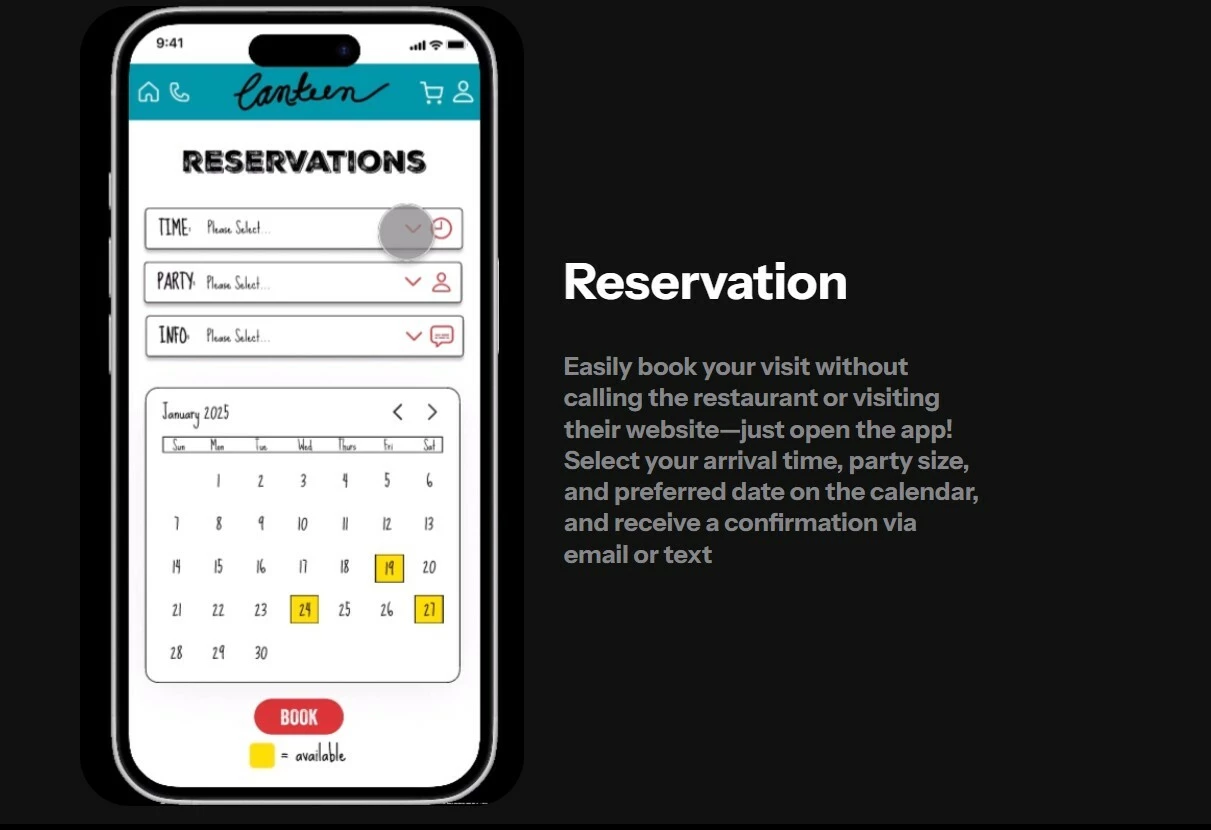
The Figma Sites designs from Preview look completely right, but when I goto the published url, the design layout is completely messed up. Elements are overlapping, and what’s supposed to be on the right suddenly moves to the left.  (You can see the pictures of my design if u scroll down)

How should I debug this? I don’t know what part in the process is causing this.
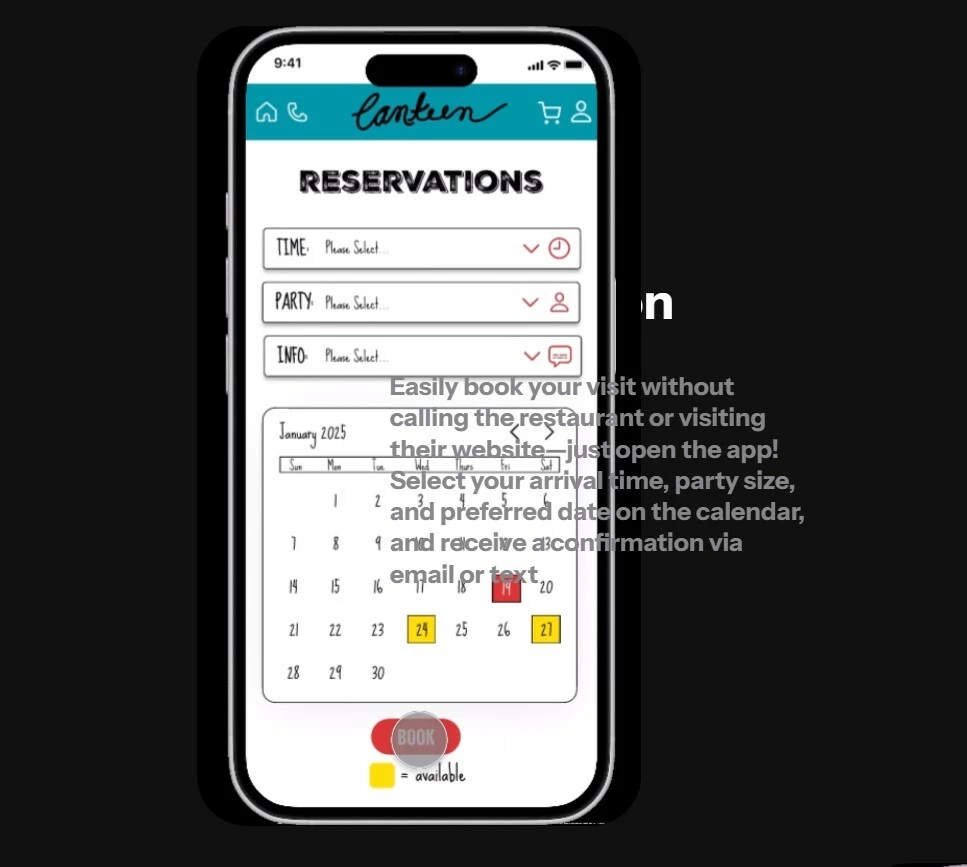
Published - elements are overlapping
Preview - Original Design should look like this


1 reply

djv
Figmate
  • Community Support
  • June 15, 2026

Hey ​@Nicky Wang, thanks for reaching out!  

I understand how frustrating this must be, especially when the Preview looks perfect. I also understand the urgency here. This sounds like it may be related to a known issue where auto-layout alignment behaves differently between Preview and the published site, so you're definitely not alone in running into this.
 

A few things that would help us dig into this with you:

1. Are you using auto-layout on your frames? Specifically, are any containers set to center alignment?
2. Did the layout ever look correct when published, and then break after a re-publish. Or has it been off from the very first publish?
3. What browser and device are you viewing the published site on?


In the meantime, a few more things worth trying:
- Try unpublishing and republishing the site fresh
- Double-check that all parent frames have their horizontal alignment explicitly set (not left to inherit)
- If you're using fill container widths, try switching to fixed widths temporarily to see if that stabilizes the layout


We want to help you get this sorted before your portfolio goes live. Feel free to share a link to the published URL or screenshots of your layer structure, and we'll take a closer look.