Question

Gotham font turns into bold

  • July 21, 2026
  • 2 replies
  • 25 views

Paola M.

Hi,

We have properly purchased Gotham font licenses, but we are working on a design system with multiple people at the same time and the text suddenly turns bold!

What should we do?

2 replies

Tom Reem
Figmate
  • Figmate
  • July 21, 2026

Hey ​@Paola M. — welcome to the Figma Forum, and thanks for flagging this!

I took a closer look into this and, when text turns bold or shifts weight only while several people are editing, it's almost always a font conflict. This sounds similar to what you’ve described where editors may have different versions of Gotham installed, so Figma renders it differently depending on whose version it pulls from.

Getting the whole team on one shared version of the font, then reset the affected text with Select all with same font → Recompute Text Layout in Selection should resolve this. This guide walks through both steps: Manage conflicting fonts. Another team hit this issue with Gotham and resolved it by having everyone reinstall the same font file.

If it's still off after that, reply and let me know:

  • Are other weights of Gotham wrong too, or just the one turning bold?
  • Where is each editor getting Gotham from, and do the versions match?
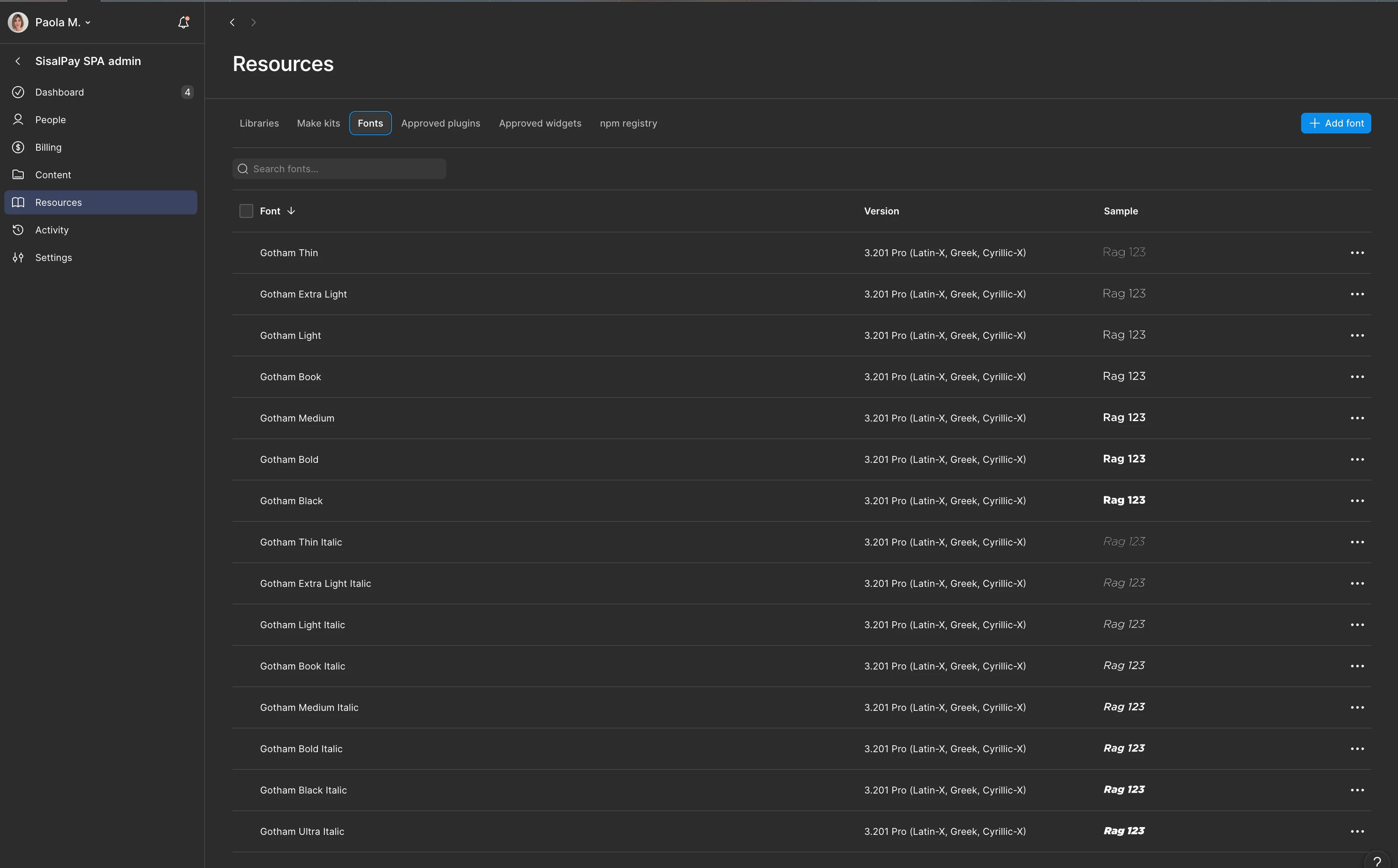
  • Are you on an Organization or Enterprise plan? Uploading Gotham as a shared font keeps everyone on one version automatically.

Happy to keep digging from there. 🙏🏻


Paola M.
  • Author
  • New Member
  • July 22, 2026

Thank you Tom,

I think we finally resolve the issue managing the shared files into our enterprise Figma plan:

In case it will happen again we will try unistalling all our versions on our computer and reinstalling the exact same one.

Thank you again,


Paola