

‘Go to Source’ in Figma Make is not responding (Desktop & Web)
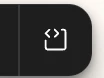
Hi, I’m having an issue with the Go to Source button inside Figma Make — the feature that should show the code for the selected design element.
When I click the Go to Source button, it is not disabled, but nothing happens. It doesn’t open the code view, doesn’t redirect, and doesn’t display any error message. It simply does not respond at all.
Environment
-
Figma Desktop for Mac (version: 125.10.7)
-
macOS
-
Issue also occurs in the browser (Chrome/Safari)
What I’ve Tried
-
Restarting Figma Desktop
-
Logging out and back in
-
Clearing local Figma cache
-
Trying in browser instead of Desktop (same issue)
-
Re-publishing the site
Additional Notes
-
Other navigation actions work normally.
-
This started immediately after updating to 125.10.7, so it may be version-specific.
Request
Could you please check whether this is a known bug in version 125.10.7, or if there’s any workaround to restore the Go to Source functionality?
I rely heavily on Make, so this issue is blocking my workflow.
Thank you!