Hey @푼이주현, thanks for reaching out! Replying in English here, let me know if something is unclear.
A couple of things worth trying:
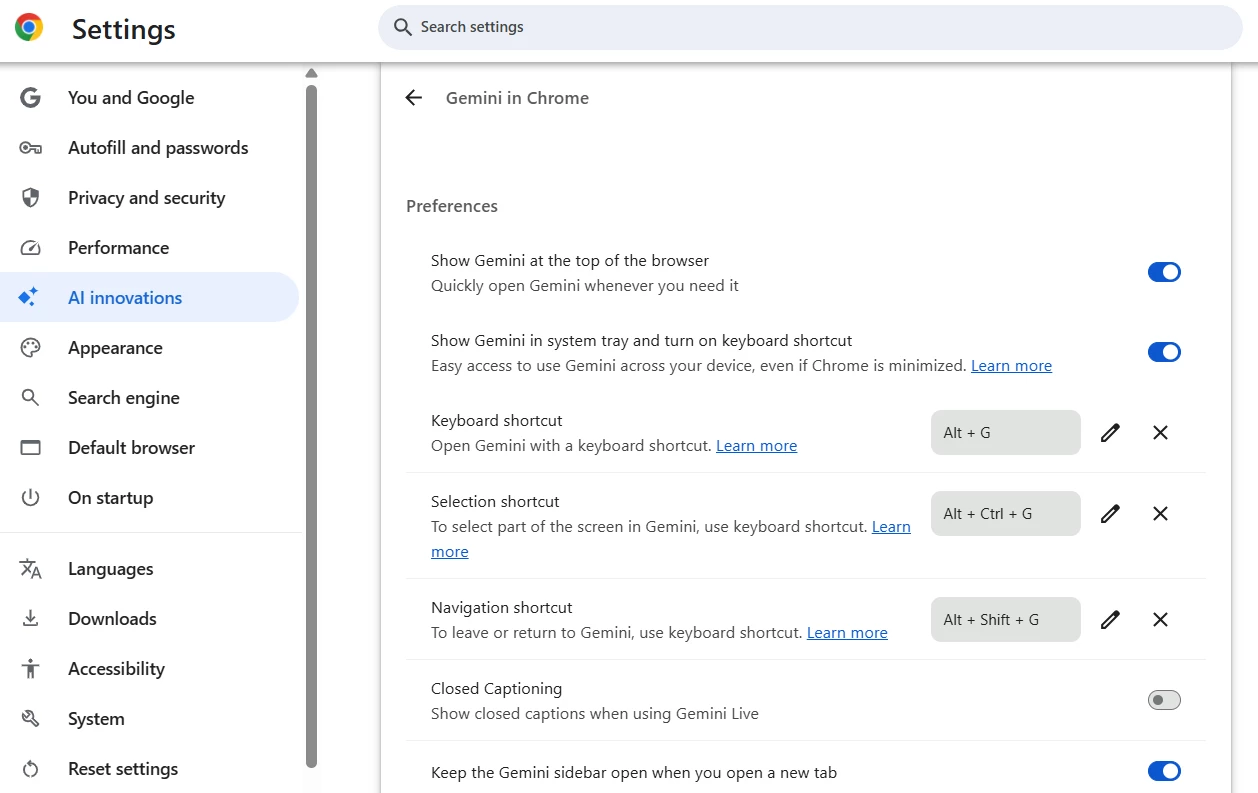
In Chrome, go to Settings > AI Innovations > Gemini in Chrome, and remove all three shortcuts listed there (Keyboard shortcut, Selection shortcut, and Navigation shortcut) by clicking the X next to each, rather than just toggling one off.
It's also worth turning off "Show Gemini in system tray and turn on keyboard shortcut" as a separate setting, since that's another place Chrome registers a shortcut.
In the meantime, you can still wrap a selection in a frame without the shortcut at all: open the quick actions menu (Ctrl+/), type "frame selection," and select it from there. That'll get you the same result while you sort out the Chrome side.
Figma doesn't currently support reassigning individual keyboard shortcuts to different key combos, so unfortunately we can't offer a way to change Ctrl+Alt+G on our end.