
Elmarr
New Member
March 14, 2025
Question

File loads but nothing is displayed, even if the layer panel is full

  • March 14, 2025
  • 1 reply
  • 42 views

A very annoying problem, pretty sure it is either a bug, or something really dumb.

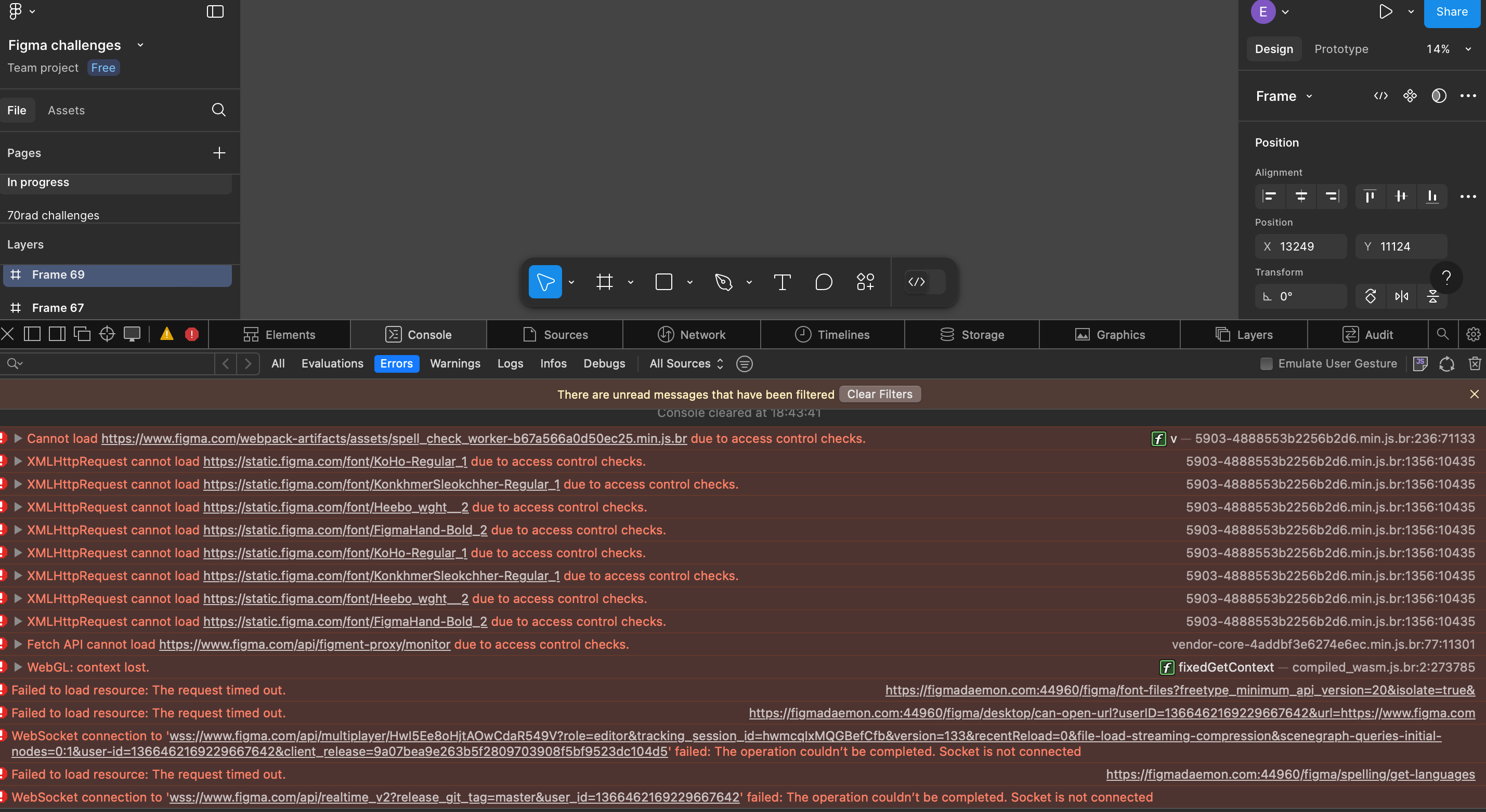
When I click on a figma file (browsing from my computer), the file loads, everything seems to be fine (the layer panel is full, but nothing is displayed no matter what I do. I can even create a shape, it’ll be added in the layer panel but not displayed, even in visible mode.

I cleared all my computer cache, still nothing.

When I access the file from my phone (browser), with the same network, everything works fine and the design is displayed. 

I checked the log, I have errors that I don’t know how to solve.

I don’t really know what I’m doing wrong… Any idea how to fix this?
 

    This topic has been closed for replies.

    1 reply

    Gayani_S
    Figmate
    Community Support
    March 14, 2025

    Hey ​@Elmarr, I totally get how frustrating this must be—thanks for sharing all the details and for already trying some troubleshooting steps!

    Let’s get to the bottom of this. A few questions to help narrow it down:

    • Does this happen in both the browser and the Figma Desktop app?
    • Is it specific to one file, or are all your files affected?
    • Have you recently updated your operating system?
    • When did you first start noticing the lag, and how often does it happen?

    Appreciate your patience, and I’m here to help figure this out with you!