

Figma Slides – Elements Missing in Exported PDF Despite Appearing in Export Preview
When I open the PDF export preview, all the characters and elements on the slides appear correctly. However, after exporting and downloading the PDF, several elements are missing from the final document.
This creates a discrepancy between the export preview and the actual exported PDF. The content is visible in the preview but does not appear in the downloaded file as expected.
Expected behavior:
The exported PDF should accurately preserve all the content and visual elements displayed in the export preview.
Actual behavior:
Several elements that are visible in the export preview are missing from the exported PDF.
I will attach the following files for reference:
-
The original slide in Figma Slides.
-
A screenshot of the PDF export preview showing the complete content.
-
A screenshot of the exported PDF showing the missing elements.
Please investigate this issue and help identify the cause of the discrepancy between the export preview and the exported PDF.
Thank you.

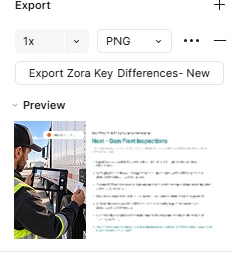

This happens in several slides.
