David_Galliford
Active Member
May 16, 2025
Solved

Figma Sites - Custom fonts change to other fonts in Preview

  • May 16, 2025
  • 14 replies
  • 2820 views

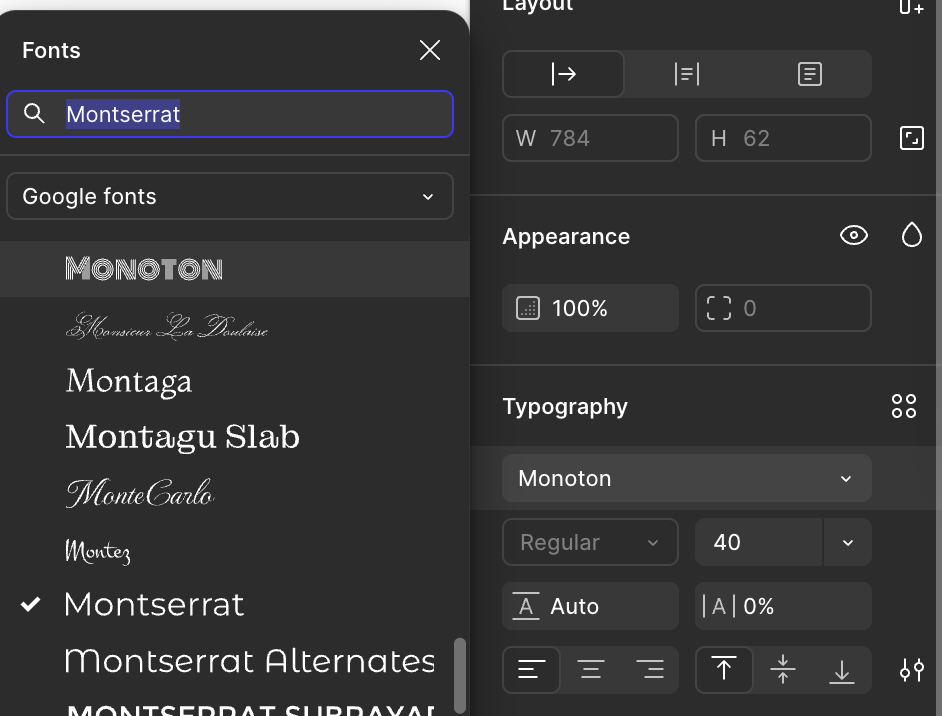
When I use Figma Sites, fonts in the build view looks fine.

But when I use Preview, some fonts default to arial. I’m using the latest version of Figma Desktop for Mac.
 

Authoring View - Montserrat Semi Bold


Preview - Changes to Arial Bold


The fonts are loaded on my system.

This topic has been closed for replies.
Best answer by y_toku

Hi ​@David_Galliford 

Thanks for reaching out. Are you using fonts from the "Installed by you" section? Just to clarify, custom fonts aren't currently supported in Figma Sites - only system fonts work properly. When you publish to Figma Sites, any custom fonts in your design will automatically default to system fonts. This could be a reason for this.

You can find more details about this limitation in our documentation:https://help.figma.com/hc/en-us/articles/31242787286935-Use-design-tools-in-Figma-Sites#h_01JTGSP7B5NTFC2GE3FK907V37 

If you switch to using Montserrat directly from Google Fonts (rather than a locally installed version), the fonts should load correctly on your site.

I hope it helps but if the issue persists, could you submit a bug report detailing the steps that led to this issue? You can do so by following the link: https://help.figma.com/hc/en-us/articles/360041468234-Submit-a-bug-report?


Thanks!
Toku

14 replies

djv
Figmate
Community Support
July 7, 2025

Hey All, thanks for your interest in custom fonts! 

Our Sites team has confirmed that support for custom fonts is in the works, but we don’t have an exact timeline to share yet. We appreciate your patience and understanding while Sites is still in beta. 

MarkAtOutlign
New Member
July 23, 2025

Not quite the use case listed above but maybe this will help someone… I was able to get custom fonts to work on a Figma site by:

  • Taking the provided CSS from an online font service like MyFonts or Typekit - including the import url of the font file
  • Replacing the font-family names used in that CSS - e.g. `custom-font` - and replacing it with the font-family name that Figma had generated `Custom Fond:Bold`
  • Pasting that updated CSS into the Custom Code section of my Figma sites

And then my custom font was visible on the published version of the Figma site

Smetanka
New Member
July 26, 2025

🔍 What’s going wrong


  1. Font weight and appearance are not preserved

    • In Figma: font-weight: 275, looks bold enough.

    • On publish: rendered as Barlow Condensed: ExtraLight, visibly thinner.

    • Same happens with other fonts — rendering does not match the intended weight or style.

  2. Container width is incorrect

    • In Figma: text element is set to a fixed width (96px).

    • On the live site: the same element appears narrower (72px).

    • This breaks the layout and spacing with adjacent elements (like letter X).

    • Important: This behavior occurs regardless of which font is used.

  3. It seems that Figma Sites ignores either:

    • the defined container width, or

    • the actual font bounding box / glyph metrics from Figma


The result is incorrect rendering that collapses layout elements, misaligns compositions, and makes the design appear broken — especially in typographic systems with precise alignment.


Caveman
New Participant
August 17, 2025

Not quite the use case listed above but maybe this will help someone… I was able to get custom fonts to work on a Figma site by:

  • Taking the provided CSS from an online font service like MyFonts or Typekit - including the import url of the font file
  • Replacing the font-family names used in that CSS - e.g. `custom-font` - and replacing it with the font-family name that Figma had generated `Custom Fond:Bold`
  • Pasting that updated CSS into the Custom Code section of my Figma sites

And then my custom font was visible on the published version of the Figma site

this is what I thought to do. let me try this