
Question

Figma Sites: Background pattern does not work
  • November 6, 2025
  • 7 replies
  • 307 views

xxemuuu
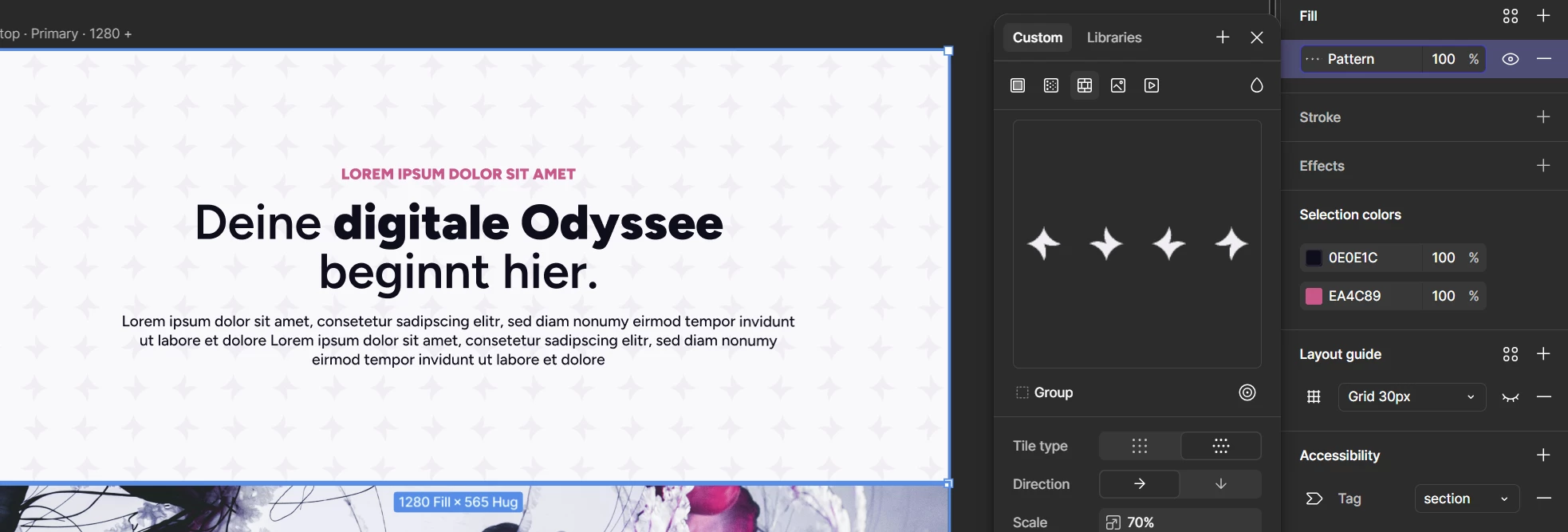
editor view

When I give a frame a pattern fill, it is not displayed in the preview. Is this a bug?
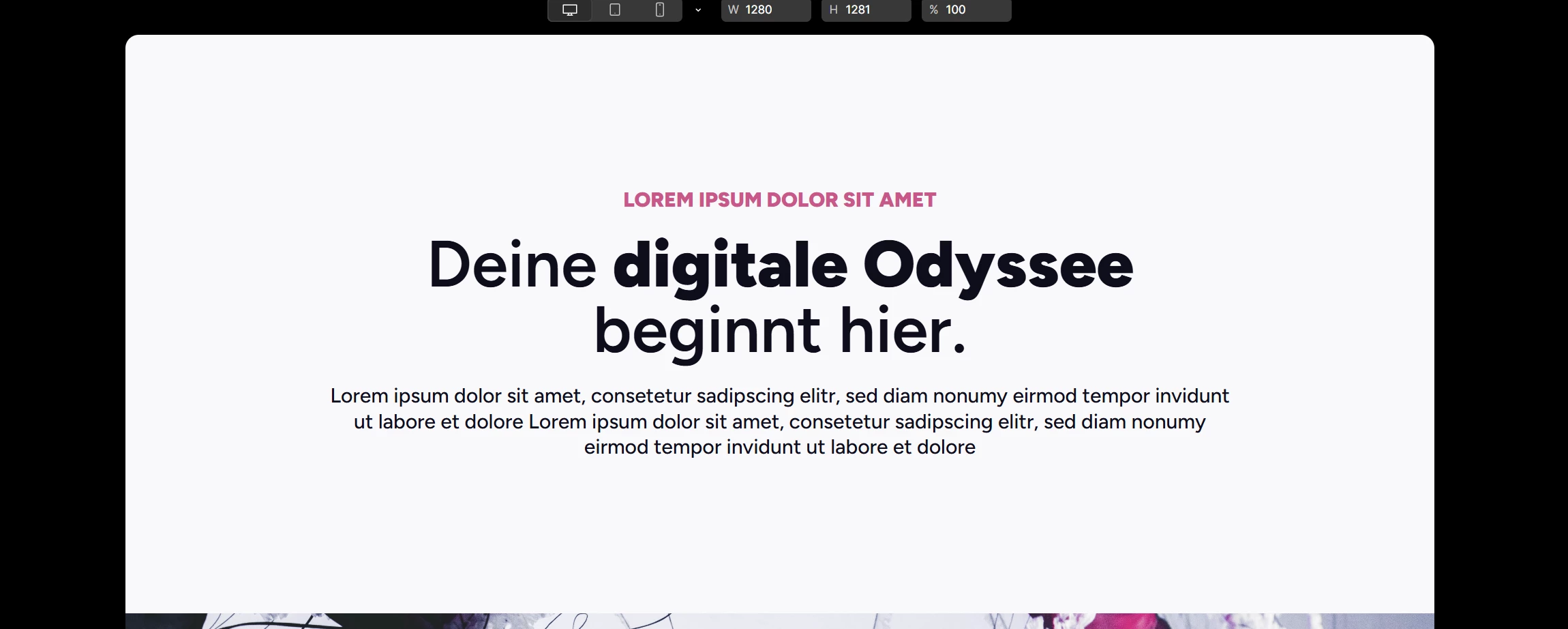
preview view: the shapes on the background are missing


7 replies

djv
Figmate
  • Community Support
  • November 21, 2025

Hi ​@xxemuuu, thanks for flagging this and apologies for the delayed reply! 


Are you still seeing this issue?

I just created a file using a a custom pattern fill, and it’s displaying within a Frame in the preview as expected. If so, what OS are you using? And are you using Figma in the browser or the desktop app? Are you able to share another screenshot that includes your Layers panel and more of the canvas?

With a bit more context, I can try to better reproduce the issue. 


xxemuuu
  • Author
  • New Member
  • November 22, 2025

Hello,
Yes, the error still exists for me.
I work with Windows 11 and use the Figma desktop app.
Attached are some more screenshots.


oleg fare
  • New Member
  • February 11, 2026

its not working people! why figma is always so buggy smh


oleg fare
  • New Member
  • February 11, 2026

Hi ​@xxemuuu, thanks for flagging this and apologies for the delayed reply! 


Are you still seeing this issue?

I just created a file using a a custom pattern fill, and it’s displaying within a Frame in the preview as expected. If so, what OS are you using? And are you using Figma in the browser or the desktop app? Are you able to share another screenshot that includes your Layers panel and more of the canvas?

With a bit more context, I can try to better reproduce the issue. 

have u tried to use website mode ?


Rufus_Spiller
  • New Member
  • February 23, 2026

I’m having a similar issue. I have the pattern in a component but when I try to use the component elsewhere the pattern style has no pattern. 


Stephanie_McKenzie

I’m also having issues with patterns breaking when used in components. It’s a huge pain and would love to see a fix!


Jaycee Lewis
Figmate

Hey ​@Stephanie_McKenzie 👋 Sorry to hear this is happening for you. I’d like to get a reproducible example set up that we can share with support. Can you share a not zoomed in screenshot of your setup when this is happening? A screen recording from beginning to end showing your setup and result would be magical 🤩 I’d like to set up my own test and I want to make sure I’m doing what you are doing to evoke the same broken component. Thank you! — Jaycee
