

Figma Not Loading on macOS After OS Update (Both Desktop & Browser Stay Greyed Out)
I’m experiencing a persistent issue where Figma will not load on my personal M1 MacBook Air 2020, in both the browser and the desktop app. The UI loads, but all content remains greyed out / skeleton screens and never renders. This has been happening only on my personal device, while Figma works perfectly on my work laptop (same account, same network conditions).
Here are the full details of the issue:
-
The problem started immediately after a macOS update on my M1 Mac.
-
On my personal device, neither the browser nor the desktop app loads files — both display the same grey placeholders and nothing renders.
-
I have tried multiple physical locations and networks (I accessed Figma across three different countries) & VPNs (both on and off).
The issue persists regardless of Wi-Fi, hotspot, or VPN status... -
I have plenty of storage, and my device otherwise runs normally.
-
I have tested Figma in Chrome, Safari, and the desktop app — all behave identically.
-
I’m able to access my account and all files on my work laptop, so this is not an account-related issue.
Troubleshooting I’ve already done:
I have tried all of the following (none solved the issue):
Browser & Figma App
-
Cleared all browser cache, cookies, site data (Chrome & Safari)
-
Turned off hardware acceleration in Chrome
-
Reset Chrome flags
-
Reinstalled Chrome completely
-
Reinstalled the Figma desktop app multiple times
-
Deleted all Figma-related cache folders
-
Reset Rosetta and reinstalled it
-
Reset Chrome GPU permissions
-
Reset TCC permissions
System-level
-
Created a new macOS user profile → same issue
-
Flushed DNS cache
-
Verified no VPN or firewall blocking
-
Reset GPU cache folders
-
Ran WebGL tests
-
WebGL 1 works (spinning cube visible)
-
WebGL 2 fails (no cube), which might be related
-
-
Performed additional macOS updates after the issue started
-
Verified system storage & stability
Current symptoms:
-
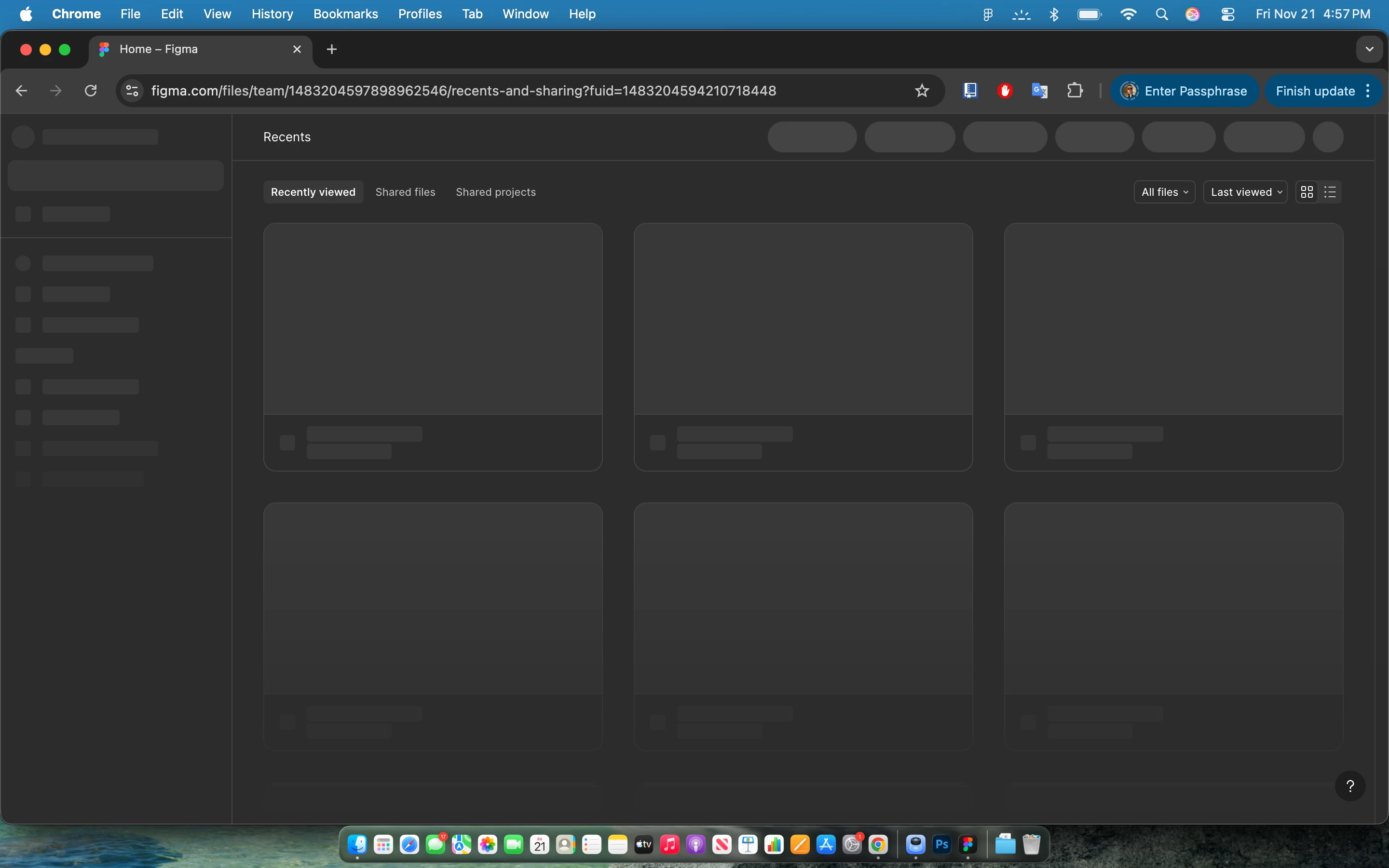
Figma home screen loads, but recent files and thumbnails stay greyed out forever.
-
Files never load; UI remains in a placeholder state.
-
Browser developer console shows no obvious network blockage.
-
Issue is isolated to this specific Mac — Figma works fine everywhere else.
Screenshot for reference:
My setup:
-
Device: M1 MacBook
-
OS: 26.1 Tahoe
-
Browsers tested: Chrome, Safari
-
latest available Figma Desktop version:
What can I do? This is annoying me so bad!
This issue has been ongoing for a while now, and I rely on Figma for work & personal needs. Any guidance, internal diagnostics, or advanced steps would be hugely appreciated.
Thank you in advance!