

Question
Figma Motion Preview shows layers through transparent shapes
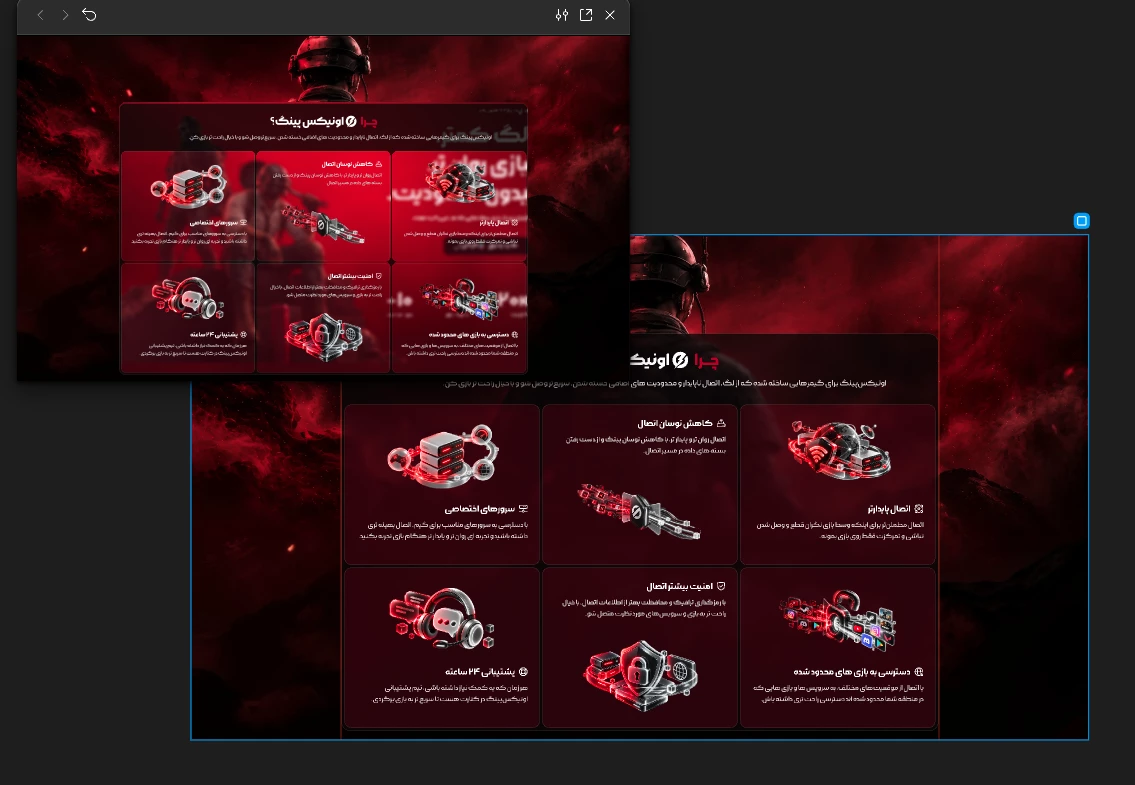
I’m animating a frame in Figma Motion and I’m experiencing a rendering issue with shapes that have reduced opacity.
Whenever I use a shape with any level of transparency/low opacity, Figma Motion Preview shows the content that was originally there at first (the beginning of the motion).
Even if I move those elements outside the frame or place them behind/in different layer positions, they still become visible through the transparent shape.
What’s strange is that this does not happen on the regular Figma canvas. The design looks correct there, but the issue appears when viewing the animation in Figma Motion Preview.