

suresh.vellingiri
New Member
August 11, 2025
Question

Figma MCP get_image quality not good

  • August 11, 2025
  • 5 replies
  • 287 views

I am using the figma mcp’s get_image config for the image is as follows
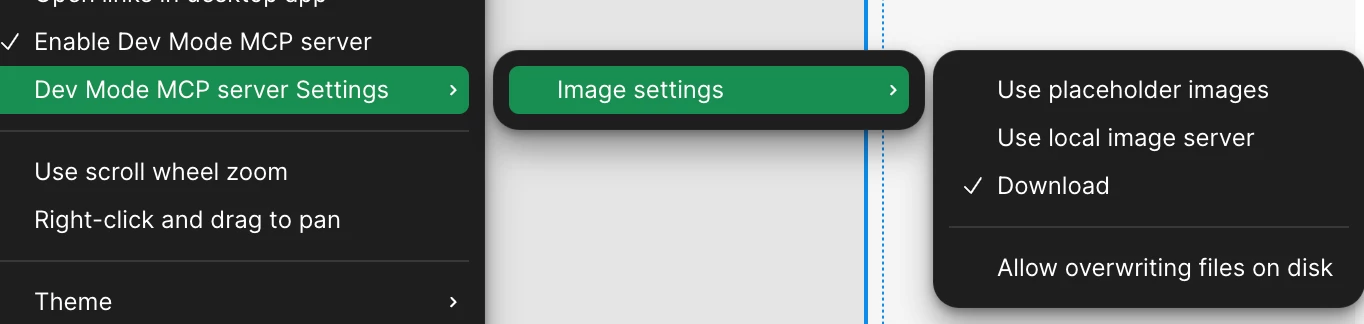


when i click on a node and select copy as png the image is clear crisp but when i use mcp to export the image its blurry and not so great

This topic has been closed for replies.

5 replies

ksn
Figmate
Community Support
August 11, 2025

Hey ​@suresh.vellingiri - sorry for the quality inconsistently. Could you attach a full-screen recording that shows all the actions you’re taking through the export of your image?

Or are you able to show how the node looks when you copy, and then show me what it looks like after it is exported? Let me know - thanks!

suresh.vellingiri
New Member
August 12, 2025

After exporting it via MCP: 


When we copy it via figma directly


ksn
Figmate
Community Support
August 12, 2025

Got it - thank you! I just touched base with our technical quality team, and they actually want to take a look at what you’re trying to export directly. This will help debug and/or provide info on how to adjust this, since it’s hard to tell based off screenshots alone.

When you have a second, can you please fill out this form here? If you could also share edit access to the file your exports are coming from with, along with the file name name, we’d greatly appreciate it. You can share that with support-share@figma.com, and you won’t be charged for that.


If you can’t share the file, no worries -- they can still try to help. Let me know once you’ve filled out that form, and I’ll get your ticket escalated.

 
suresh.vellingiri
New Member
August 13, 2025

I have filled the form and have submitted it. Unfortunately i cant give edit access. But have shared the readonly link

ksn
Figmate
Community Support
August 16, 2025

Thanks ​@suresh.vellingiri - I see that your ticket is now being looked at by technical quality team. They will follow up.


Appreciate your patience!