
Question

Figma MCP does not support writing PingFang SC fonts

  • May 12, 2026
  • 3 replies
  • 121 views

Harper Wu

As mentioned above, currently when using AI to generate design drafts, during the writing process, the AI provided me with the following feedback, and I hope it can be fixed.
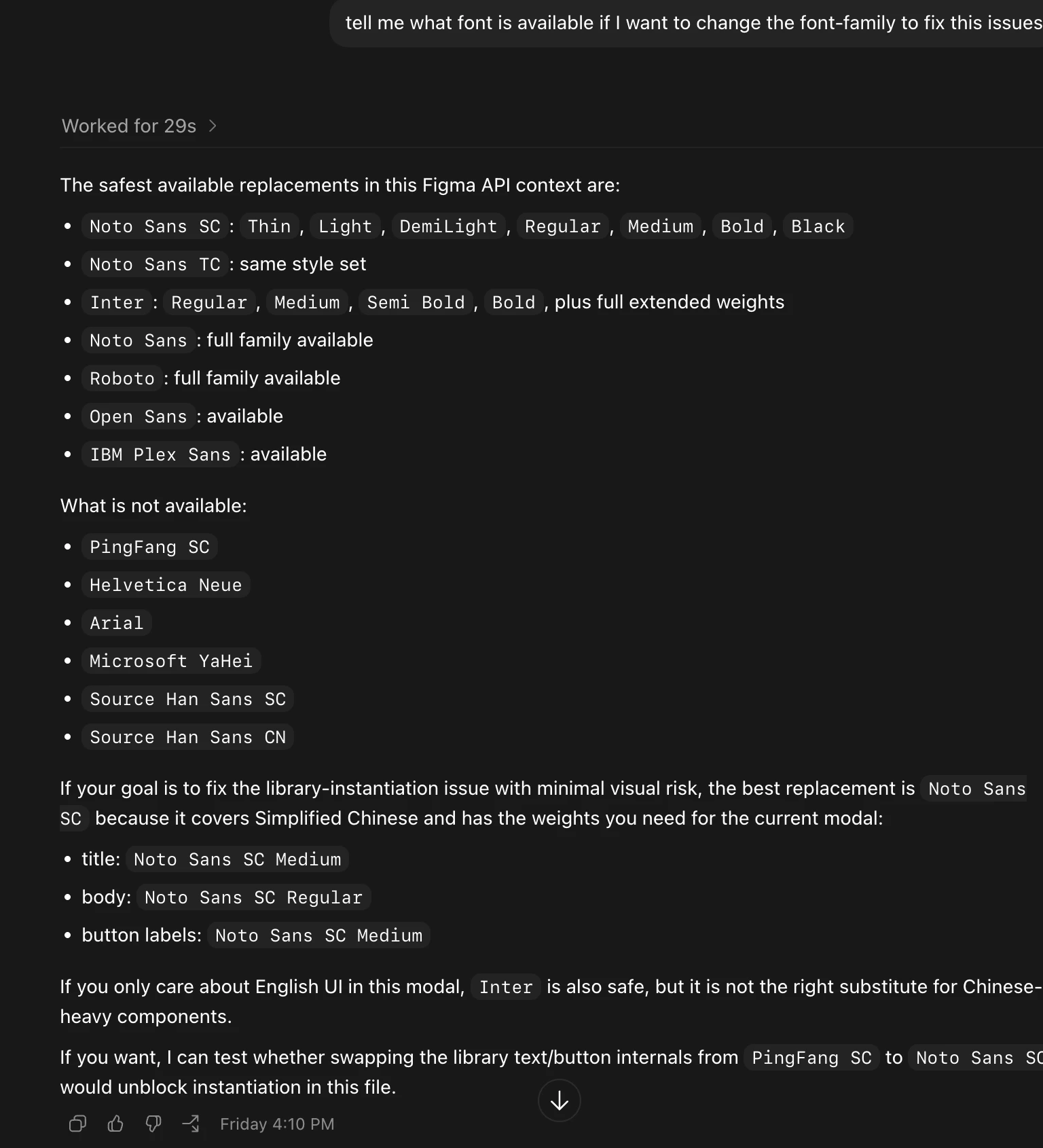

 

3 replies

Jaycee Lewis
Figmate

Hey, ​@Harper Wu 👋 Thank you for taking the time to share this feedback. In this case, currently, the answer and the suggested workaround are accurate. I’ve shared this post and your feedback with my team and internal resources. Please know we are aware of this challenge with fonts like the one you are working with. — Jaycee


Lolita
  • New Member
  • July 25, 2026

Hey, ​@Harper Wu 👋 Thank you for taking the time to share this feedback. In this case, currently, the answer and the suggested workaround are accurate. I’ve shared this post and your feedback with my team and internal resources. Please know we are aware of this challenge with fonts like the one you are working with. — Jaycee

@Jaycee Lewis Thanks for confirming this is a known limitation. Do you have an estimated timeline for when PingFang SC font writing support in Figma MCP might be available?


Tom Reem
Figmate
  • Figmate
  • July 25, 2026

Hey ​@Lolita — Tom here, stepping in for ​@Jaycee Lewis today. Thanks for chiming in.

We aren’t able to access a scheduled update for PingFang SC font writing support through MCP at this time.

The good news is there's a supported way to get PingFang SC working with MCP today: Upload the font to your account, and Figma's servers (and therefore MCP and the agent) can use it. Steps are here, under: Add a font to Figma → Upload local fonts to use with MCP and Figma agent. Availability can depend on your plan, so that article is the best place to confirm the details for your account.

Please give that a try and let me know how it goes — I'll make sure your experience gets back to the product team. 🙏🏻