Solved

Figma MCP cannot read nodes inside Slot components

  • May 27, 2026
  • 7 replies
  • 241 views

Khoa_JAK

I met an issue with Figma MCP when using Slots.

Elements inside a Slot become unreadable or return as invalid nodes in MCP.

I tested multiple cases and found that:

  • With Slot → MCP cannot read the node.

  • Without Slot → MCP reads the same node correctly.

This seems specifically related to Slot components.

Expected

MCP should read nodes inside Slots normally.

Actual

Nodes inside Slots become invalid or unreadable.

Screenshots

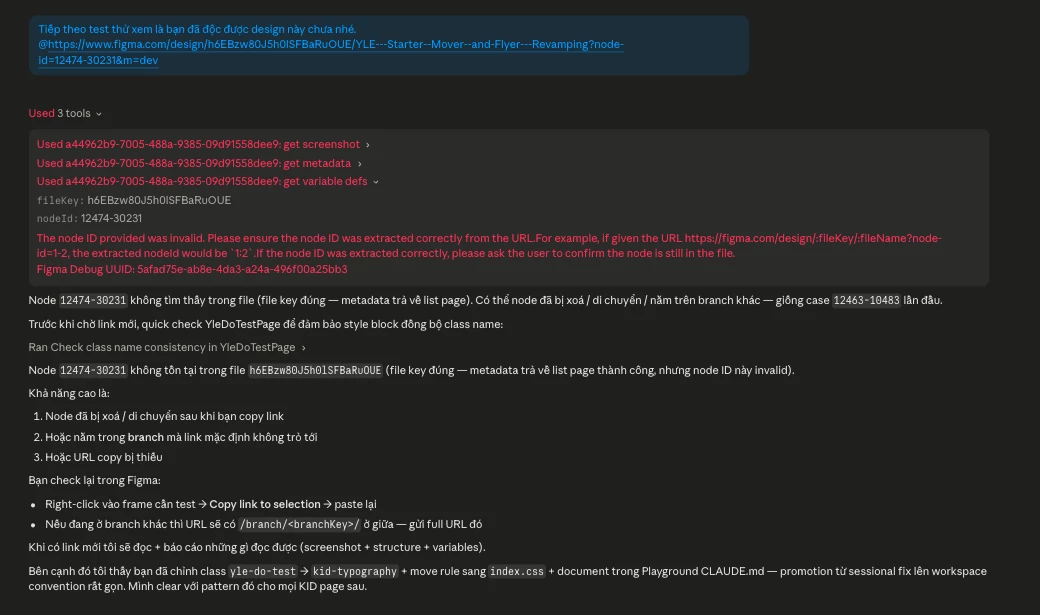
  • Image 1 & 2: Node becomes invalid inside Slot.

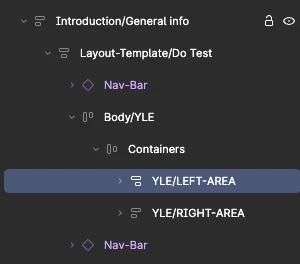
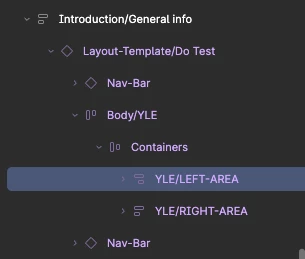
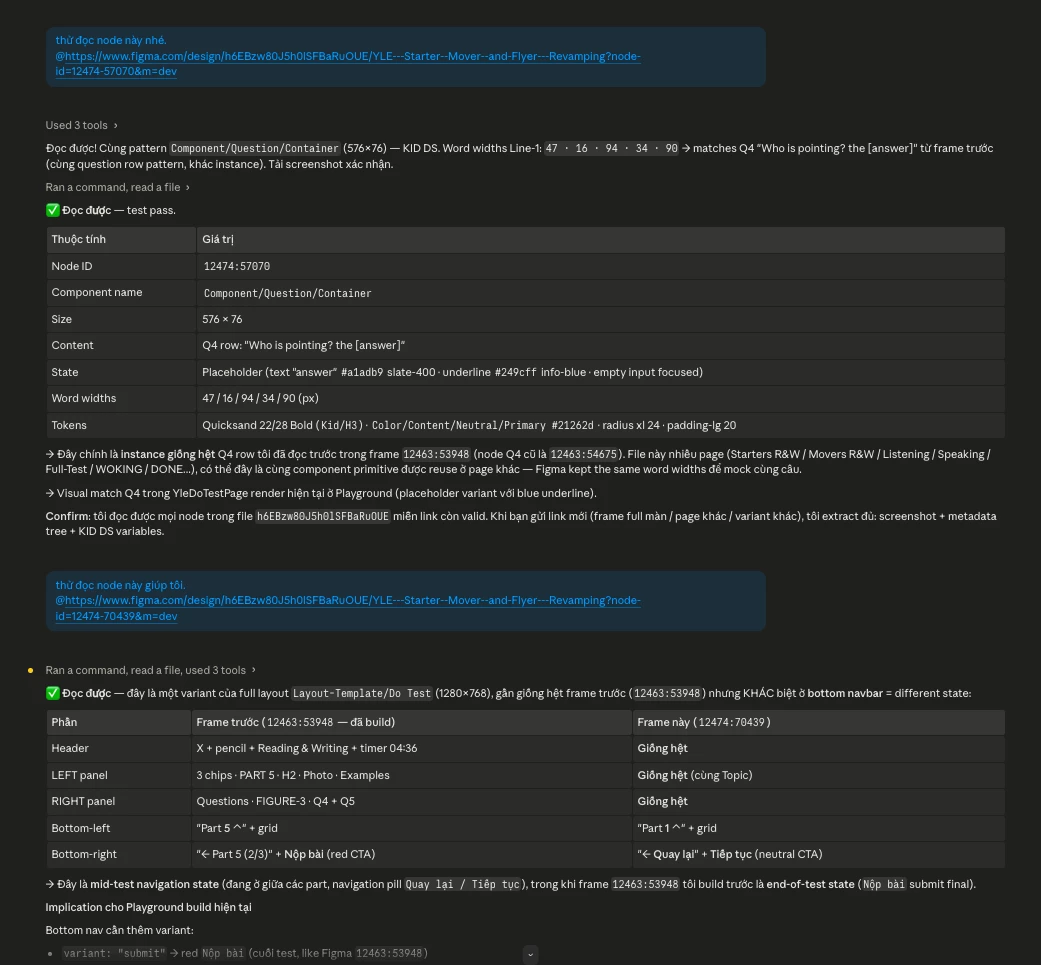
  • Image 3, 4 & 5: MCP works correctly after removing the Slot.

Image 1
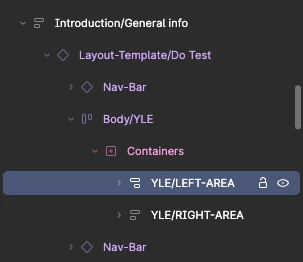
MCP can not read


Image 2

Claude code response - can not read


Image 3

MCP can read


Image 4

MCP can read


Image 5
 

Claude code response - readable


Best answer by Tom Reem

Hey ​@Sebastian Sonnek, thanks for weighing in here as well. I completely understand the frustration, especially with a large slot-based library.

Reading nodes inside Slot components is a current limitation, and hearing how teams are actually running into it helps inform prioritization. While there's no timeline to share just yet, the team is aware of this one.

We'll be sure to update this thread when there's news. In the meantime, if you run into anything else or have more details to share about your setup, feel free to add them here.

7 replies

Jaycee Lewis
Figmate

Hey ​@Khoa_JAK 👋 Thanks for the clear repro and the side-by-side screenshots — those made it easy to act on. I've gone ahead and filed a bug report on your behalf (ID 1930574). Please keep an eye on your email — I sent a few additional details we'll need to help front-load the report. Thanks again! — Jaycee 


Lindsey_Drennan

I’m seeing this issue as well! Anything I drop into slots is coming back as generic code in the MCP as you can see in this image it’s not putting the correct values for eyebrow, title or link.


Tom Reem
Figmate
  • Figmate
  • June 1, 2026

Hey ​@Lindsey_Drennan — thanks for flagging this as well. Slot content returning generic code with incorrect values for things like eyebrow, title, and link is helpful detail.

I've gone ahead and opened a ticket on your behalf with our Technical Quality team. Your case number is: 1938490 — they'll be in touch once they've had a chance to review.

In the meantime, please check the email inbox tied to your Figma account for a message from me with next steps on sharing your file securely. This will help us dig into specifics and identify the root cause.

We'll keep an eye out for your reply. 🙏🏻


Stefano_Fois1

We encountered an issue with the content of the modals, since we use them within the modal's body. As a temporary workaround, we created an artboard with the slot content separated so that the link we pass to the MCP doesn't have a slot. Not ideal, but it works.


Tom Reem
Figmate
  • Figmate
  • June 16, 2026

Hey ​@Stefano_Fois1, appreciate you sharing the suggestion of separating Slot content into a standalone artboard — good to know it unblocks things for now.

Your reply prompted me to check for status updates on the escalated cases, and I have some clarity to share.

The issue raised here is a current limitation with how the MCP interacts with the Slots feature. When content is assigned, it's referenced via SLOT_CONTENT_ID in the component property system rather than as a direct child in the layer hierarchy. Because of this, the MCP isn’t able to read the content, and the Slot appears childless even when it visually contains components.

💡 If any questions come up or you find other workflows that help, please don’t hesitate to share them here.

We'll continue tracking this thread and raising feedback with the product team. I understand how important improving this would be for you and your teams.


Sebastian Sonnek

Is there any news on this topic? I've already created a huge library of slots, and my developers are really frustrated that they can't use the MCP with these slot-based components.


Tom Reem
Figmate
  • Figmate
  • Answer
  • June 30, 2026

Hey ​@Sebastian Sonnek, thanks for weighing in here as well. I completely understand the frustration, especially with a large slot-based library.

Reading nodes inside Slot components is a current limitation, and hearing how teams are actually running into it helps inform prioritization. While there's no timeline to share just yet, the team is aware of this one.

We'll be sure to update this thread when there's news. In the meantime, if you run into anything else or have more details to share about your setup, feel free to add them here.