

starbarath
New Member
July 18, 2025
Question

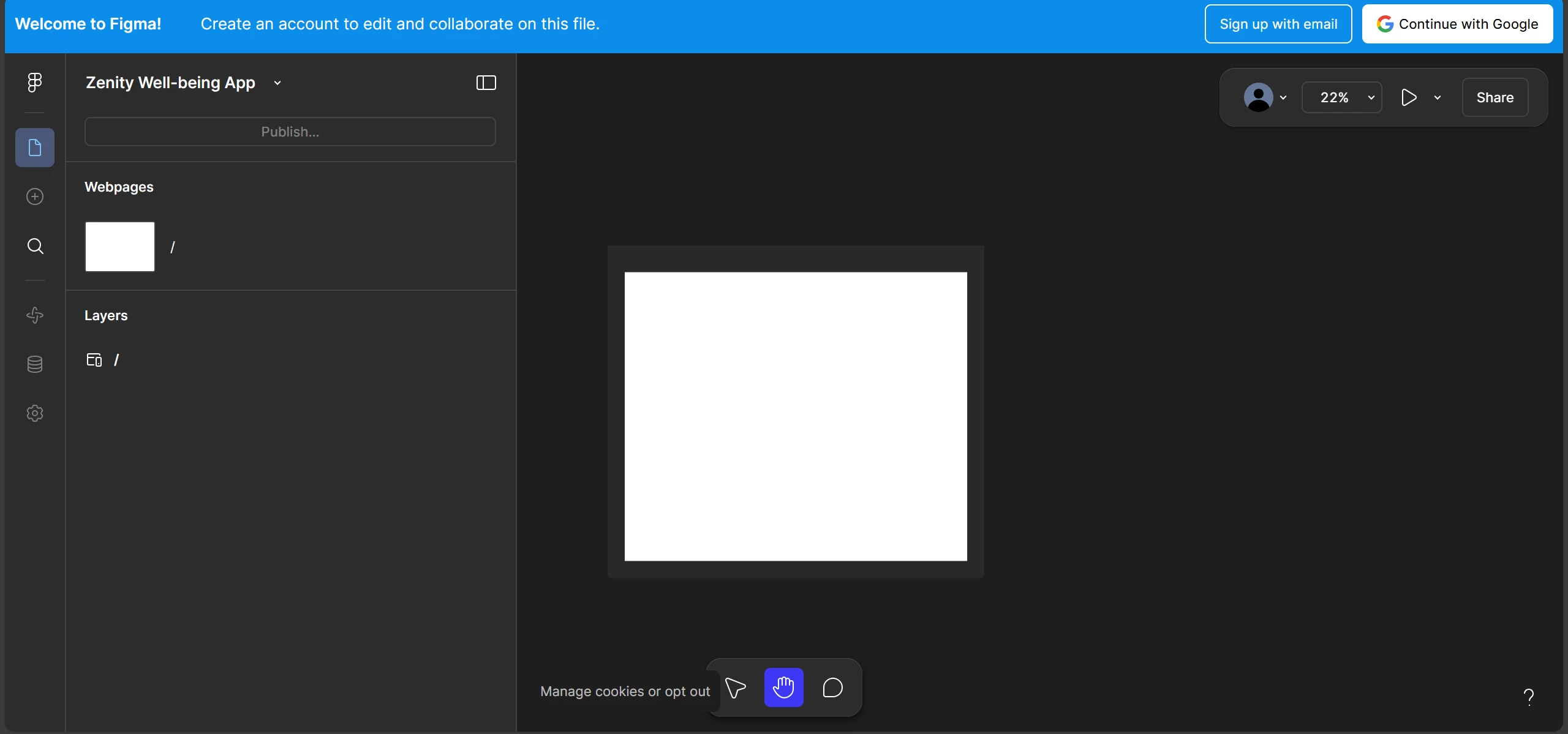
Figma make's Prototype Page shows a static non-interactive page

  • July 18, 2025
  • 3 replies
  • 87 views

I had created a mock using Figma make for a project and I’ve shared the interactive prototype page’s link with others, until yesterday (17th July) i was and others were able to access the page and interact with it, but today when i open the same link it’s redirecting me to a static page where the UI is shown inside a box and I’m not able to interact with it whatsoever. Is anyone else facing this? Should I rebuild or try some other ways to get my prototype out!!
 

This topic has been closed for replies.

3 replies

Dan_Bowen
New Member
July 21, 2025

I had the exact same problem. Not sure if it was a coincidence, but once I ran the latest Figma update, the problem was resolved.

starbarath
New Member
July 22, 2025

Thank you for the answer. I use figma on browser. I’ve tried multiple other browsers, still I wasn’t able to find a way around it.

Celine_
Figmate
Community Support
July 24, 2025

Hey ​@starbarath , I see in the backend that you were able to get access to your prototype now. I’ve gone ahead and marked as solved the topic here!