

Figma Make not updating published version
I just made a research website through Figma Make. Overall I’m happy with it but I am experiencing an issue with one of the right side panels where the panel is behind the navigation and I cannot close the panel.

No big deal so I went in to edit the padding as a quick fix because I ran out of credits and just need it to work.I figured it out and it works in the Figma Make perfectly.
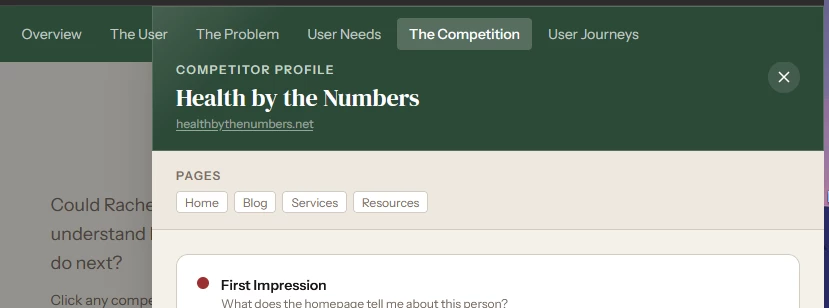
However I then go to publish this change, it loads, says its complete but the change is not reflected on the actual site. I’ve tried clicking apply in the left chat area after making a change which just makes it sparkle? I’ve changed browsers, I’ve disconnected my VPN, I’ve tried multiple other changes to achieve the same end result. Nothing is working. No changes are being published. Am I missing something?