
Question

Figma Make is not working properly for my team.

  • February 11, 2026
  • 1 reply
  • 12 views

Neha Ambhore

We are able to Prompt. 
We are able to see code.
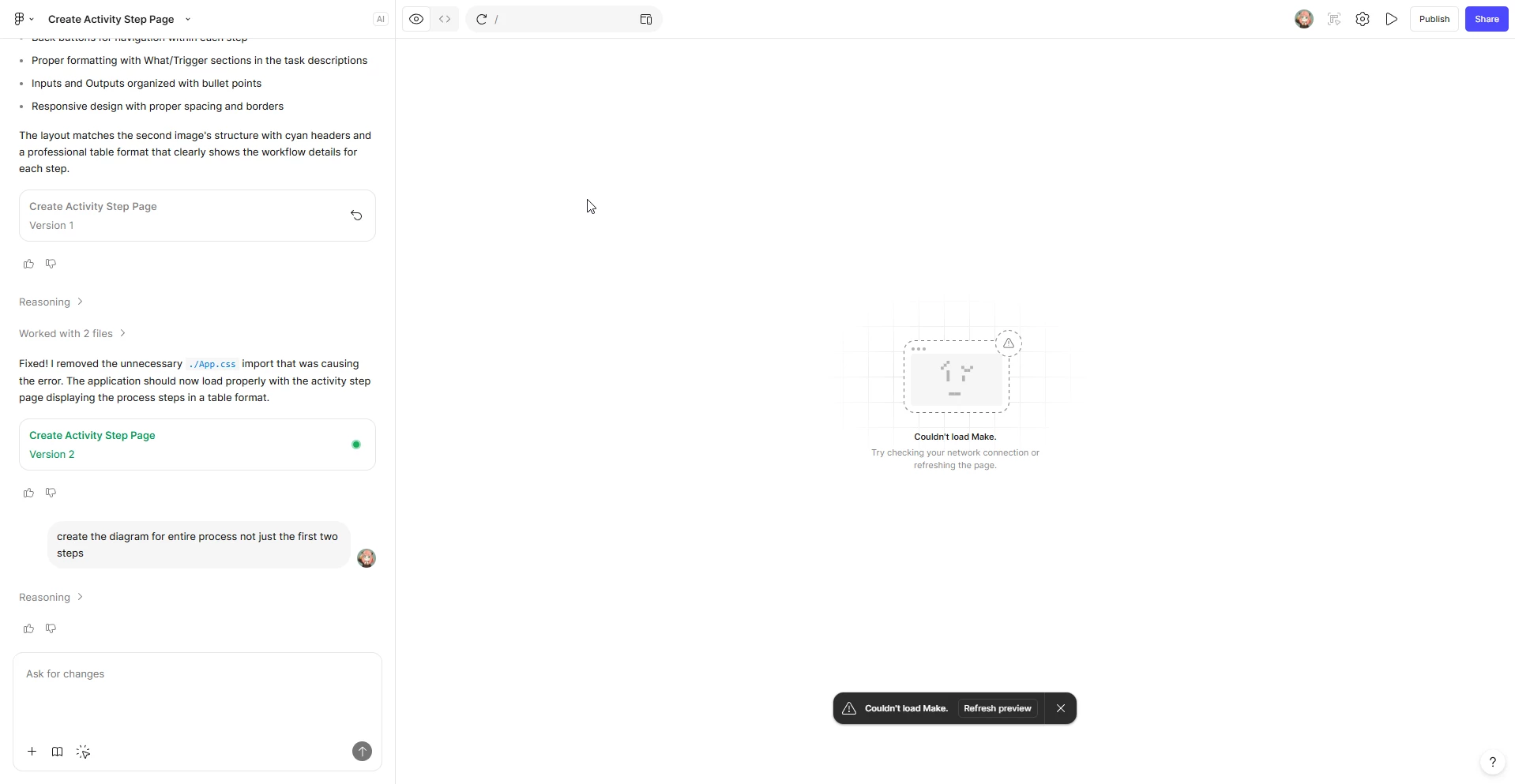
 

Can you help us troubleshoot?

1 reply

  • Figmate
  • February 11, 2026

Hi ​@Neha Ambhore


I understand that you and your team are experiencing an issue where the Figma Make preview is not loading and you're seeing a “Couldn’t load Make” error message.


Let’s try a few troubleshooting steps to checking Network settings

  • Are you connected through a VPN or proxy? If so, does temporarily disabling it help?
  • Could your organization’s IT team confirm that the following domains are allow-listed in your network security settings?
    1. *.figma.com
    2. *.figma.site
    3. *-figmaaipreview.site
    4. *awswaf.com
    5. esm.sh
    6. jsdelivr.net

Can you please try this additional steps as well?

  1. Open the file in a different browser
  2. Switch to full-screen preview to see if it loads
  3. Click the Refresh preview button inside Make
  4. Create a copy of the file and check if it loads. If needed, revert the copied file to the previous version (one version back)

If you’ve tried all of the above and are still seeing the issue, please check the DM I’ll be sending you shortly.


Thanks,