

Figma Make generated no recoverable output, but 500–700 AI credits were deducted
Subject: Figma Make generated no recoverable output, but around 500–700 AI credits were deducted
Hi Figma Support,
I’m reporting a Figma Make issue where multiple AI credits were deducted, but the generated output, task history, code, and preview could not be recovered in the affected Make files.
Main affected Figma Make file URL:
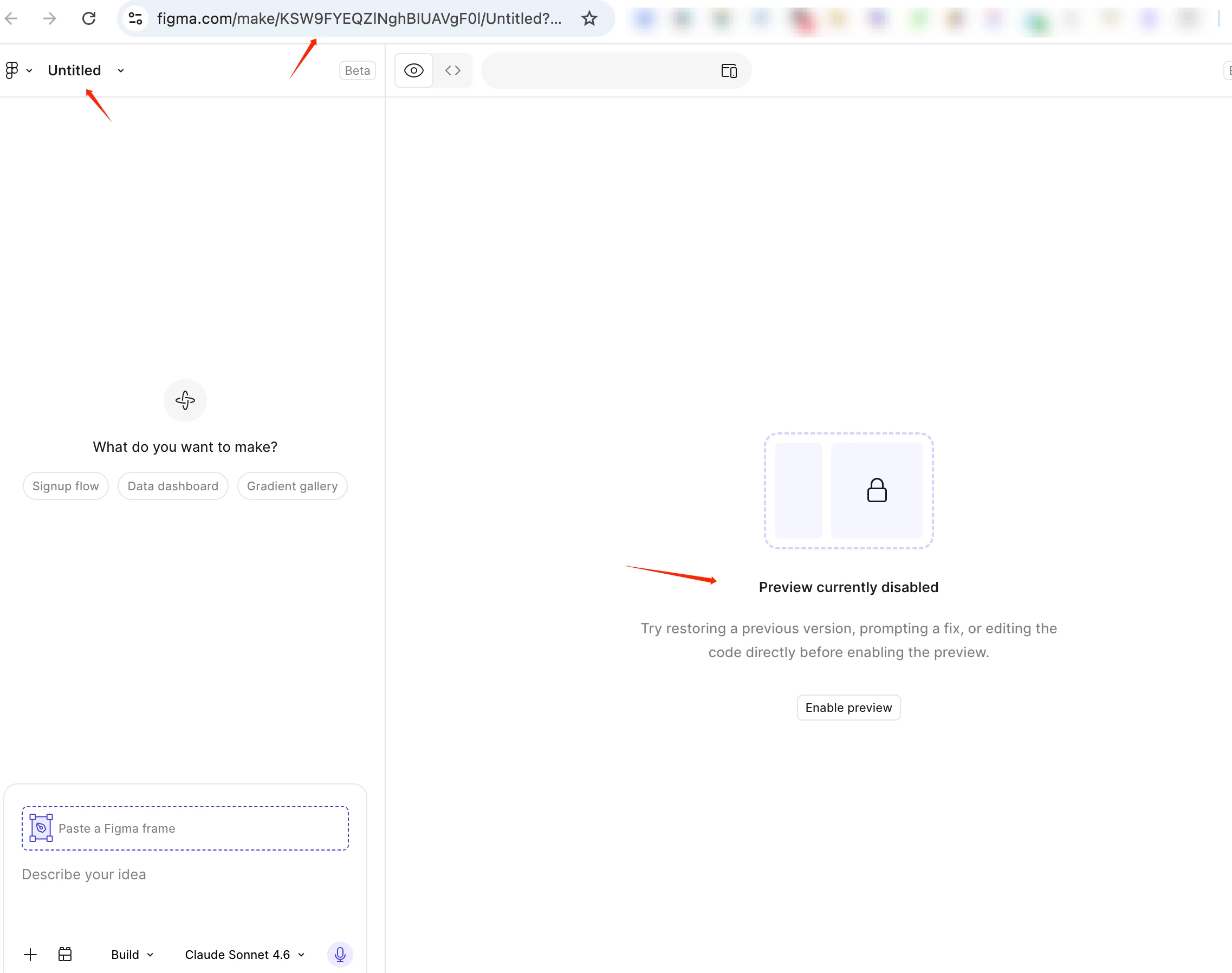
(www.figma.com/make/KSW9FYEQZlNghBIUAVgF0l/Untitled?t=OzFzvxnkIuGFPvvG-1)
Main affected file name:
Untitled
Secondary related Figma Make file URL:
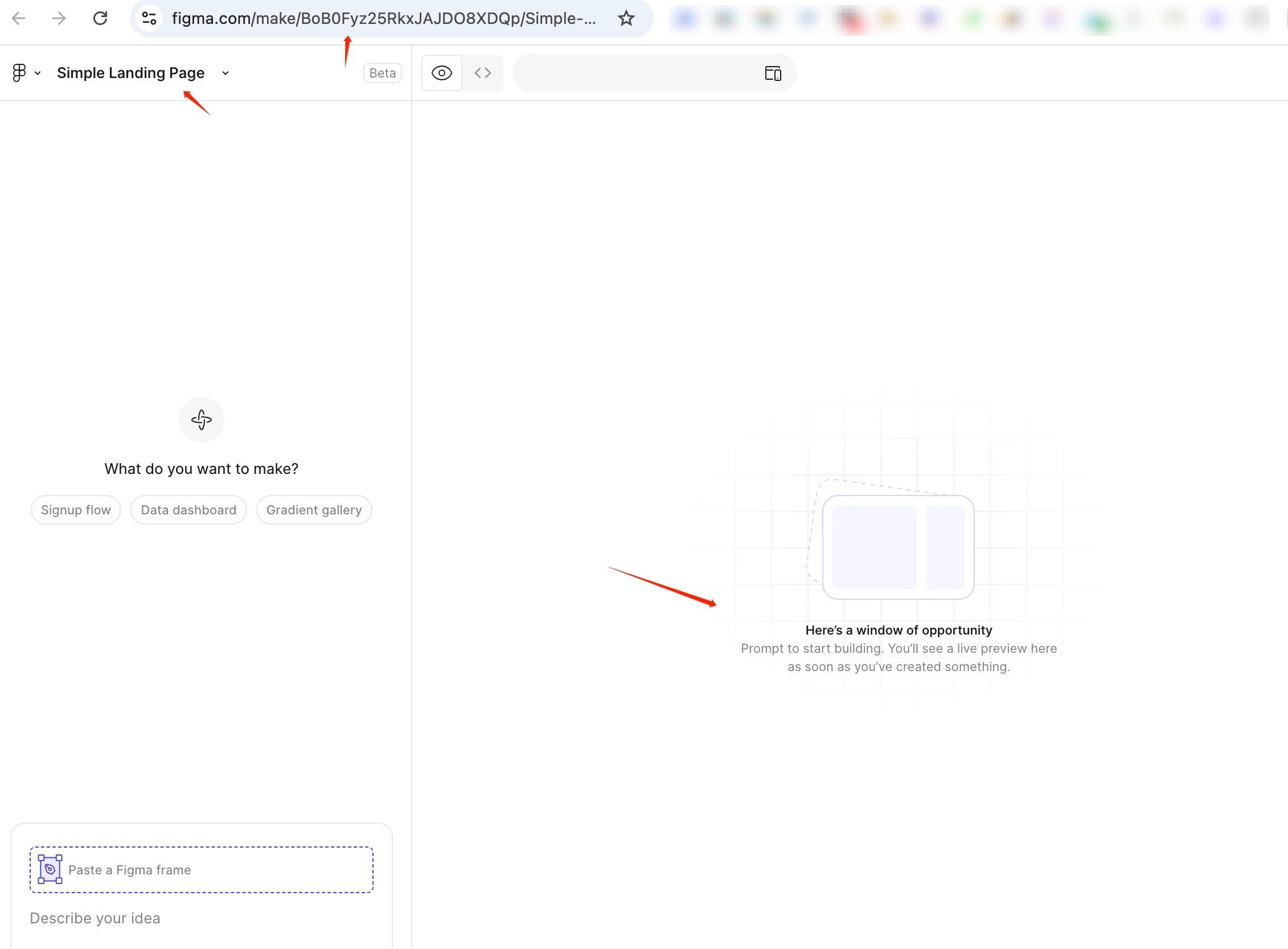
(https://www.figma.com/make/BoB0Fyz25RkxJAJDO8XDQp/Simple-Landing-Page?t=OzFzvxnkIuGFPvvG-1)
Secondary related file name:
Simple Landing Page
Approximate date and time of the issue:
around 11:00 PM–12:00 PM Pacific Time
Plan type:
Education plan / Figma for Education account
AI credits deducted:
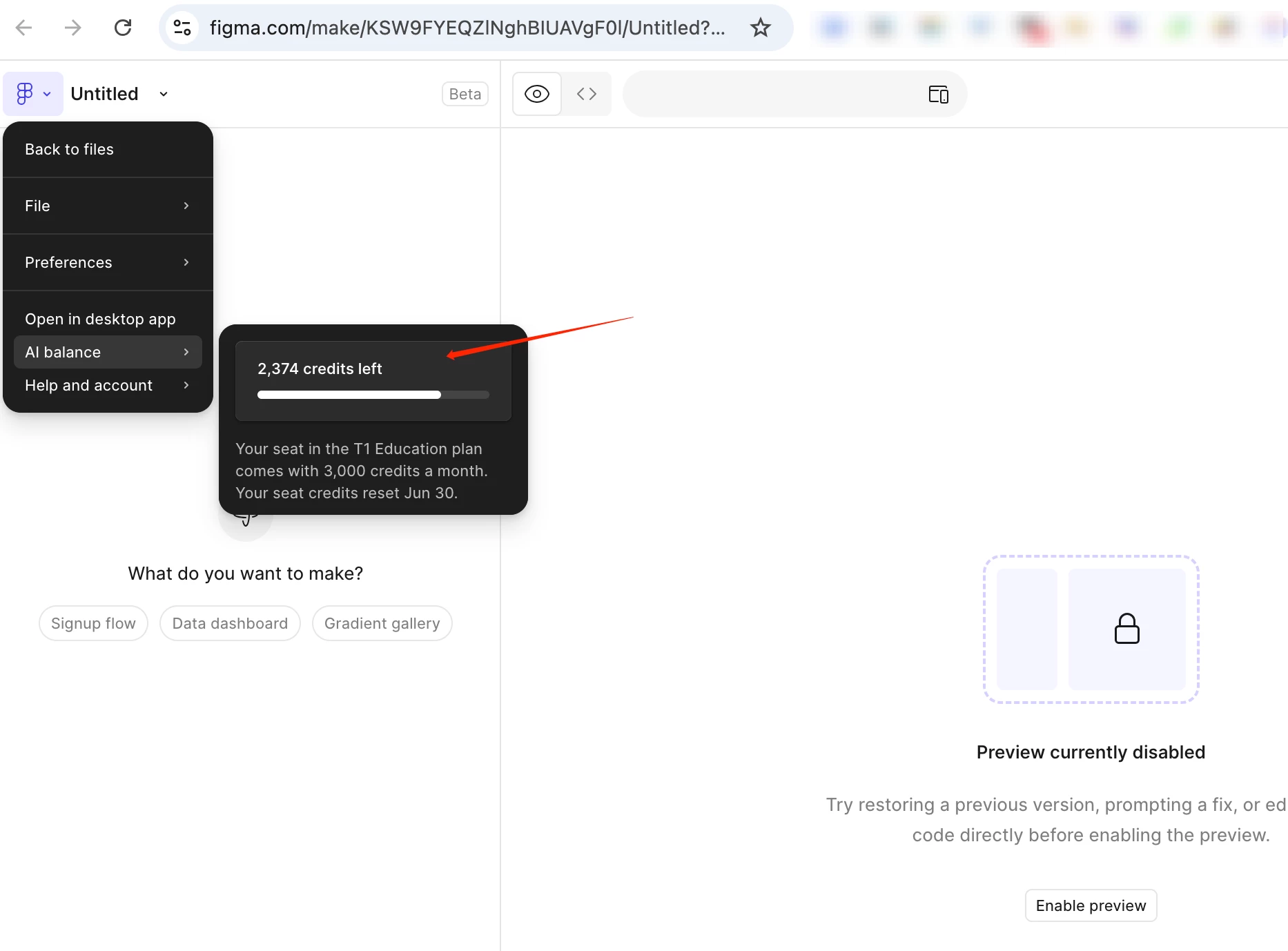
My remaining AI credits were previously over 2,900, but now they are around 2,300. I estimate that around 500–700 AI credits were deducted during these failed or unrecoverable Figma Make attempts.
Prompts used:
For the “Simple Landing Page” file, I used this test prompt:
“Create a simple landing page with a hero title, one button, and three cards.”
After I accidentally clicked “Back to files” and reopened the file, the previous task state and output were gone. I then tried another prompt, roughly:
“Create a blog homepage.”
For the original “Untitled” file, I tried several prompts while testing Figma Make, but I do not remember every exact prompt. The issue is that Figma Make repeatedly consumed credits, but the file did not produce or preserve any usable output, task history, code, or preview.
What happened:
-
I was testing Figma Make with two recent Make files.
-
One file is still named “Untitled”. This was the first file where I noticed that Figma Make was not producing any visible output.
-
I tried multiple prompts in that file, but no usable result appeared or remained recoverable.
-
I then created or tested another Make file, which is named “Simple Landing Page”.
-
In the “Simple Landing Page” file, I submitted the prompt: “Create a simple landing page with a hero title, one button, and three cards.”
-
The page showed “Thinking” and appeared to start running the task.
-
While the task was running, I accidentally clicked “Back to files”.
-
I reopened the Make file from the file browser, but the previous task state, execution details, generated output, code, and preview were gone.
-
The file opened as a default Make page again, with the left side showing “What do you want to make?” and the right side showing the default “Here’s a window of opportunity…” content.
-
I then tried another simple prompt, roughly “Create a blog homepage,” but the overall issue remained: credits were consumed, while no recoverable output was available.
Why I believe the output was lost:
-
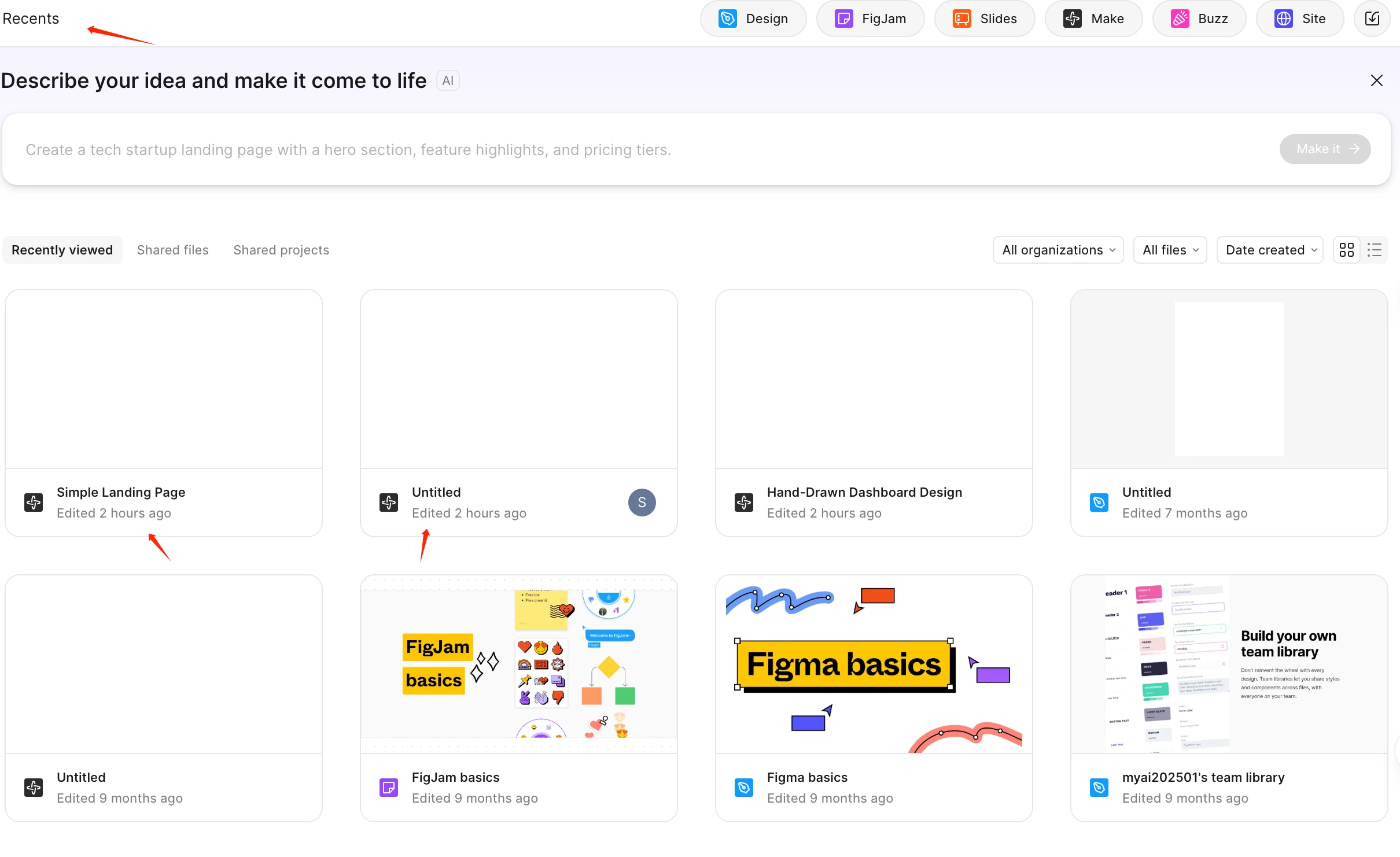
This account has very few recent files.
-
In the Recents page, the two newest files are the two Figma Make test files: “Untitled” and “Simple Landing Page”.
-
Both were edited around the time of the issue, while the other files are much older.
-
I checked both recent Make files, but could not find the generated result, task history, code, or preview.
-
The affected Make files only show the default Make page or no recoverable generated content.
-
My AI credits dropped from over 2,900 to around 2,300 during these attempts.
Troubleshooting already tried:
-
Checked Recents and Drafts.
-
Opened both recent Figma Make files.
-
Checked the Make preview area.
-
Checked the code view.
-
Checked browser history.
-
Tried to locate any recoverable task state or generated output, but nothing was found.
Expected behavior:
If AI credits are deducted, the generated output, code, preview, or task history should remain recoverable in the Figma Make file. If the generation was interrupted or failed before any recoverable result was saved, the AI credits should not be consumed, or they should be restored.
Actual behavior:
Figma Make consumed a large number of AI credits, but I cannot find any generated output, code, preview, or task history in the affected Make files.
Request:
Could you please investigate these Figma Make runs, check whether any generated output was saved on your backend, and restore the deducted AI credits if the generations failed or produced no recoverable output?
Attachments:
-
Recents page screenshot showing that the two newest files are the Figma Make test files, edited around the issue time.
-
Screenshot of the “Untitled” Make file showing that no generated output, task history, code, or preview is recoverable.
-
Screenshot of the “Simple Landing Page” Make file showing the same issue or default Make page.
-
Screenshot showing the current AI credits status, if available.
Thank you.