ChiPT
New Member
January 28, 2026
Solved

Figma Make – Failed to download code files

  • January 28, 2026
  • 23 replies
  • 492 views

Hi,
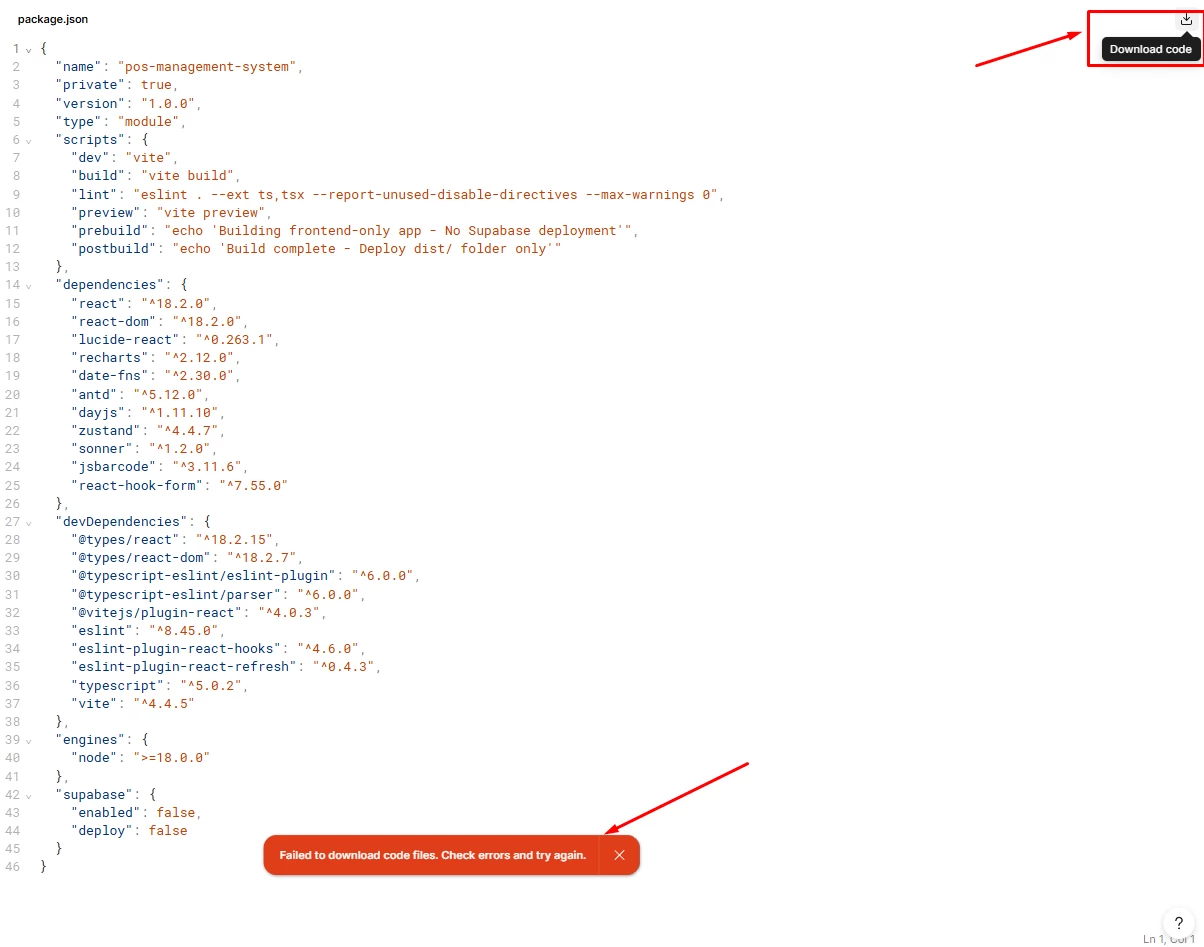
I’m using Figma Make and I keep getting this error:
“Failed to download code files. Check errors and try again.”

The preview is generated successfully, but when I click Download code, it fails.

Has anyone encountered this issue before?
What are the common causes and how can I fix it?


Best answer by adamsmasher

Thanks for your post, ​@Manikandan D. There are different reasons why that might happen, though that error message doesn’t make it too clear what error is actually preventing you from downloading your files.


I see that you’ve submitted a ticket to our support team about this today, so you should hear back soon regarding the request. I also see you shared your file already - that’s great! Troubleshooting this particular issue usually requires looking at the Make file itself, so that’ll help our team troubleshoot this more quickly for you. For anyone else that might run into the same issue, visiting our Help Center and submitting a bug report is the best approach.


In the meantime, let me know if there’s anything else I can help with.

23 replies

adamsmasher
Figmate
Figmate
April 22, 2026

Hi ​@muhammad.tariq.psw! Stepping in for ​@AskDave.


Apologies in advance since you already provided links to Dave, but could you reply to the DM I sent you with links to the files? I’ll share those with our team so they can take a look.


Thanks!

Manikandan D
New Member
August 29, 2026

Failed to download code files. Check errors and try again.


i am getting this error when i try to download code

adamsmasher
Figmate
Figmate
August 29, 2026

Thanks for your post, ​@Manikandan D. There are different reasons why that might happen, though that error message doesn’t make it too clear what error is actually preventing you from downloading your files.


I see that you’ve submitted a ticket to our support team about this today, so you should hear back soon regarding the request. I also see you shared your file already - that’s great! Troubleshooting this particular issue usually requires looking at the Make file itself, so that’ll help our team troubleshoot this more quickly for you. For anyone else that might run into the same issue, visiting our Help Center and submitting a bug report is the best approach.


In the meantime, let me know if there’s anything else I can help with.