I’ve been getting a persistent error in Figma Make for the past three days. It was working fine before, and I’m currently on app version 326.
I’ve tried the common fixes suggested by other users, including duplicating the file, testing new prompts, and restarting the app, but none of these have worked.
I’ve also opened an issue and granted access to share@figma.com, but the invite hasn’t been accepted yet.
This is affecting my workflow, so I’d appreciate your support in resolving it.
Screenshot of the error has been attached
Best answer by Celine_
Hey there, Celine from Figma here! Thanks for flagging it and sorry for the disruption. The “couldn’t reach server” error is occurring more often due to high demand and capacity constraints with the Gemini 3 Pro model.
Our engineering team is working closely with the model provider to improve stability.
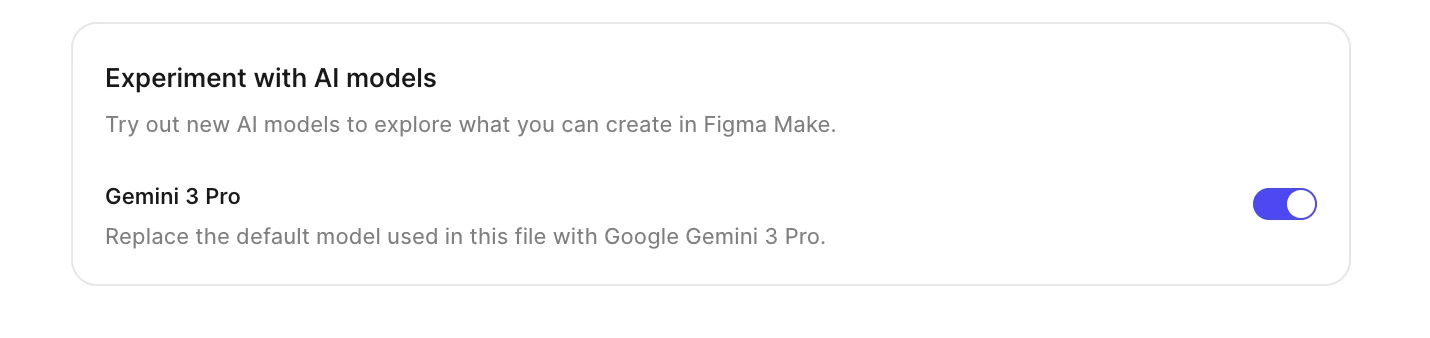
In the meantime, you’re right, turning off Gemini Pro resolves the issue. For anyone else experiencing the same problem, we recommend switching back to the default model by disabling "Experiment with AI models" in your Make file’s Experimental Models settings.
Hey there, Celine from Figma here! Thanks for flagging it and sorry for the disruption. The “couldn’t reach server” error is occurring more often due to high demand and capacity constraints with the Gemini 3 Pro model.
Our engineering team is working closely with the model provider to improve stability.
In the meantime, you’re right, turning off Gemini Pro resolves the issue. For anyone else experiencing the same problem, we recommend switching back to the default model by disabling "Experiment with AI models" in your Make file’s Experimental Models settings.
I frequently encounter two problems when using Beta AI. Especially when questions are somewhat larger, or the project is already quite extensive, Gemini is completely unusable.
Is there a solution for this? Because Gemini is clearly better at programming than the current Claude integration.