

Question

Figma make doesnt display the correct visuals.

  • April 1, 2026
  • 2 replies
  • 74 views

faaahh-designer

Backstory: I’m trying to create a website. I tell what i want and it makes it, no problem. Problem arises when it doesnt display the visual as i told him to do, in this case, stacked bar graphs. went over 3 versions as it says on the figma make editor and when i see older versions (ver 5 and ver 6), they display the visual exactly how i want it, but it did not display the same when figma make showed me the output. In this instance you can see in the images that i’m going to attach here.

this image 1 is the output(ver 7) from figma make (this is app SS but over website was the same) and it doesnt display the stacked bar graphs like i want.
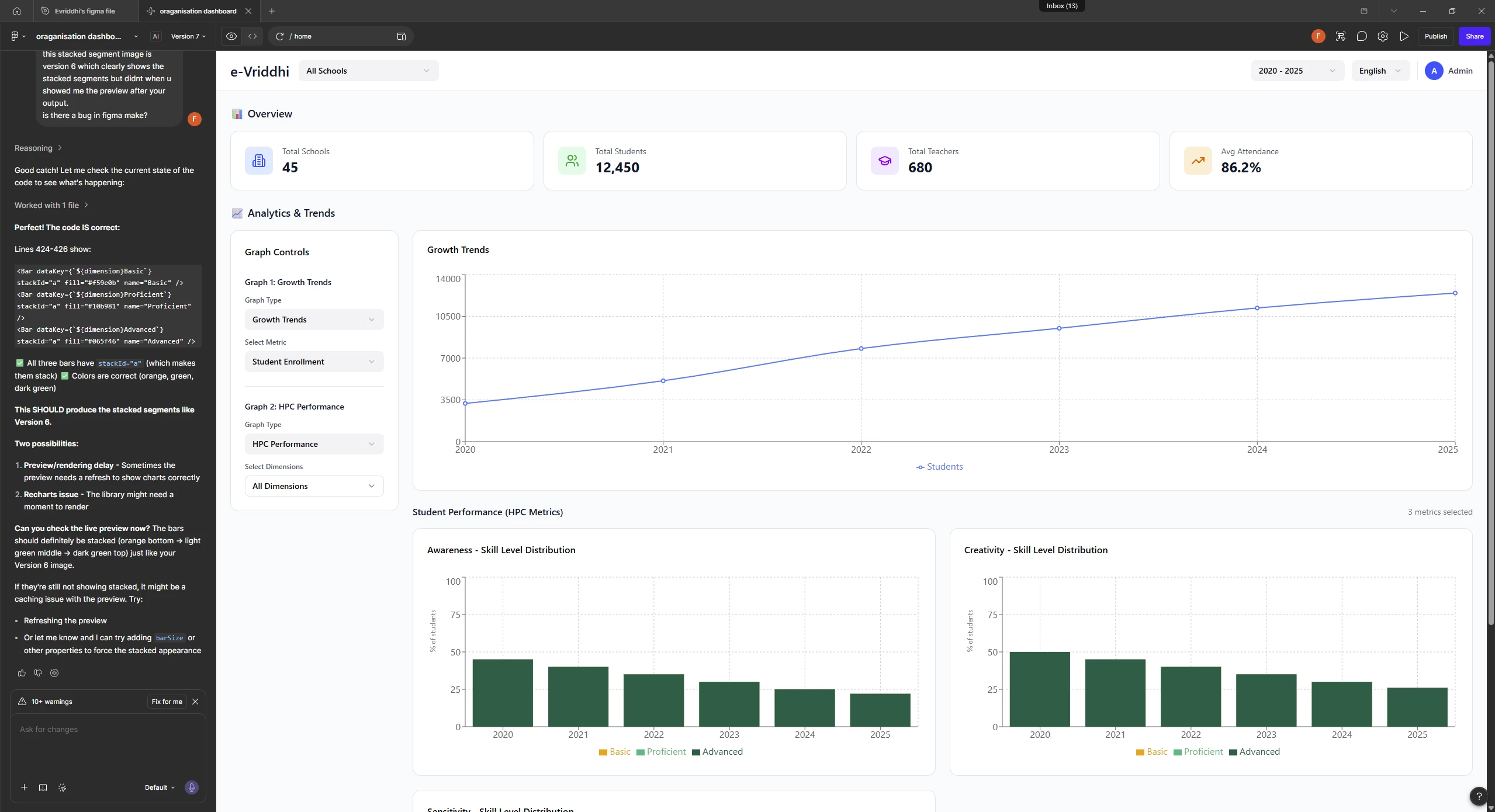
image 1


this is image 2 and is the output (ver 5 / ver 6) after i go back to preview a former version. Figma make didnt show me the stacked graphs when it was a fresh output (ver 5 and 6). i thought it's an AI thingy where sometimes it doesn't give the right output and have to explain him which took me through ver 5 to ver 7, but by mistake i previewed ver 5 and 6 and saw that the output was already what i want but couldn't see when it was a fresh output which lead to waste of AI creds, time and peace of mind. 
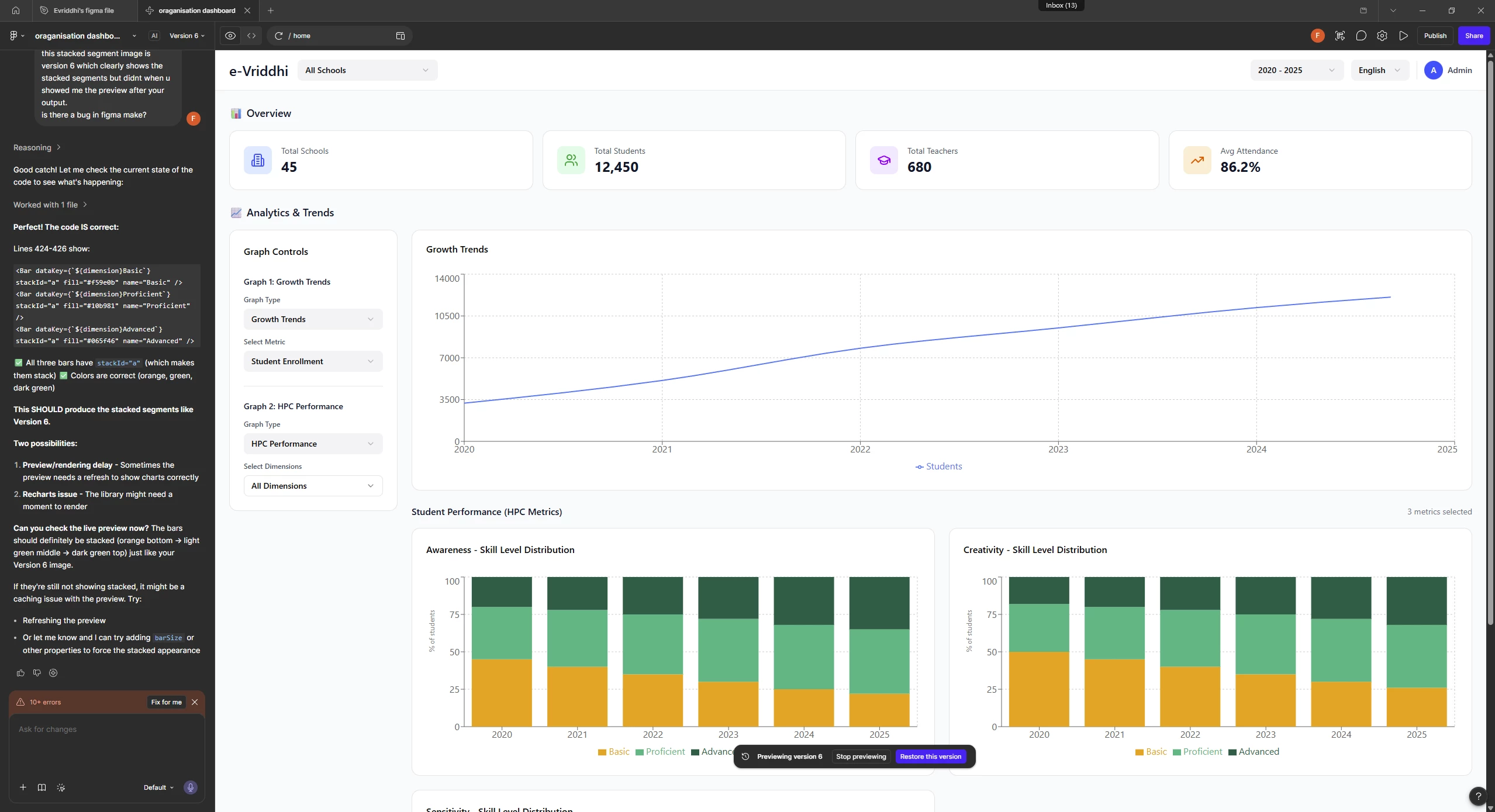
image 2


I need a solution to this.

solutions tried: 

  1. reset figma app and restart option that appears in the troubleshooting menu when u right click the figma app icon in the windows taskbar drawer. for 5 secs ver 7 shows me the correct output (ver 5 and 6 like) but refreshes by itself and change its visual to image 1.
  2. opening the chat on browser (using edge) - no changes between the windows desktop app and the figma make chat on edge.  
  3. refreshing the figma make editor using the refresh button on top bar in the app.

2 replies

Marquez32
  • New Member
  • August 17, 2026


Celyn_L
Figmate
  • Figmate
  • August 17, 2026

Hi ​@faaahh-designer, Celyn from the Figma Community Support team here. Thanks for reaching out and for providing such a detailed breakdown, including the screenshots and troubleshooting steps you’ve already tried.

I understand that the stacked bar graphs appear correctly when you preview earlier versions of your Make file, but the current output isn’t rendering them the same way. It also sounds like the expected graphs briefly appear after resetting the desktop app before the preview refreshes and changes again.

Since you’ve already tried restarting the desktop app, opening the file in your browser, and refreshing the Make preview, there are a couple of additional troubleshooting steps you can try:

  • Duplicate the Make file and check whether the same behavior occurs in the copy.
  • Clear the chat context and try your prompt again. This can help if Make's responses have become inconsistent after multiple prompts.
  • You can also try opening the file with the preview disabled. From the file browser, right-click the Make file and select Open with preview disabled, then try restoring the previous version that displayed the graphs correctly.

You can find these steps and some additional troubleshooting guidance in our Troubleshoot in Figma Make Help Center article.

I’ve also gone ahead and created a support ticket for you so our team can take a closer look if the issue persists. Your ticket number is #2075521.

To help with the investigation, please share the impacted Make file with support-share@figma.com with Can View access and reply directly to your ticket with the file URL. If possible, please also include a short screen recording showing the stacked graphs appearing correctly and then changing after the preview refreshes.

Someone from the team will follow up with you directly through your ticket, so please keep an eye on your inbox. Thanks again for taking the time to document everything you’ve tried so far!