

Question

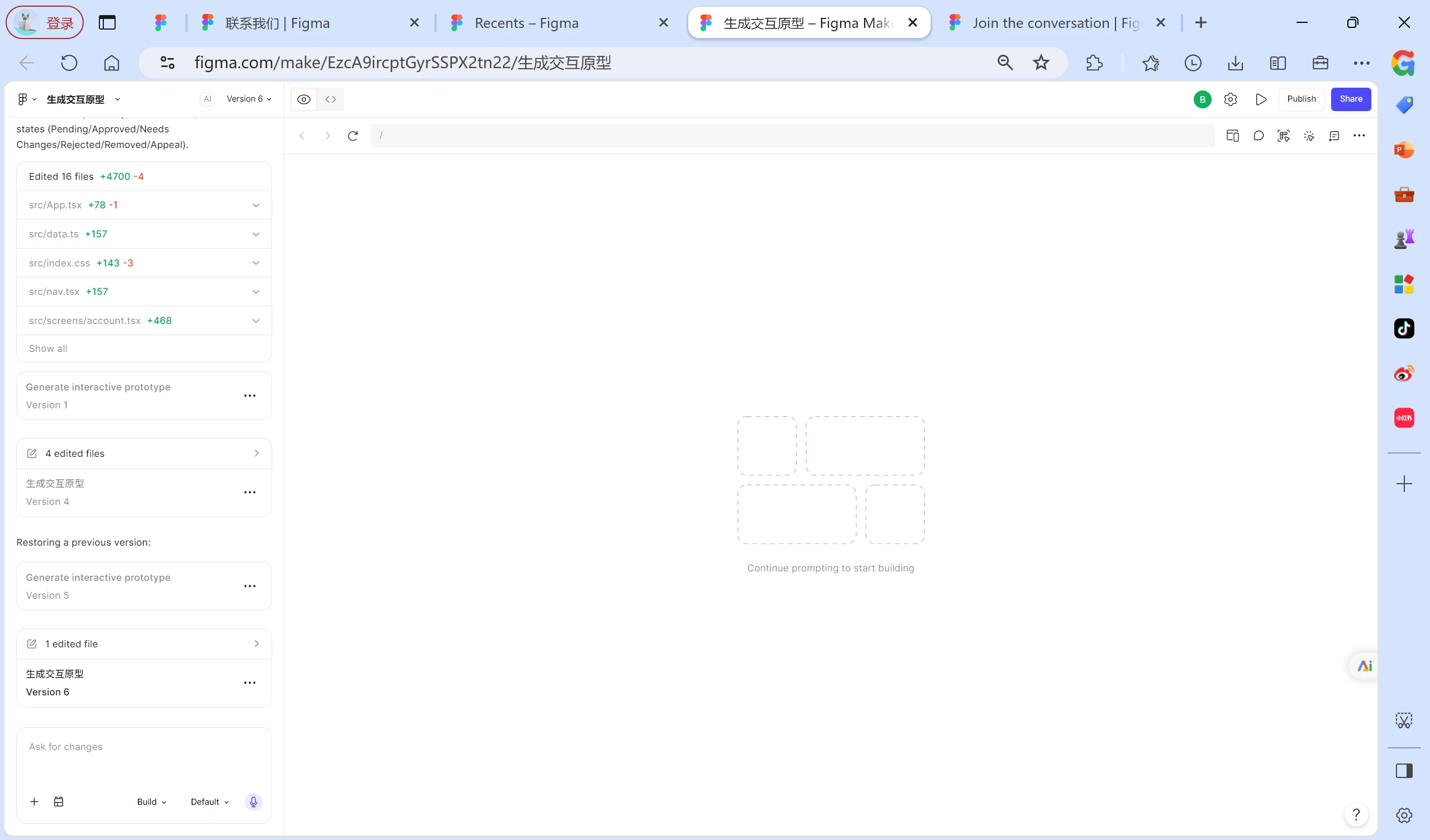
Figma Make consumed AI credits but never created a preview
  • September 1, 2026
  • 1 reply
  • 1 view

byronfay73902

Figma Make generated the complete project code and consumed my available AI credits, but the preview was never initialized. The file always shows “Continue prompting to start building.”

The exported code installs successfully, passes TypeScript validation, and builds successfully outside Figma, so the generated code itself appears to be valid.

I have already tried:

  • saving the generated changes;

  • refreshing and running the preview;

  • opening and restoring different versions;

  • editing the code directly to trigger a rebuild;

  • saving a local .make copy and importing it as a new file.

The imported .make file reproduced the same broken preview state.

Could a Figma Support Specialist please help restore the existing preview build without regenerating the code or consuming additional AI credits? If the preview cannot be restored, please review whether the credits consumed by the incomplete generation can be refunded.

For privacy, I can provide the Make file URL and account details to a Figma employee through a private message.

1 reply

Celyn_L
Figmate
  • Figmate
  • September 1, 2026

Hi ​@byronfay73902, Celyn from the Figma Community Support team here. Thanks for reaching out and for providing such a detailed report.

I understand that although the project code was generated and AI credits were consumed, the preview never initialized and continues to show “Continue prompting to start building,” even though the exported code builds successfully outside Figma.

Thanks as well for trying several troubleshooting steps and documenting the results. This context will help with the investigation.

I’ve gone ahead and created a support ticket so the team can investigate the preview issue and review your request regarding the consumed credits. Your ticket number is #2104835.

When you have a moment, please reply directly to the ticket with a link to the impacted file, and invite support-share@figma.com with “Can View” access (this won’t impact your billing and will allow us to reproduce the issue and investigate further with Engineering).

Someone from the team will follow up with you via your ticket, so please keep an eye on your inbox. Thanks for your patience in the meantime!